11. Chart Alarms
11-5
11.2.3 Highlighting chart alarms
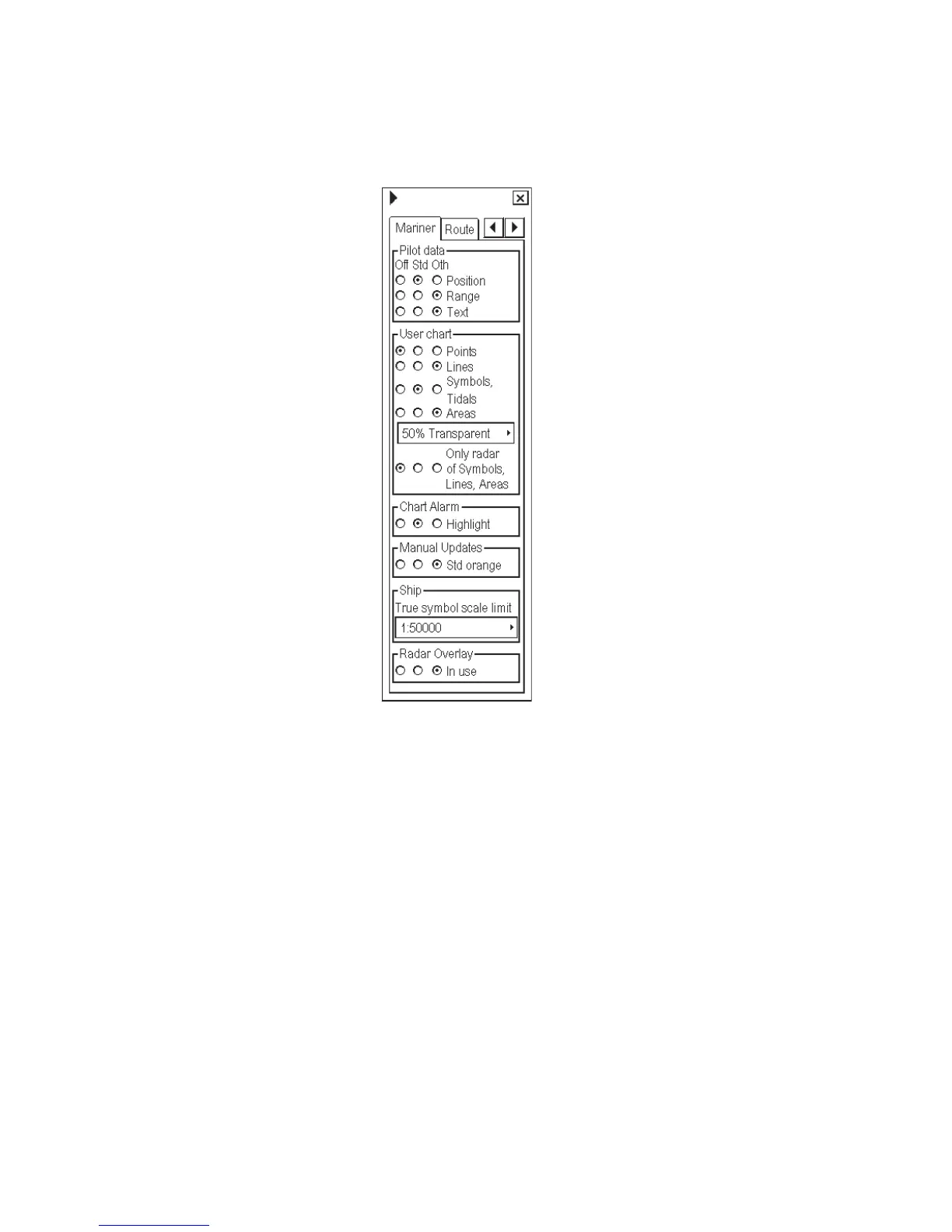
The operator can choose the level of transparency of the chart alarm highlight. Follow the procedure below to
choose the level of transparency.
1. Spin the scrollwheel to show
Chart Display/Info/Standard
Display then push the left mouse
button.
2. Click the right or left arrow tab to
choose the Mariner page, as
shown right.
3. In the User chart box, put the
cursor in the combo box, spin the
scrollwheel to choose level of
transparency desired then push
the scrollwheel.
4. In the Chart Alarm box, choose
Std or Other position to enable
highlighting of alarm area.
*ALL-ON



 To Next Page