23. Recording Functions
23-10
23.3.6 Making backup copy from details, voyage or danger targets
log
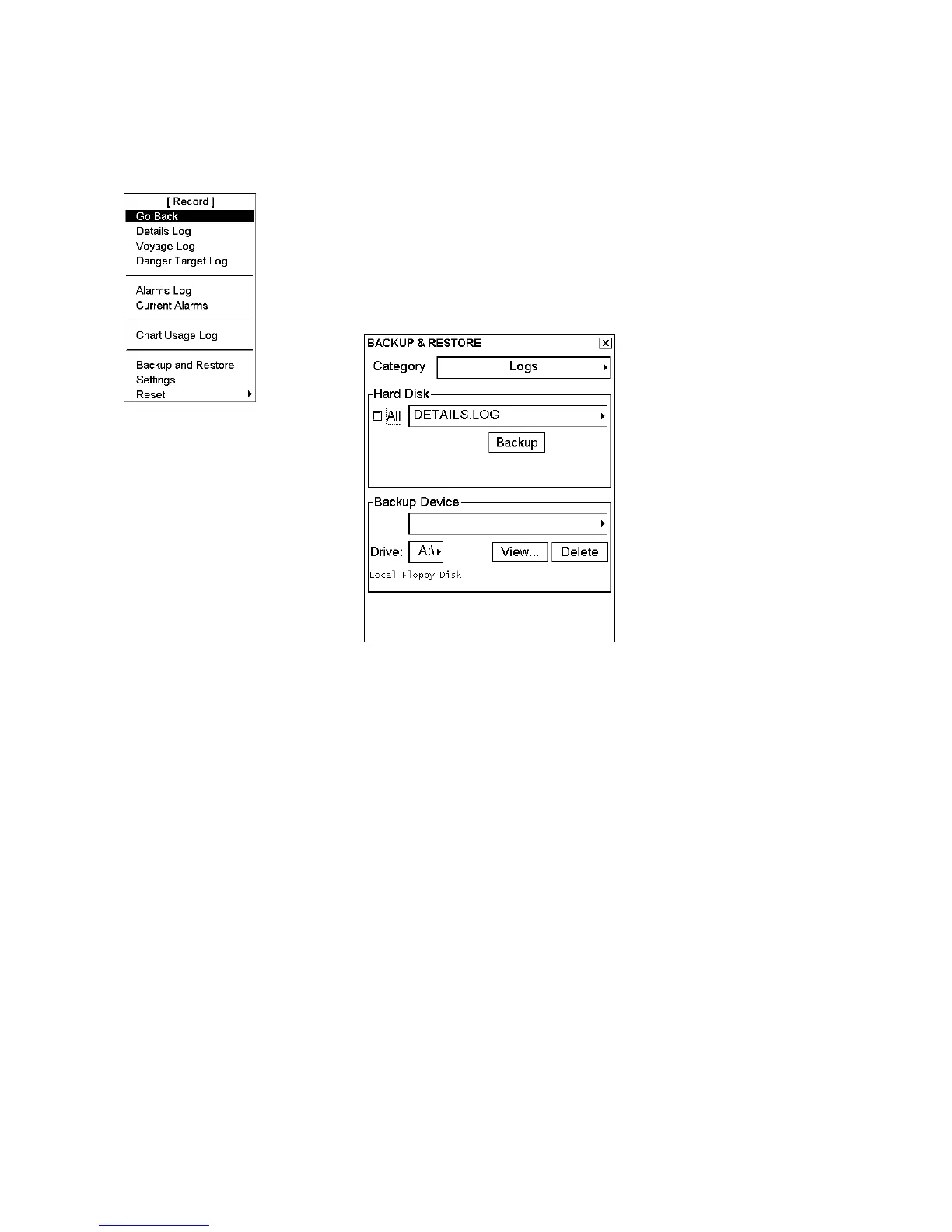
If necessary you can make a backup copy of ECDIS logs onto a floppy disk as follows:
1. Spin the scrollwheel to show Menu/Info/Chart Menu in the mouse functions
area then push the left mouse button.
2. Choose Record from the menu then push the scrollwheel.
3. Choose Backup and Restore from the menu then push the scrollwheel.
4. The Backup and Restore dialog box appears.
5. Choose desired log and drive for backup copy. Then, click the Backup
button.



 To Next Page