30. Steering With TOKYO KEIKI Autopilot PR-6000
30-14
30.4.7 Route steering alarms
There are two types of route steering alarms: permanent and intermittent.
Permanent route steering alarms
Permanent alarms are available regardless of the steering mode:
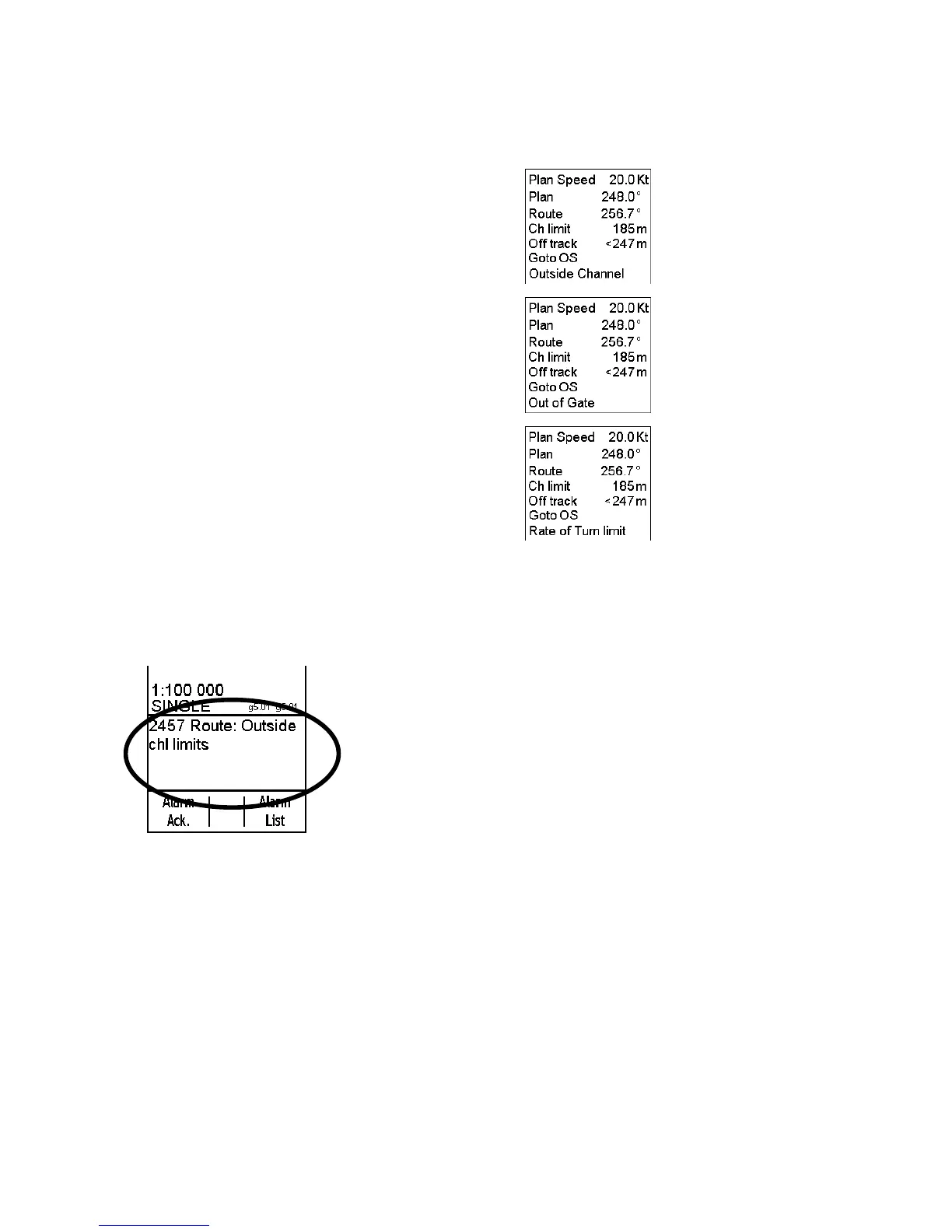
• "Off track" value is shown in red.
• "Outside Channel" is shown in orange.
• Out of Gate is indicated by orange text. Out of gate
indicates that, if your ship continues using the current course,
then your ship will be outside of the channel at a wheel over
point.
The permanent alarm show right is available only during the
route steering mode:
• Rate of Turn Limit is indicated by orange text.
Intermittent steering alarms
Intermittent audiovisual alarms appear as follows:
• Visual alarm and buzzer are generated at the ECDIS control unit.
• Alarm number and text are visible at the lower right corner of the ECDIS screen (see example below)
Typical intermittent alarms not described in other sections are:
Alarm "2457 Route: Outside chl limits" appears when your ship is outside the planned channel.
Alarm "2455 Route: off course" compares the planned course and actual heading, if the TCS (Track Control
System) requires a high attack angle towards the planned course to perform track control. This alarm is repeated
every five minutes, if the condition continues.
Alarm "2456 Route: WPT approach error" appears when, because of a decrease in speed, the time to the waypoint
approach alarm is more than 100 seconds away from the wheel over point after the operator has already
acknowledged alarm "2451 Route: WPT approach alarm" (to enable the next automatic turn). After the alarm 2456,
the next turn is not enabled and the system generates a new alarm "2451 Route: WPT approach alarm" when
appropriate.
Alarm "2460 Pilot: ROT will be exceed" appears when the set radius value together with the current speed of the
rate of turn is over the limit set with Max. rate of turn in the Route Parameters dialog box.



 To Next Page