18. Common Reference System
18-9
18.5 Mode of Workstations
The system is designed so that information and operations can be shared among workstations. Sharing requires that
the access server be running in the specified workstation. (This is an installation parameter. See the Installation
Manual.) The access server requires that the workstation be designated as multi workstation.
If something fails in a workstation or in the LAN connecting the workstations that prevents multi workstation
operations, it is possible to switch the mode to single workstation. If the mode of a workstation that is defined in the
installation parameters for the access server is set as a single workstation, the access server is stopped and the
workstation continues as if they are separate individual ECDIS systems.
Note: When the mode is single workstation, no data are harmonised nor are information of operator selection shared
between workstations.
18.5.1 Changing mode to single or multi workstation
To change sensor source, do the following:
1. Operate at the workstation for which you
want to set sensor source.
2. Place the cursor below the chart scale
indication, confirm that Initial Settings is
shown in the mouse functions area then push
the right mouse button.
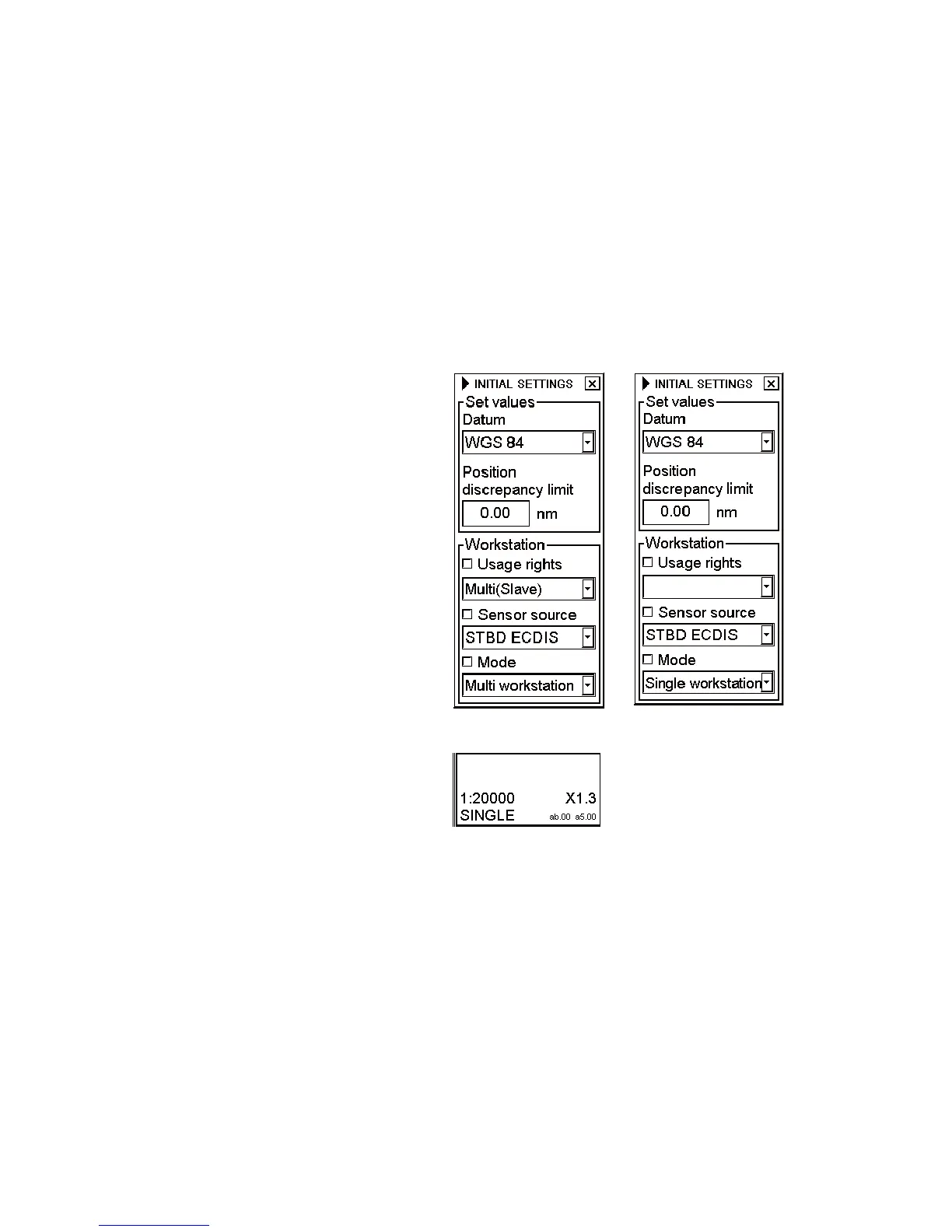
3. Check Mode and choose appropriate
workstation from the List box.
In this example, mode was changed from multi to
single.
The selection Single workstation disables
selections of usage rights and sensor source and
stops the access server operations on the
workstation. In the single workstation mode, the
indication SINGLE appears at the lower right
hand corner in red.
Single



 To Next Page