9. Raster Chart Material
9-25
9.4.12 ARCS catalogue
The Chart Catalogue command in the Chart menu helps you manage ARCS charts. When you choose this command,
the ARCS Catalogue window opens in the electronic chart area and the ARCS Catalogue dialog box appears in the
information area.
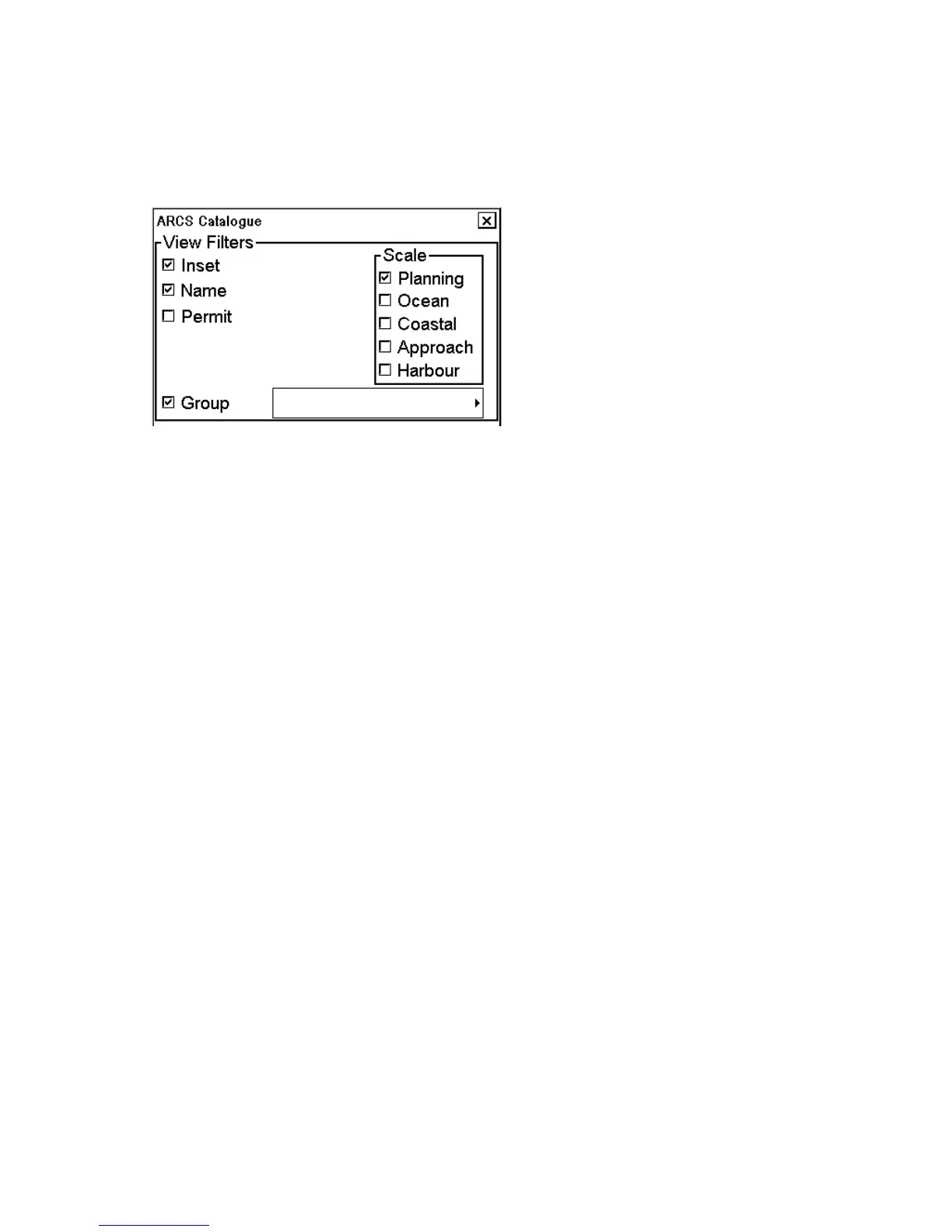
View filters window:
You may filter ARCS chart limits with "Scale" in the ARCS Catalogue dialog box. There are different categories for
the ARCS charts depending on their scale. The categories are:
• Planning
• Ocean
• Coastal
• Approach
• Harbour
"Inset" displays insets contained in charts. "Name" displays ID number of charts. "Permit" displays limits only for
charts that the system has a permit to use.
"Group" displays limits for operator defined group charts.
The ARCS catalogue displays chart limits in different colors. Each ARCS Weekly Update CD ROM contains
information for each chart available in UKHO with up-to-date information at the date of issue. When loading
updates using by permits or by active group, this information is loaded into the ECDIS. This information is used to
display limits of charts on the ARCS catalogue. The chart limit boxes are color coded as follows:
Color of
chart limit
Meaning
Green The chart is available for use and it is also up-to-date.
Orange The chart has a valid permit and it is loaded on the hard disk, but it is not up-to-date. Update
chart using the same weekly updates as displayed in the ARCS Catalogue information.
Red Neither permit nor chart has been loaded onto the hard disk. Load permit, chart and updates.
Blue The chart is not seen on the ECDIS. Possible reasons are:
• Chart permit is for different edition of the chart. This may occur when a new edition of a
chart has been issued, but either only new permit or only new chart has been loaded onto the
hard disk.
• Chart permit has expired. Contact your chart agent to renew permit for the chart.
• Content of the chart is corrupted. Load the chart and updates.
Magenta A permit for the chart has been loaded, but the chart is not loaded on the hard disk. Chart
cannot be seen on the ECDIS unless the chart is loaded into the ECDIS.
You can choose a chart by clicking the limit of the chart in the ARCS Catalogue dialog box. The information about
the chosen chart is displayed in the Selected Char field.



 To Next Page