3-1
3. ECDIS Display
3.1 Overview
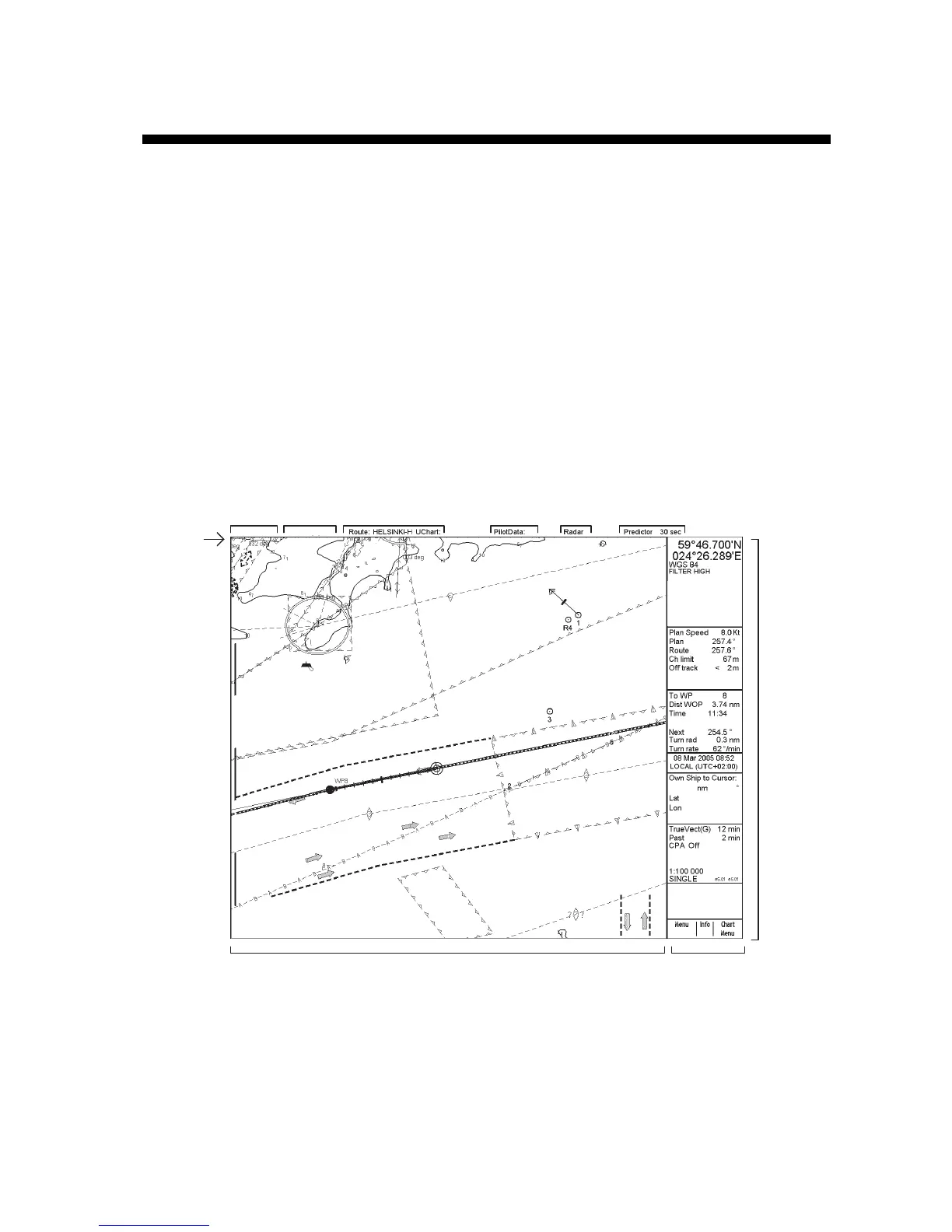
The ECDIS (Electronic Chart Display and Information Systems) screen is divided into several areas. The Status
bar, which is always shown at the top of the screen, mainly displays equipment status.
The boxes at the right side of the screen comprise the Information areas. They are permanently displayed and show
information such as your ship's position, alarms generated by the system, workstation mode and cursor position. The
operator may display the data of his or her choice in one of the information areas called a Sidebar. (See section
3.3.2 Activating dialog boxes on the display.) The bottom block in the information area is the Mouse functions
area, and it shows the current left mouse button, scrollwheel and right mouse button functions, in that order from
left to right.
7/8 of the ECDIS display is taken up by the Electronic chart area.
(1) (2) (3) (4) (5) (6)
Electronic chart area Mouse function area
(Current left mouse button,
scrollwheel and
right mouse button functions,
in this order left to right)
Status bar
(1) Presentation mode
(2) Operating mode
(3) Route name, User Chart name
(4) Pilot Data name
(5) Source of Radar video and source of target's information
(6) Predictor time
Information
area
North Up TM
ECDIS only
Posn true
HDG 070.0°
SPD
(CALC)
1.8
Kt
SB
(POSN)
1.7
Kt
COG
(POSN)
045.1°
SOG
(POSN)
2.0
Kt
Parts of the ECDIS display



 To Next Page