8. Vector Chart Material
8-65
Looking for charts around your ship
You can use either true motion or relative motion. In the true motion mode, your ship moves until it reaches the true
motion reset borderline, where it jumps back to an opposite position on the screen based on ship’s course. In the
relative motion mode, your ship stays in a fixed position, while the chart moves on screen.
If, in the true motion mode, you reset own position with TM Reset, your ship will immediately jump to the true
motion reset position.
If, in the true motion mode, you use ShipOffcenter, your ship will go to that position on screen and continue true
motion movement from that position. When it reaches the true motion reset borderline, it will automatically jump to
the true motion reset position.
If, in the relative motion mode, you reset own position with TM Reset, your ship will immediately jump to the true
motion reset position and use that position as fixed position to stay on screen.
If you use relative motion, you can choose a new fixed position for your ship by using ShipOffcenter.
Use Range - and Range+ to choose desired chart scale.
8.10.3 Choosing a chart by its name on the display
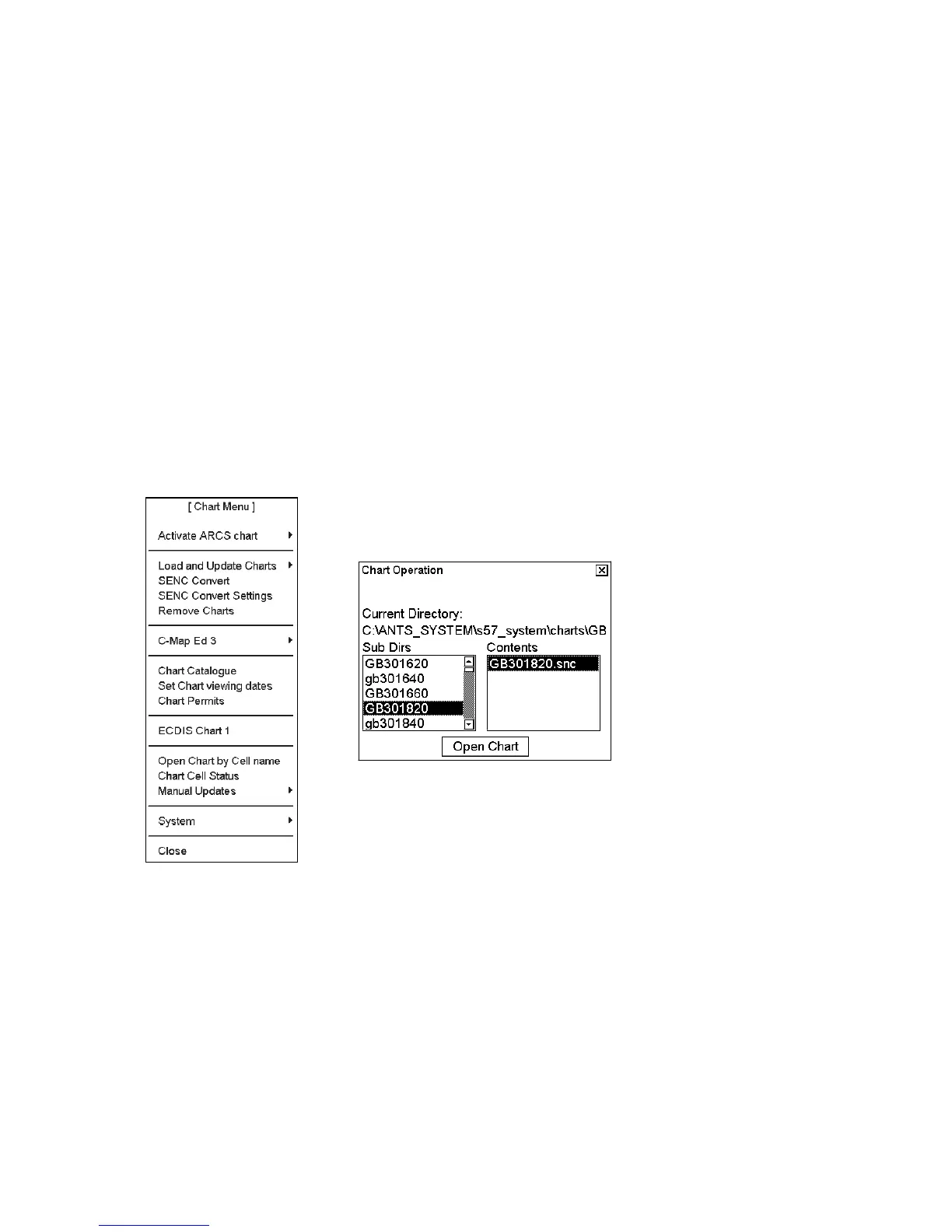
To activate a specific S57 chart cell onto the display, use Open Chart by Cell name menu in the Chart menu as
follows:
1. Spin the scrollwheel to display Menu/Info/Chart Menu in the mouse functions
area then push the right mouse button.
2. Choose Open Chart by Cell name from the menu then push the scrollwheel.
3. Choose desired chart from chart list dialog then click the Open Chart button.
The chosen chart is automatically displayed in the electronic chart area.



 To Next Page