11. Chart Alarms
11-2
11.2 Chart Alarms
Official S57 chart material contains depth contours that can be used for calculation of chart alarms. A chart database
also includes different types of objects that the operator can use for chart alarms. The procedure for setting chart
alarms is outlined below.
1. Choose suitable safety contour for your ship. See section 11.2.1 Choosing safety contour.
2. Check that "Chart Alarms" is set for display. See section 11.2.3 Highlighting chart alarms. If you want chart
alarms to be included in some other objects or areas, choose them for indication or alarm. See section 11.2.2
Choosing objects used in chart alarms.
3. In the route planning mode, define a new route or choose an existing one. Make a chart alarm calculation of the
route if there are indications of danger areas in the route. For more information, see section 11.5 Route
Planning. Modify your route if necessary and do the chart alarm calculation again.
4. Choose route as monitored route.
5. Set watch sector for your ship.
The system is now ready for chart alarm calculation of monitored route and estimated your ship's position.
11.2.1 Choosing safety contour
User has to choose safety depth suitable for your ship. To choose suitable depth, do the following:
1. Spin the scrollwheel to display Chart Display/Info/Standard Display in the mouse functions area then push the
left mouse button.
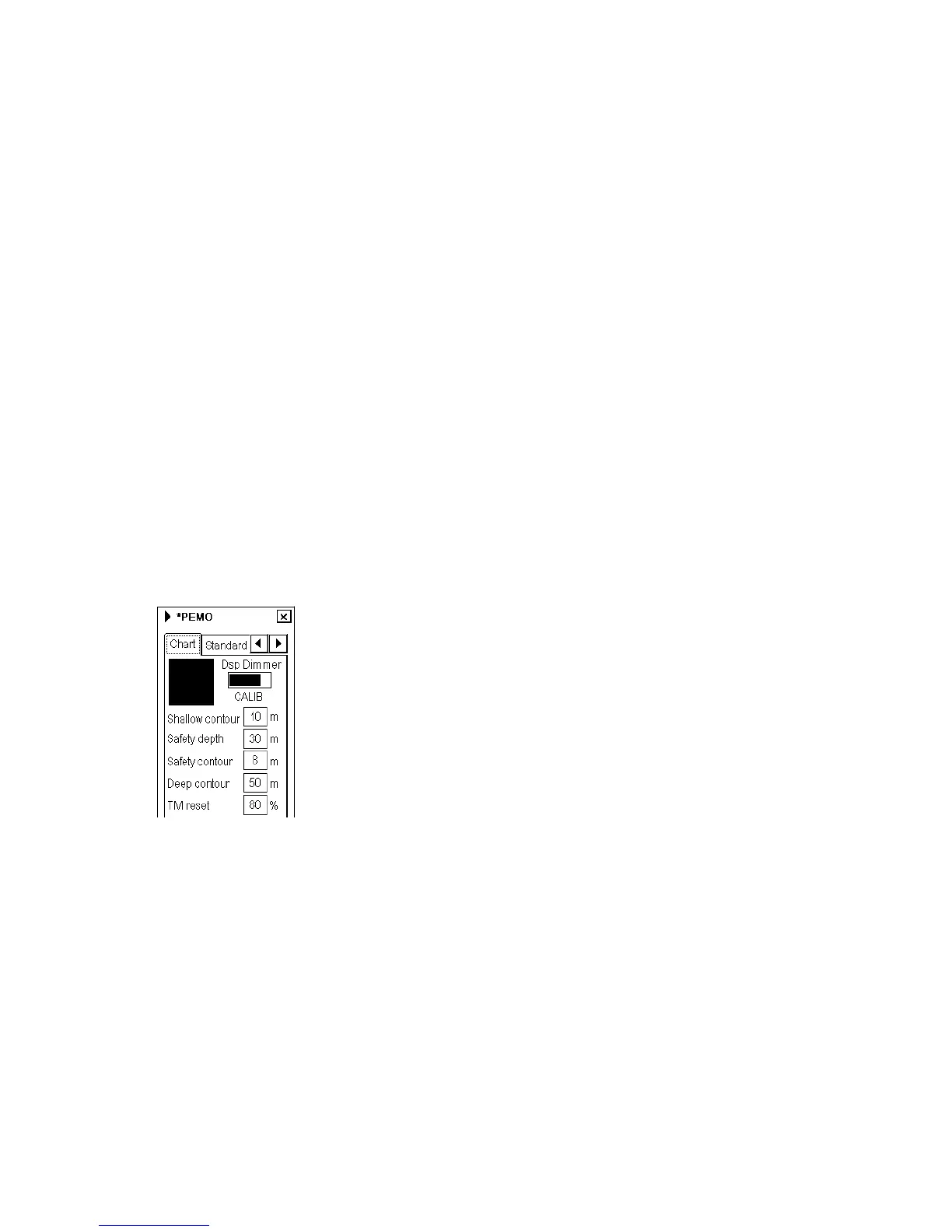
2. If the Chart page is not displayed, click the Chart tab to display it.
3. Enter desired depth in the Safety contour field.
Note: If the chart does not contain chosen depth contour, the system will automatically choose next deeper contour.
In the example above the safe water depth is set for 10 m.



 To Next Page