8. Vector Chart Material
8-16
8.3.3 Loading S57 charts that are not fully compliant with the
IMO standards
The ECDIS could in some cases load S57 charts that do not have full compliance with S57 standard coding for
transfer media. Minimum requirements for loading manually is legally coded:
• XXXXXXXX.000 file, which includes a Base cell.
• XXXXXXXX.NNN file, in which NNN is a number from 001 to 999, and which includes an update.
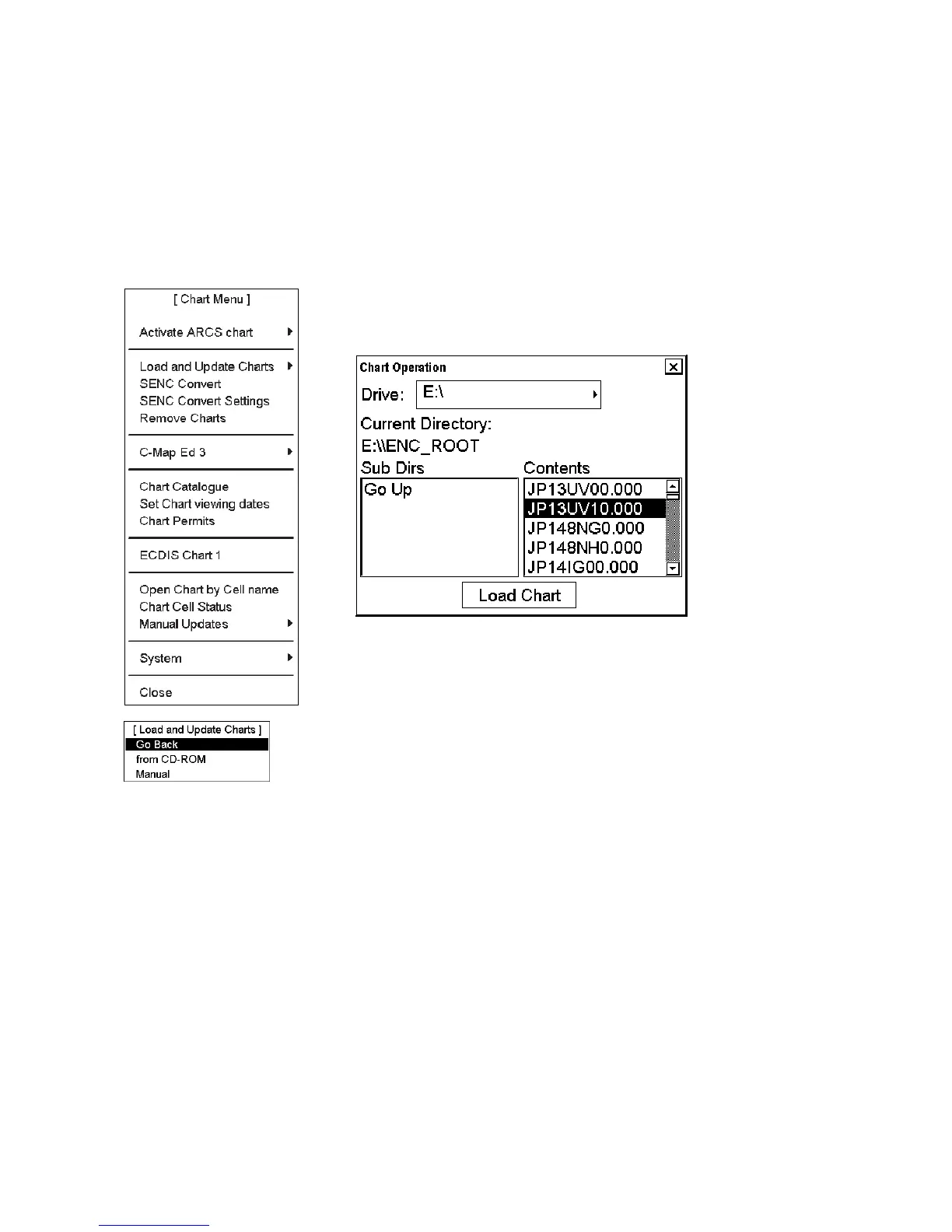
To load charts without building a named "CD ROM catalogue" do the following:
1. Spin the scrollwheel to display Menu/Info/Chart Menu in the mouse
functions area then push the right mouse button. Choose Load and Update
Charts from the menu and Manual from the sub menu. Then, choose desired
drive and charts.
2. When you are ready to load charts, click the Load Chart button.
The system may also make conversion into the SENC and setting of Display
Until date automatically if you have set up for them. This can take a few
minutes.



 To Next Page