6. Setup Before Departure
6-8
6.8 Verifying Configuration of Navigation Sensors
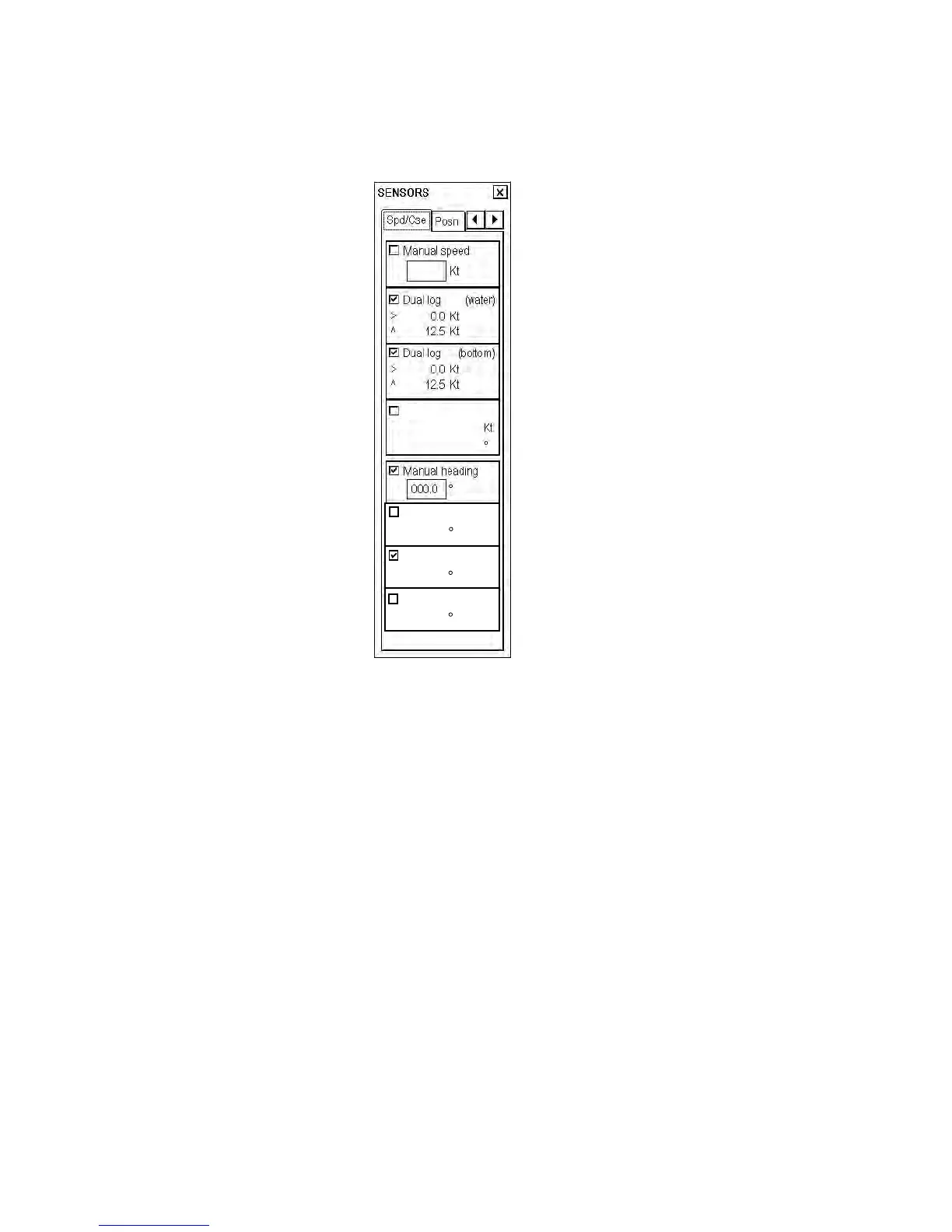
The operator can choose navigation sensors for use in navigation and view their current values. There are "pages"
for speed and course and position. The figure below shows the Speed/Course page.
Checkbox status shows whether the
sensor is used for integrated navigation or
not. If there is no value shown for a
sensor, it indicates that the sensor is not
valid. Note that the content of these pages
depends on the sensors that are in use on
the ship.
To display the Sensors dialog box, put the
cursor on the position indication in the
information area then push the right
mouse button.
ARPA
Gyro 2
Rate gyro (calc.)
0.0 /min
Gyro 1
6.8.1 Verifying source of navigation sensors
In a multiple workstation environment, verify that the sensor sources indicated are the intended ones. This can be
done on the Sensors dialog box.
Verifying SPEED settings (Speed/Course page)
Choose both Log and Dual log, if they are available, or choose one of them, on the Speed/Course page.
Note that manual speed should only be used in an emergency, when no other speed reference is available.
Remember that position sensors are also available as speed sources. If neither Log nor Dual log is available, you can
use a radar as the source for speed and course.
Verifying GYRO settings (Speed/Course page)
Choose Gyro1 or Gyro2 on the Speed/Course page. Note that in the typical installation Gyro1 is connected to a
traditional gyrocompass, while Gyro2 receives gyro value from either a Autopilot FAP-2000 or a DGPS sensor.
Manual heading should only be used in an emergency, when no other heading source is available.
A rate gyro is always automatically chosen.



 To Next Page