29. Steering With YOKOGAWA Autopilot PT-500A
29-6
29.4.5 Arrival to a waypoint
Automatic route steering navigation tries to keep the ship always inside the channel limits and going to next
waypoint. Well before the next waypoint, there will be an alarm 2485 ROUTE WP PREWARING. As soon as the
alarm appears verify that the maneuver is safe and there are no dangerous targets. If the maneuver can be performed
press the ALARM ACK button on the ECDIS control unit. If the maneuver is impossible you can leave the
automatic route steering changing "NAVI" to "AUTO" or to "HAND" mode in YOKOGAWA autopilot control unit.
TURN IS ALWAYS ENABLED. THE ONLY WAY TO DISABLE THE AUTOMATIC TURN IS TO SELECT
ANOTHER STEERING MODE EXCEPT "NAVI" FROM YOKOGAWA Autopilot
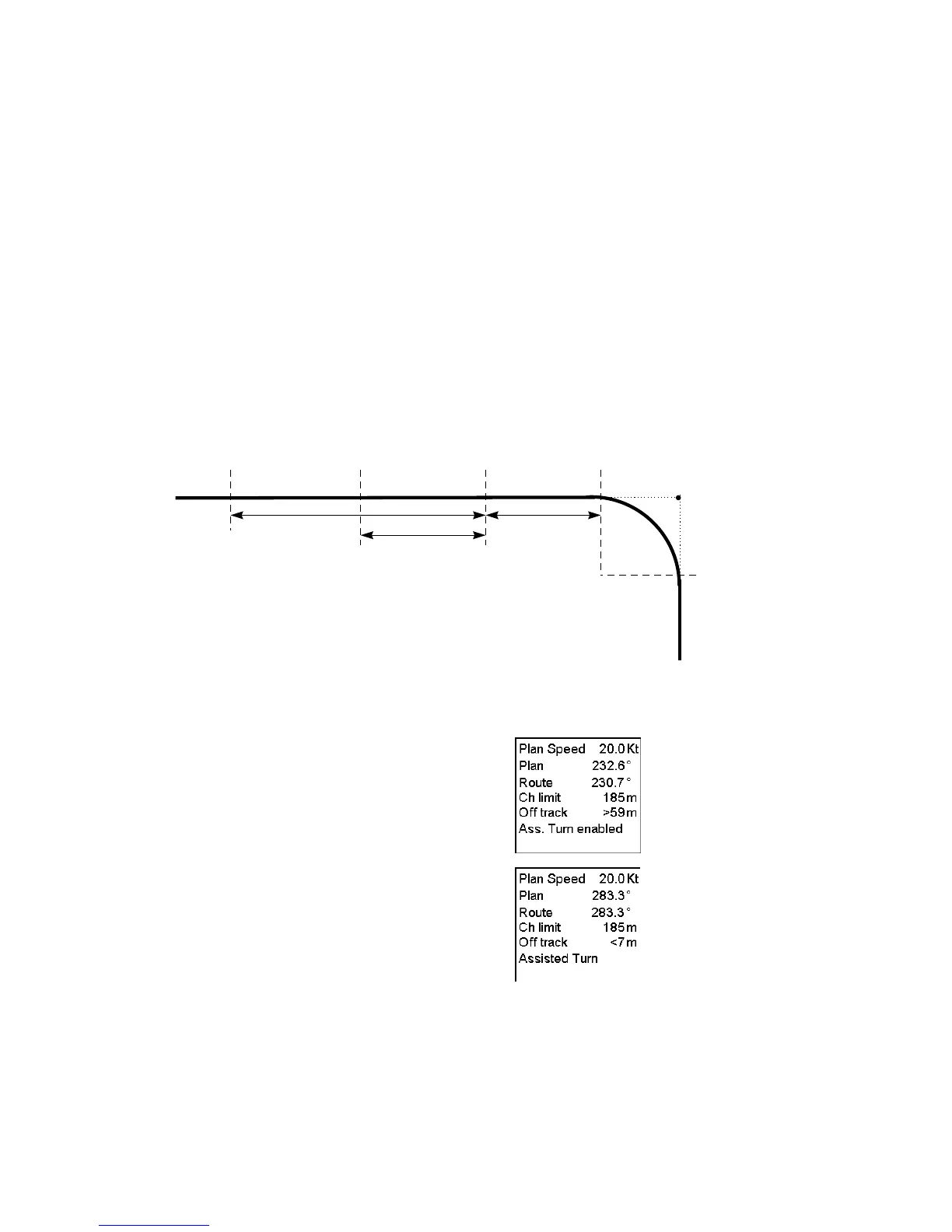
Note that alarm 2485 is programmable (the time before turn) and it is relative to the starting point of the maneuver.
See Figure.
At the moment the next waypoint is about to be reached, there will be a second alarm "2451 Route: WP approach
alarm". In case that you have acknowledged alarm 2485, then alarm 2451 (silent) appears.
Note that also alarm 2451 is programmable (the time before turn) and it is relative to the starting point of the
maneuver. See the figure below.:
forwarding
distance = f
Wheel Over Point
WOP
radius
Approach
Point
Prewarning
point
end of turn
Waypoint
WP
WP prewarn
alarm time
WP approach
alarm time
As soon as the ship arrives to the wheel over point the ECDIS sends a new course command to the autopilot and the
maneuver is started. During a maneuver the radar display and ECDIS display shows the CURVED EBL indicating
the planned radius for maneuver.
After acknowledge of the waypoint approach alarm the text
"Ass. Turn enabled" appears in Route Monitor window of
ECDIS display.
During the turn the text "Assisted Turn" appears in Route
Monitor window of ECDIS display.
Note: Approaching the last waypoint will give an alarm "2458 Route: Last WP approach". With YOKOGAWA
autopilot one should leave "NAVI" mode of the YOKOGAWA autopilot before performing acknowledge of the
alarm 2458. This will terminate the route correctly. If one acknowledge alarm 2458, when YOKOGAWA autopilot
is still in "NAVI" mode, then the route steering is automatically terminated and system generates alarm "2471 AP
mode Conflict - Use AUTO".



 To Next Page