Appendix 4: C-MAP CM-93/3 Charts
AP-37
A4.7 How to Keep Charts up to Date
During period of subscription, you will receive CM-93/3 Professional CD ROM three times. To keep up-to-date
between CD issuing periods, you can use Real Time Updating service.
ECDIS operators cannot connect to the internet directly from the ECDIS. You create an update order file from the
ECDIS and send this by email directly to updates@C-MAP.no
. This automatic email server will process the update
request, prepare the updates and automatically send them. The end operator can then copy these updates to a floppy
disk, USB memory stick or CD-ROM and apply them to the ECDIS.
A4.7.1 Creating update order file
You can create an update order file as follows:
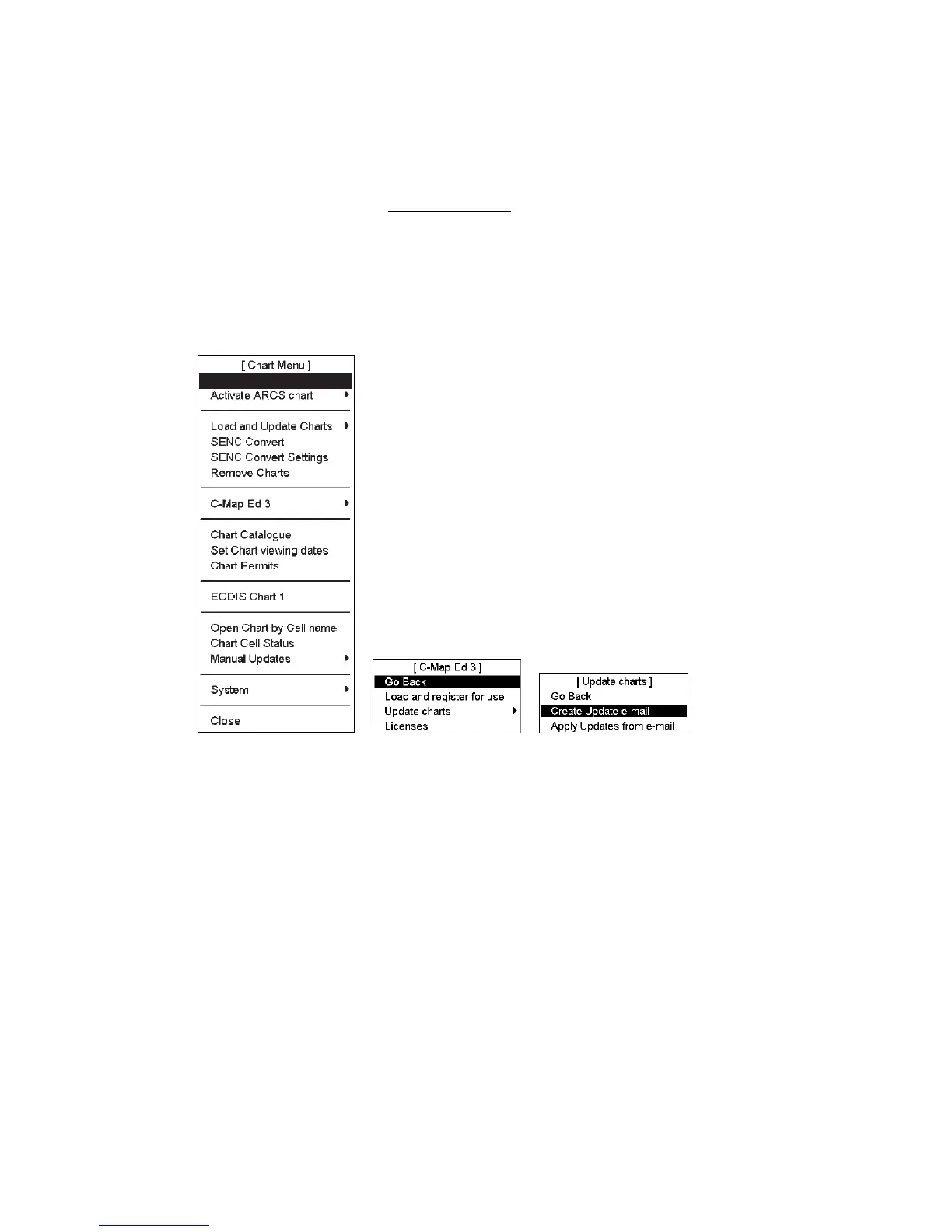
1. Open the Chart menu and select C-MAP Ed 3 from the menu. Select Update Charts in C-MAP Ed 3 menu.
Go Back



 To Next Page