30. Steering With TOKYO KEIKI Autopilot PR-6000
30-8
30.4.4 Activation of route steering
Do the following to activate route steering.
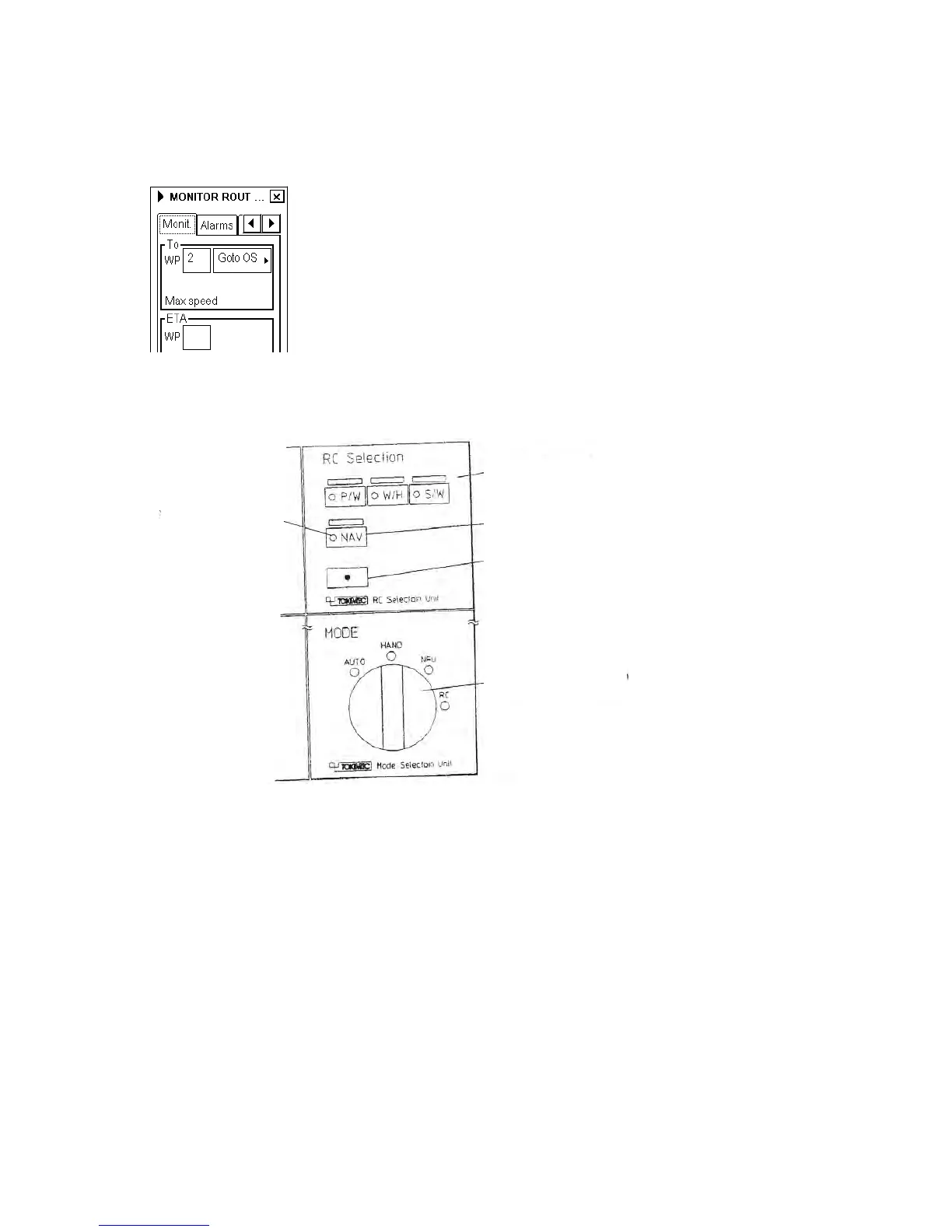
1. First select a route in the monitor mode on the ECDIS. Then open the route monitor window.
2. Select either Goto OS or Goto AW from the list box, which is located in the To WPT field. After you have
selected a route in the monitor mode and desired steering mode (Goto OS or Goto AW), the NAV-Ready lamp
comes on.
Remote control
selection unit
NAV
Enable switch
Mode selection
switch
NAV-Ready
lamp
3. Turn the Mode selection switch to RC.
4. Press simultaneously NAV and Enable switch buttons.
Note that before you press NAV and Enable switch buttons, steering control is in HAND mode. Therefore it is
important that before turning Mode selection switch to RC, check that wheel in center position (mid ship).
5. The steering mode indicator "RC" on the autopilot panel lights continuously.



 To Next Page