EasyManua.ls Logo

Furuno FEA-2107-BB - Choosing Pilot Data to Use in Monitoring Mode

Furuno FEA-2107-BB
704 pages
Print Icon
To Next Page IconTo Next Page
To Previous Page IconTo Previous Page
Loading...
16. Pilot Data
16-4
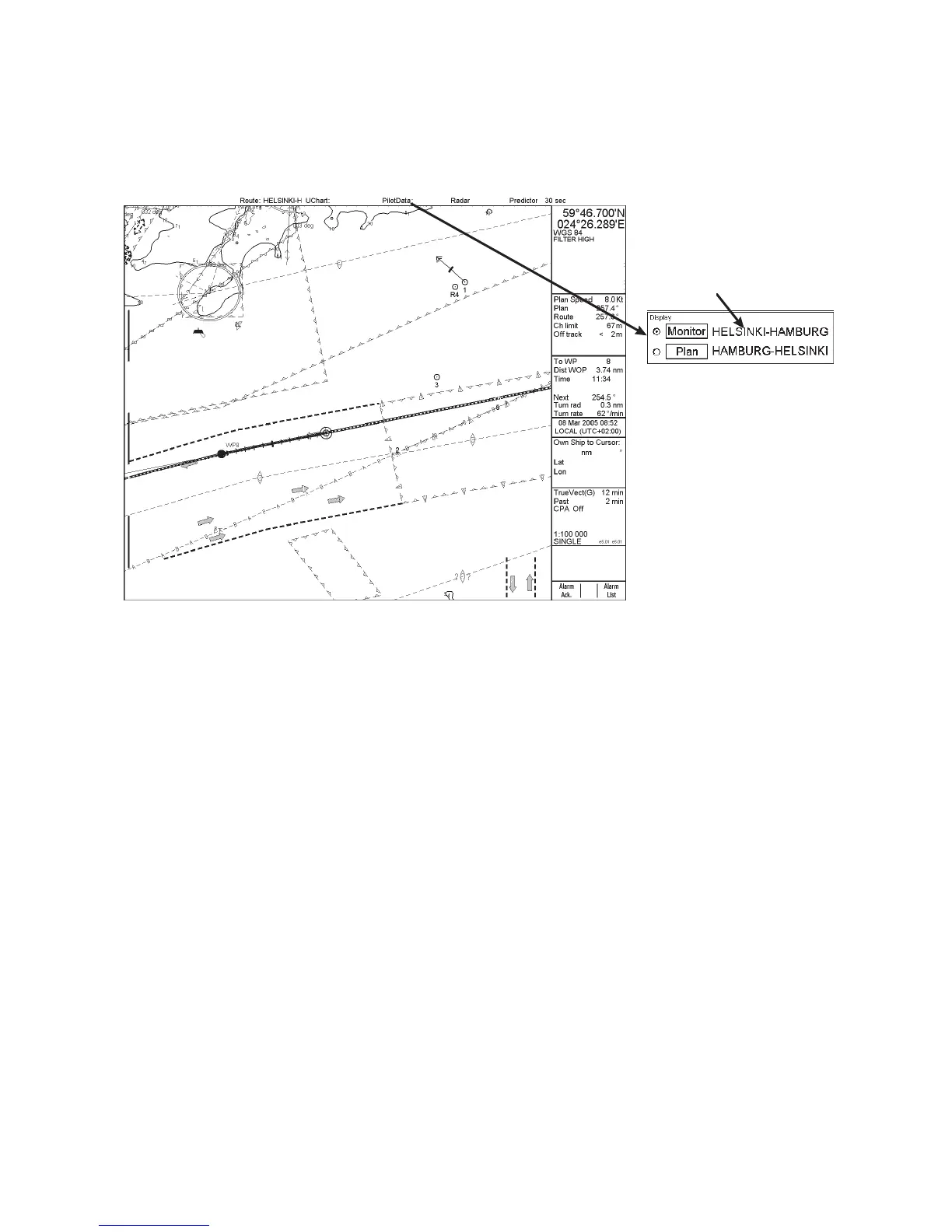
16.3 Choosing Pilot Data to use in Monitoring Mode
Pilot data that is for system use is displayed in the pilot data field on the status bar. If the text "PilotData" is red this
means that the workstation is in the planning mode for pilot data. To activate the monitoring mode and choose pilot
data for the monitoring mode, do the following:
Place cursor here,
spin scrollwheel to
choose pilot data
and push scrollwheel.
North Up TM
ECDIS only
Posn true
HDG 070.0°
SPD
(CALC)
1.8
Kt
SB
(POSN)
1.7
Kt
COG
(POSN)
045.1°
SOG
(POSN)
2.0
Kt

Table of Contents

Other manuals for Furuno FEA-2107-BB

Related product manuals