32. Maintenance and Troubleshooting
32-6
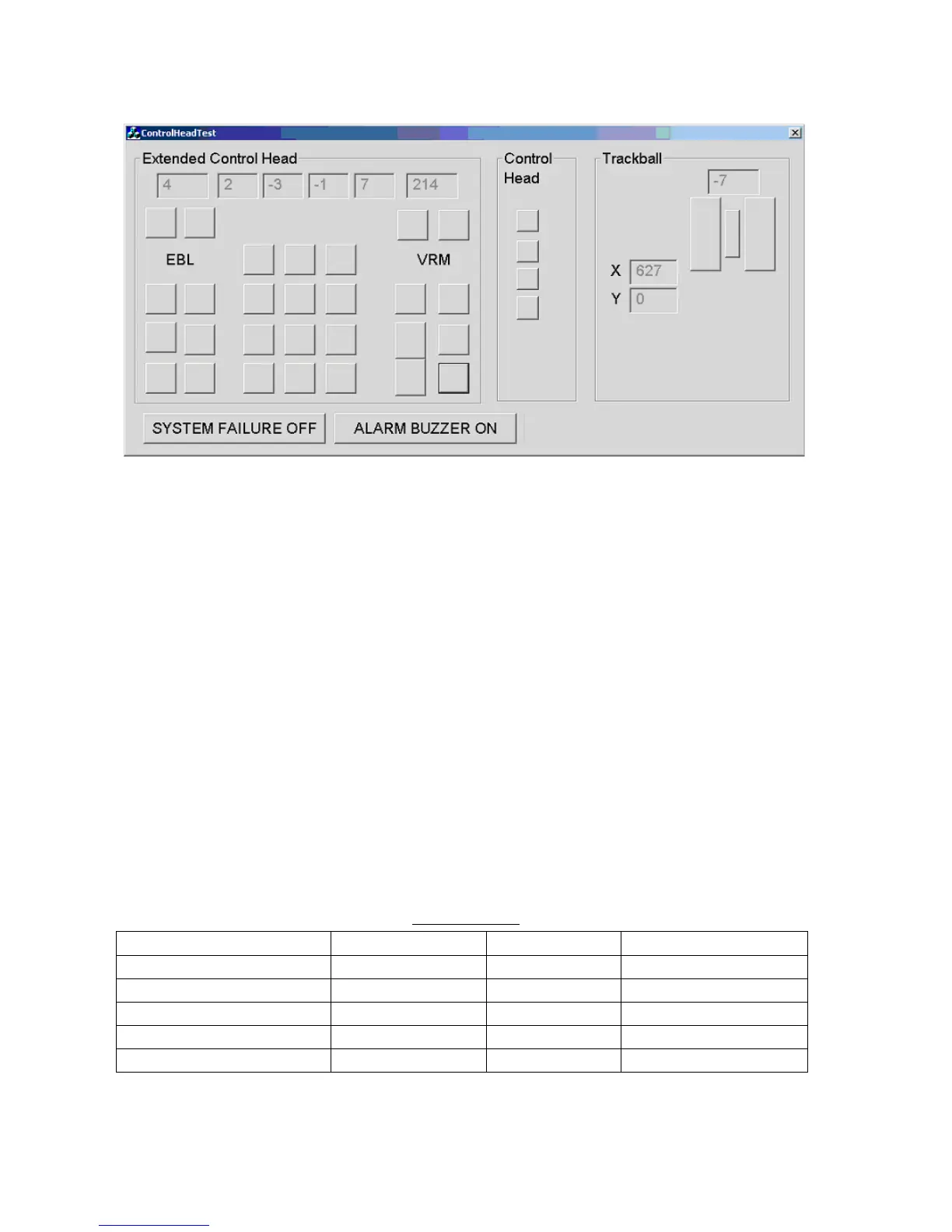
6. Click the Control Head button to show the control head-checking screen.
7. Push each key, mouse button and scrollwheel. The perimeter of the on-screen key, button or scrollwheel
blackens if the pushed item is functioning normally. (For the Control Unit RCU-015, push the hot keys. Their
on-screen location is in the Control Head window.)
8. Operate radar-related controls (EBL and VRM rotary encoders, A/C RAIN, A/C SEA and GAIN). The figure in
the corresponding on-screen location becomes larger or smaller with control operation.
9. Operate the trackball. The trackball’s X and Y location is shown in the X and Y boxes.
10. Spin the scrollwheel. Confirm that the figure in the box above the scrollwheel’s on-screen location becomes
larger or smaller with scrollwheel operation.
11. Click the ALARM BUZZER ON button. Confirm that the buzzer sounds. Click the button again to silence the
buzzer.
12. Click the SYSTEM FAILURE OFF button. Thirty seconds after the button is clicked the buzzer sounds and
the SYSTEM FAILURE key flashes. Click the button again to stop the flashing and silence the buzzer.
13. Click the Exit Test button to quit the test.
32.6 Consumable Parts
The table below lists all the consumable parts in the processor unit. Replace these parts before their expected
expiration.
Consumable parts
Part Type Code No. Expected life
Processor cooler assy. 117492 000-151-567 7 years
Fan AD0812LB-A73GL 000-151-580 7 years
Lithium battery (on CPU board) CR2032 000-159-662-10 3 years
Power supply UPF250-AA-B 000-151-575 10 years
Hard disk MHW2040AC 000-159-044-10 20,000 hours



 To Next Page