25. Parameters Setup
25-6
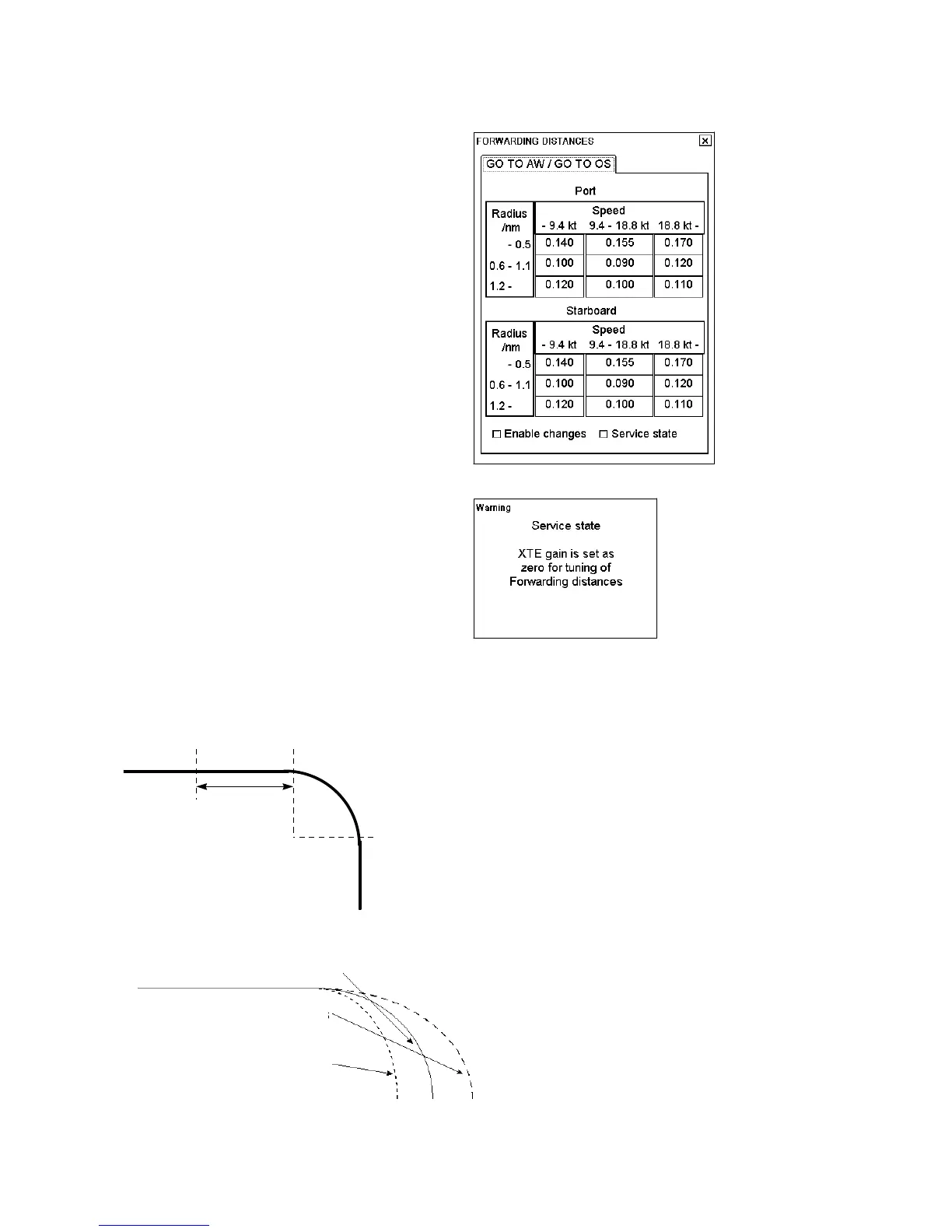
How to set forwarding distances for TOKYO KEIKI PR-6000
In order to edit forwarding distances parameters, do the
following:
1. Place the cursor on the text SINGLE, PLAN,
SLAVE, MULTI or MASTER (whichever is shown)
on the lower right corner, then push the right mouse
button to open the Initial Settings dialog box.
2. Place the cursor on the triangle in the Initial settings
dialog box, select Navigation parameters then push
the scrollwheel.
3. Select Forwarding distance then push the
scrollwheel.
4. Check "Enable changes" to modify desired set of
Forwarding Distances.
5. To operate without XTE gain, check "Service state".
When service state is checked, the dialog box shown
right appears.
4. After doing forwarding distances, be sure to
uncheck "Service state".
Normally these parameters are entered during sea trial but can also be modified later on. See figures below:
Forwarding
distance = 1
Radius
Next course
Wheel Over Point (WOP)
How forwarding distance is defined
Theoretical turn
Forwarding distance is too short -
ship turns too late
Forwarding distance is too long -
ship turns too early
Influence of forwarding distance to ship's turn



 To Next Page