145
Program description - Channel 1 curve | Helicopter models
Smoothing the Channel 1 curve
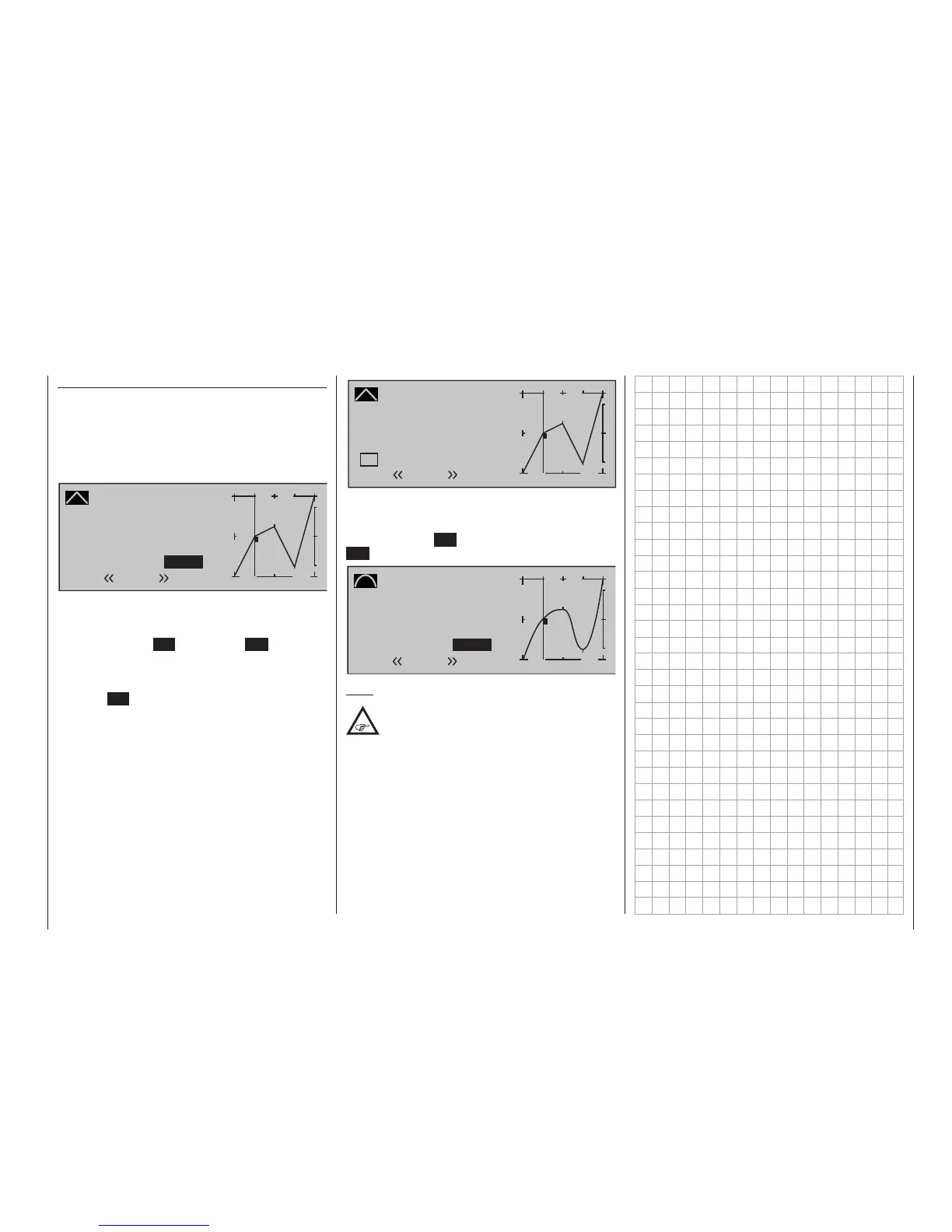
In the example below, sample reference points have
been set:
reference point 1 to 0 %,
reference point 2 to +25 % and
reference point 3 to -75 %
as described in the last section.
Channel 1 CURVE
Curve
off Point
Output
Input –50%
0%
1
+
–
100
O U T P U T
0%
2
3
Normal
1
This “jagged” curve profile can be smoothed auto-
matically simply by pressing a button.
Starting from the situation in the previous illustra-
tion, first press the SET button or the ESC key of the
right-hand four-way button to conclude the procedure.
Use the Select button
of the right-hand touch pad
to move up to the Value field of the “Curve” line, then
press the SET button of the right-hand touch padonce
more:
Channel 1 CURVE
Curve
on Point
Output
Input –50%
0%
1
+
–
100
O U T P U T
0%
2
3
Normal
1
Now press one of the Select buttons of the right-hand
four-way button in order to switch from “(Curve) off” to
“(Curve) on” (or vice versa). This process with a brief
tap on the centre SET key on the right or the centre
ESC key on the left touch pad
Channel 1 CURVE
Curve
on Point
Output
Input –50%
0%
1
+
–
100
O U T P U T
0%
Normal
2
3
1
Note:
The curves shown here are for demonstration
purposes only and are not at all representative
of real throttle curves. For real-world
application examples, see the programming examples
on page 333.









 To Next Page