261
Program description - Telemetry
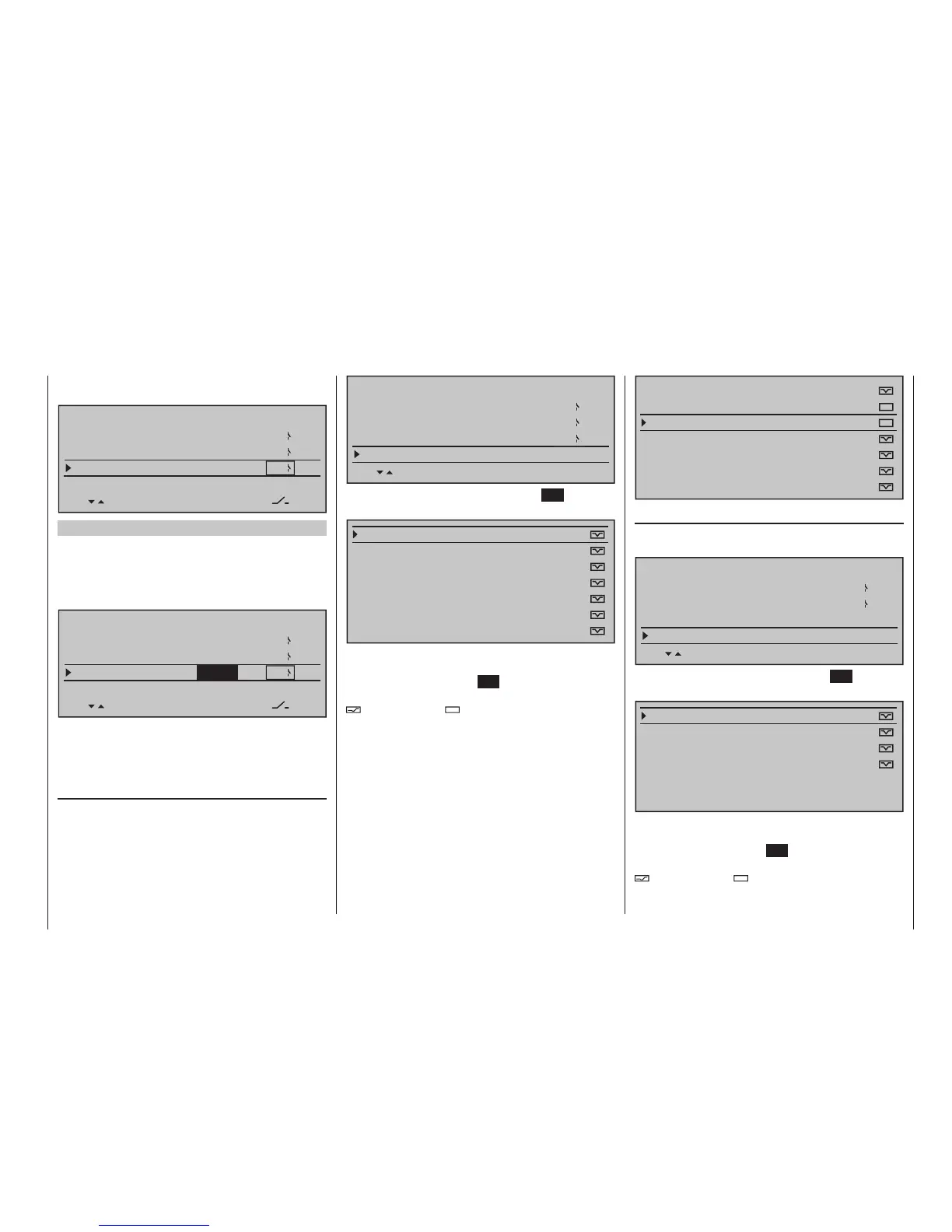
i. e. voice messages triggered by altitude changes,
such as the message "slowly ascend/descend".
VOICE TRIGGER
REPEAT
TRIG
TRANSMIT
VARIO
10sec
3
1
8
Firmware version V1102 and higher
If in the model several Vario sensors are available,
for example because a General Electric and a GPS
module are installed, determining Vario sensor of the
announcement will be selected from firmware version
V1103:
VOICE TRIGGER
REPEAT
TRIG
TRANSMIT
VARIO
10sec
3
1
8
VARIO
The choices are: VARIO, GAM, EAM, GPS and AUTO.
(In the AUTO position the relevant sensor is selected
according to the order of the mentioned sensors.)
TRANSMITTER
After selection of the desired menu line with the
selection keys of the left or right touch pad …
VOICE TRIGGER
REPEAT
TRIG
TRANSMIT
VARIO
10sec
3
1
8
… and a subsequent tap on the centre SET key of the
right touch pad will open the selected sub-menu.
VOLT:
MODELTIME:
BATTERYTIME:
TIMER(GE.)CENTER:
TIMER(GE.)TOP:
TIME:
PHASE TIMER:
Here, after selection of the desired line with the
selection keys of the left or right touch pad and a sub-
sequent tap on the centre SET key of the right touch
pad, the selected voice message can be activated (
) or deactivated ( ).
VOLT:
MODELTIME:
BATTERYTIME:
TIMER(GE.)CENTER:
TIMER(GE.)TOP:
TIME:
PHASE TIMER:
RECEIVER
After selection of the desired menu line with the
selection keys of the left or right touch pad …
VOICE TRIGGER
TRIG
TRANSMIT
VARIO
1
8
RECEIVER
… and a subsequent tap on the centre SET key of the
right touch pad will open the selected sub-menu:
TEMP:
STRENGHT:
VOLT:
FLUGZEITUHR:
LOWVOLT:
UHRZEIT:
Here, after selection of the desired line with the
selection keys of the left or right touch pad and a sub-
sequent tap on the centre SET key of the right touch
pad, the selected voice message can be activated (
) or deactivated ( ).









 To Next Page