2 - 108 Conversational Part Programming v546CO WinMax Lathe Conversational Part Programming
• LINEAR Y MOTION—select this checkbox to cause Y-Axis Motion using the X
and X’ axes. When this checkbox is clear, Y-Axis Motion occurs using the X
and C axes. Please refer to Programming Coordinates and Linear Y Motion, on
page 2 - 68 for examples. This field is available with TMX MY and TMX MYS
series machines.
• SLOT WIDTH—defines the width of the slot.
• START CAP—accesses selections for the shape of the slot end for the Start
of the slot:
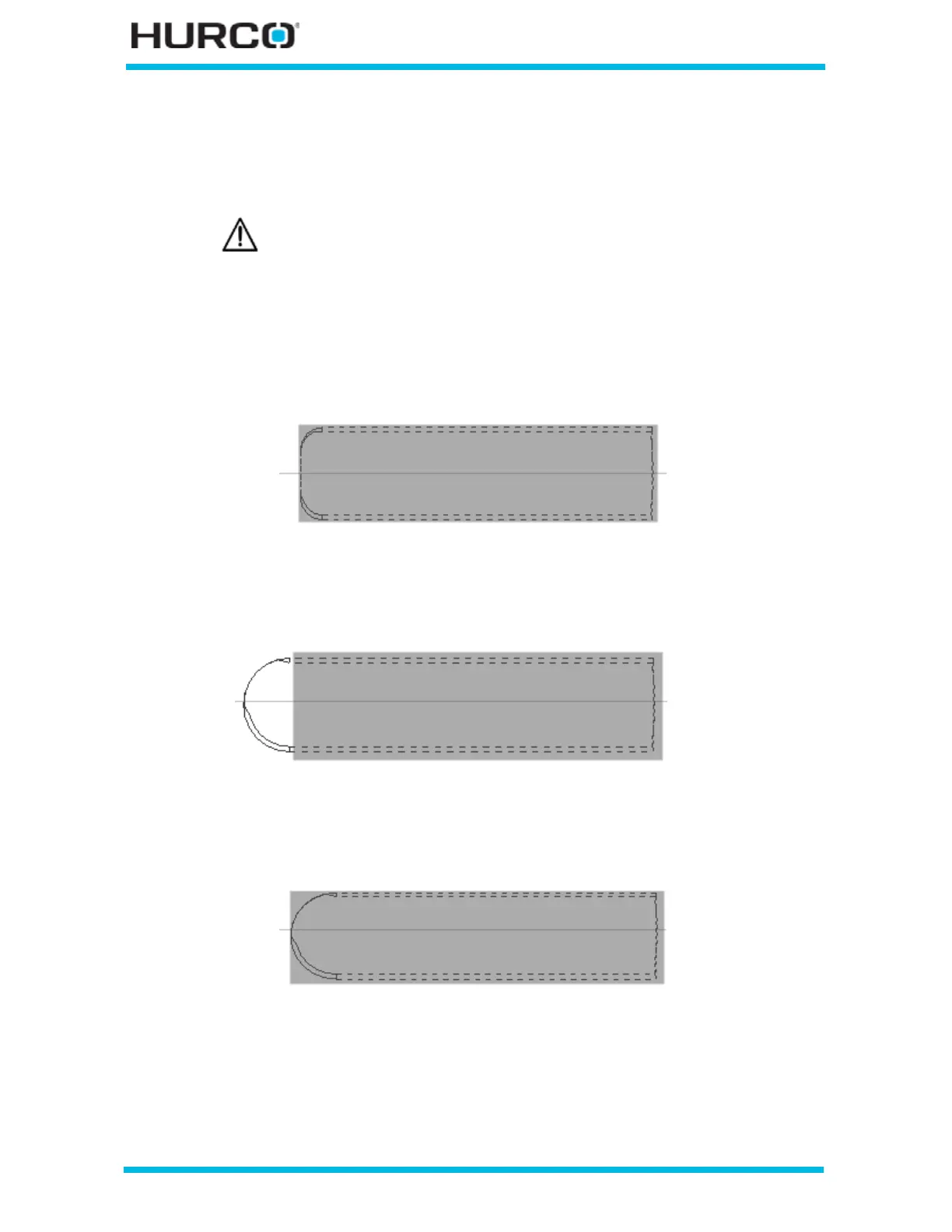
• LINE—produces a straight edge for the start cap with a corner radius the
same size as the tool.
Figure 2–92. End Cap = Line (R = 0.125) Start Cap = Line (R = 0)
• APPEND ARC—produces an arc at the start cap with the arc being
appended or added to the end of the slot.
Figure 2–93. End Cap = Append Arc; Start Cap = Line (R = 0)
• INCLUDE ARC—produces an arc at the start cap with the arc included in
the geometry.
Figure 2–94. End Cap = Include Arc; Start Cap = Line (R = 0)
Linear Y-Axis Motion is limited. The amount of Y travel is affected by
the X position and by any X-Axis tool length offset.



 To Next Page