WinMax Lathe Conversational Part Programming v546CO Conversational Part Programming 2-19
• SPRING PASSES—identifies the number of repetitions the finish tool will
make at the final finish depth. This field appears when Turn Finish is selected
for the Operation.
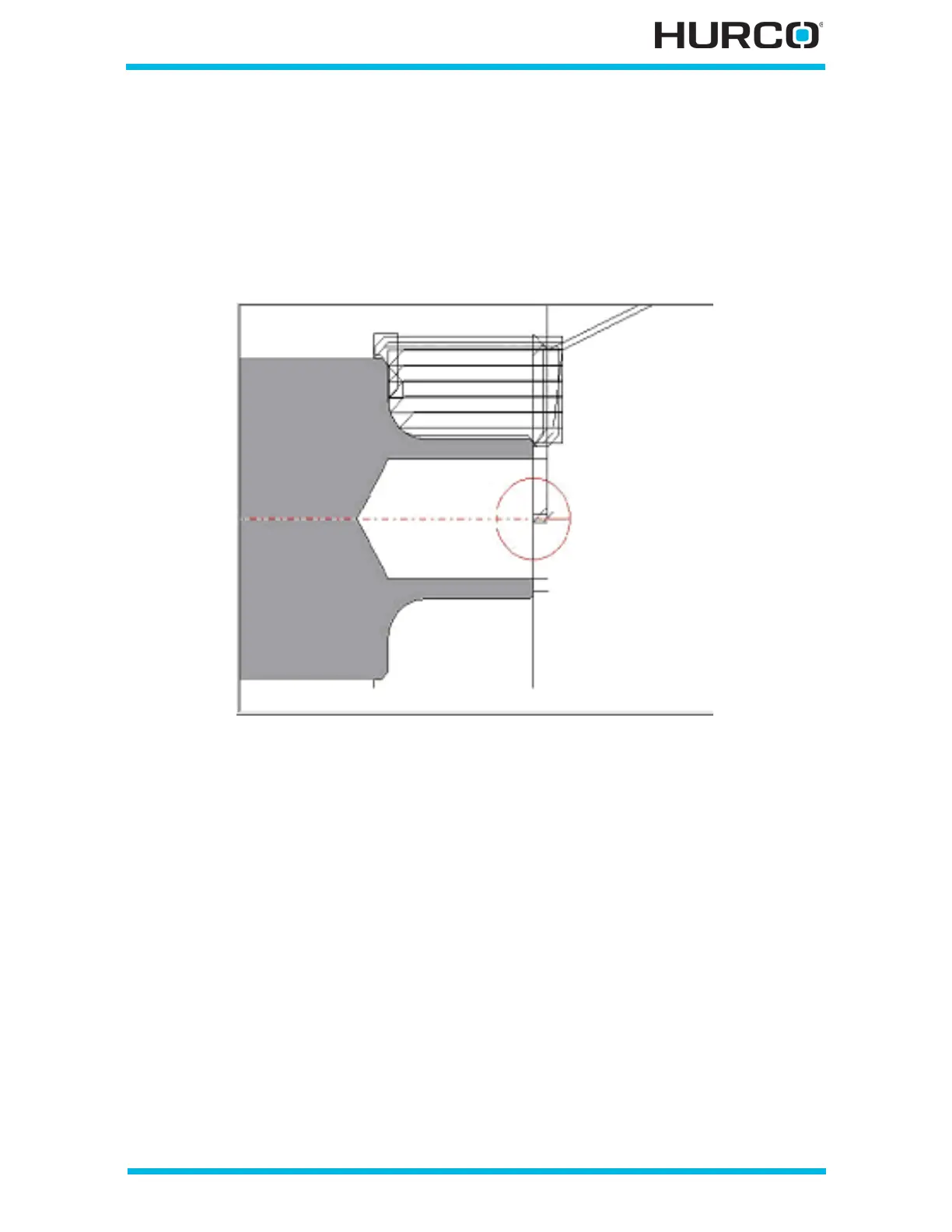
• APPROACH ANGLE—identifies the angle the tool approaches the stock. Used
with the Approach Clearance to determine a vector which defines how the
tool moves toward the beginning of the profile. This field appears when Turn
Finish is selected for the Operation. The figure below shows a 45° approach
angle for each Step:
Figure 2–10. Tool Path 45° Approach Angle
• APPROACH CLEARANCE—identifies the clearance of the tool as it
approaches the stock. Used with the Approach Angle to determine a vector
which defines how the tool moves toward the beginning of the profile. This
field appears when Turn Rough or Turn Finish is selected for the Operation.
• RETRACT ANGLE—pulls the tool off the profile between steps along a vector
in the direction of retract angle if NO is selected for RETRACT ALONG
PROFILE, shown as 2 in Figure 2–12. Groove Operation Cut Clearance and
Retract Clearance example, on page 2 - 21. The default is 45°. This field
appears for all rough and finish operations.
• RETRACT CLEARANCE—identifies the distance that the tool moves away
from the wall, shown as 3 in Figure 2–12. Groove Operation Cut Clearance
and Retract Clearance example, on page 2 - 21, before moving at Rapid to
the start of the next pass. The default is 0.254 mm or 0.010 inch. This field
appears for all rough and finish operations.
• OVERRIDE TOLERANCE—overrides the default tolerance, 0.00254 mm or
0.0001 inch, for elements in the current profile when Yes is selected. The
ELEMENT TOLERANCE field is active when Yes is selected.



 To Next Page