www.izcorp.com • 1.800.776.1356
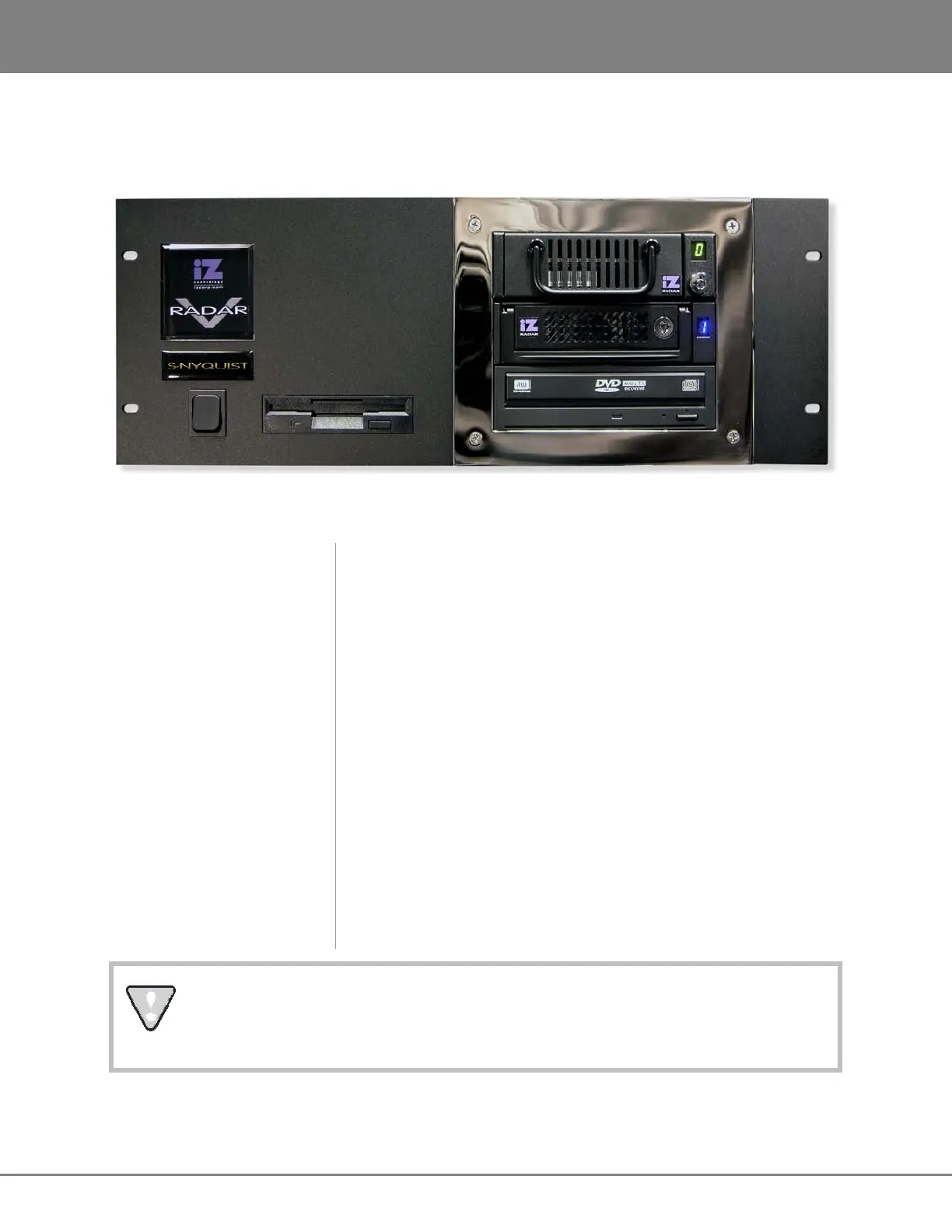
FRONT PANEL
RADAR
has a simple front panel layout due to the product’s remote-control based design philosophy.
RADAR V Front Panel Controls & Indicators
POWER ON/OFF SWITCH
RADAR units manufactured prior to July 2007 have a marked on/off
toggle power switch. To turn RADAR on, push the top of the power
switch to the “1” position. To properly power down RADAR choose
SHUTDOWN RADAR from the MAIN MENU and then push the bottom
of the power switch to the “0” position.
RADAR units manufactured after July 2007 have an unmarked
momentary soft power switch. To turn RADAR on, push and release the
top of the power switch briefly. To properly power down RADAR choose
SHUTDOWN RADAR from the MAIN MENU and then hold the top of
the power switch for 5 seconds until RADAR powers off. This 5 second
delay is a safety feature that prevents inadvertent power down.
DRIVE BAY 1
Holds a single high-capacity hard disk drive in a removable carrier.
DRIVE BAY 2
Holds a single high-capacity hard disk drive in a removable carrier.
DRIVE BAY 3
Holds a backup device such as a Blu-Ray or DVD multi-drive.
REMOVABLE MEDIA SLOT
Holds floppy drive or eSATA port.
System software has been pre-installed on the internal hard disk. It is not necessary to put
the supplied system software CD into the multi-drive. Please keep the supplied CD in a
safe place in case it becomes necessary to re-install the system software in the future.



 To Next Page