www.izcorp.com • 1.800.776.1356
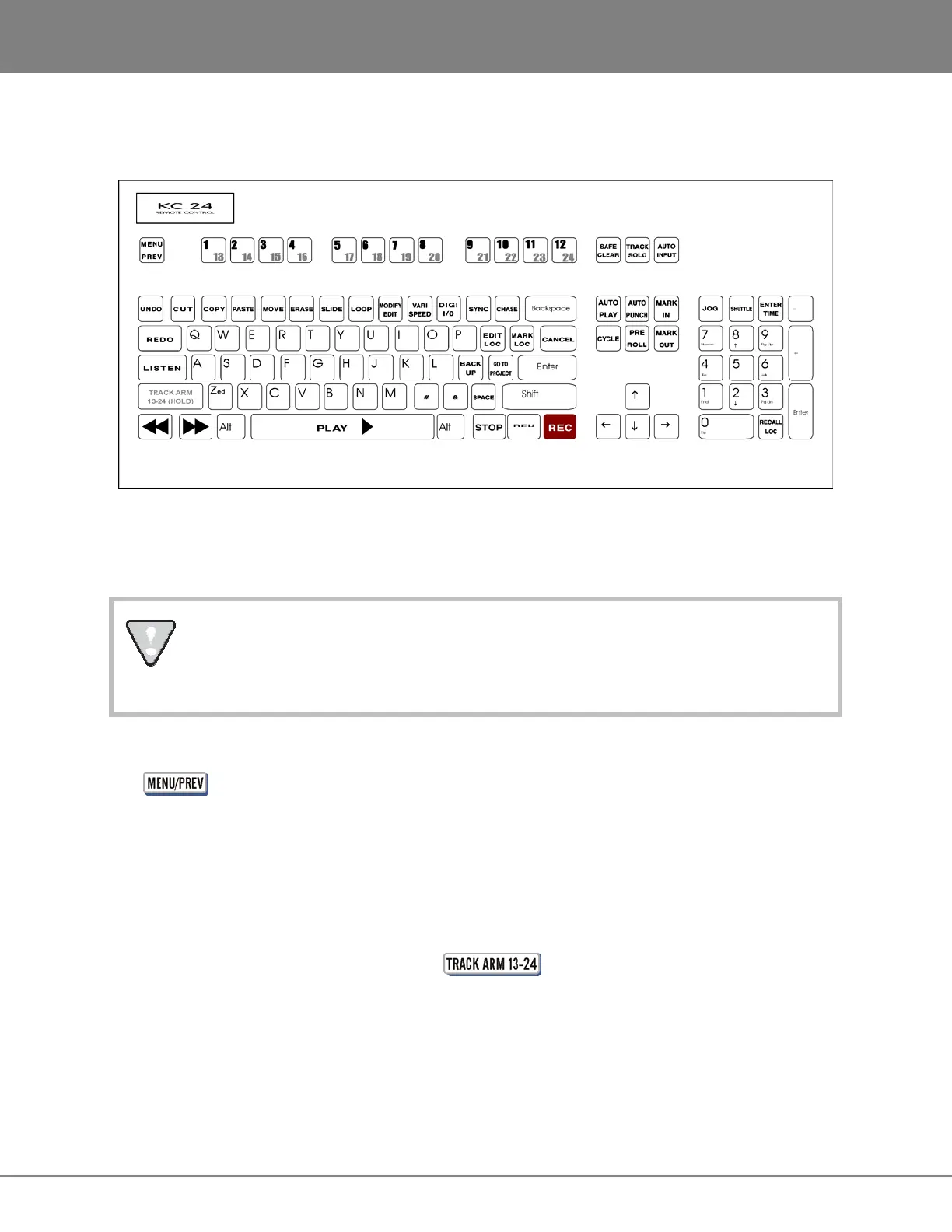
KC-24 KEYBOARD
The KC-24 is a full-featured control surface that is included with RADAR units sold without the optional
Session Controller. The following section gives an overview of the KC-24 and provides references to
related functions in the manual.
The KC-24 or a standard PC keyboard may be required for certain RADAR diagnostic
procedures.
Certain functions like ZOOM SOLO are not available using the KC-24.
MENU/PREV KEY
The key accesses the RADAR menu system. Pressing this key either enters the menu system,
steps back to the previous menu level, or exits the menu system completely depending on the current
mode of operation. Refer to OPERATIONS: NAVIGATING MENUS : MENU/PREV for more information.
TRACK ARM KEYS
The track arming keys perform two basic functions:
TRACK ARMING
These keys provide up to 24 tracks of direct track arming when used in
conjunction with the key.
TRACK SELECTION
These keys are also used to select individual tracks when editing, exporting,
soloing etc.
Refer to OPERATIONS: RECORDING: MONITORING AND TRACK STATUS for more information.



 To Next Page