www.izcorp.com • 1.800.776.1356
COPY
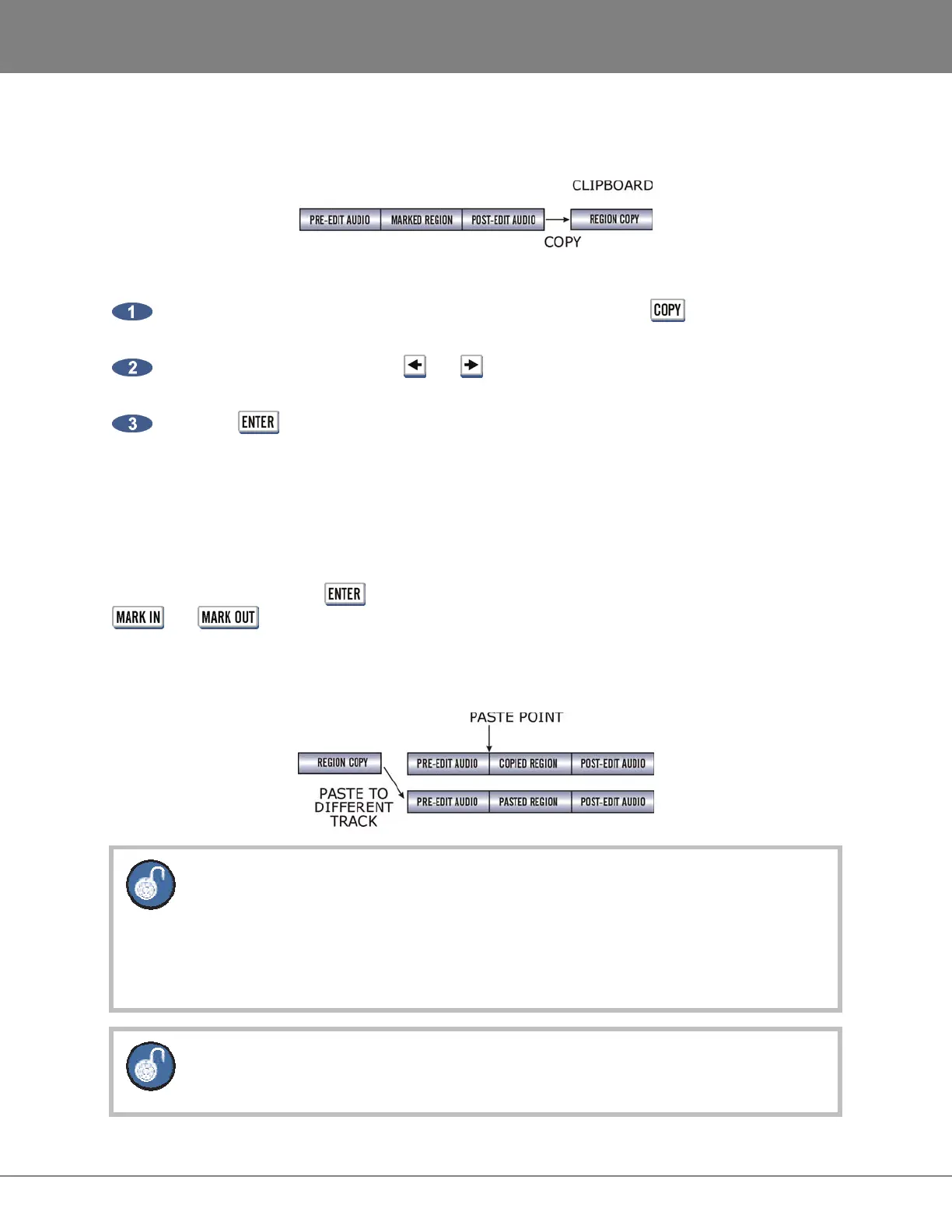
Duplicates the defined track-region and places it on the clipboard.
To copy audio:
After marking a time region, select the COPY function by pressing the key on the Session
Controller or the KC-24 or by selecting COPY from the EDIT MENU.
Select the tracks to copy. Use the and keys to select either ALL or TRACK ARM. Use the
Track Arm keys to select individual tracks.
Press the key to copy the track-region from the project and place it on the clipboard where
it may be modified or pasted to another location.
PASTE
This editing function pastes the defined time region from the clipboard into the project. As a default, the
clipboard audio will be pasted at the current transport location. Use the transport keys, locate functions or
the Jog/Shuttle Wheel to cue to the desired paste location or enter the paste position directly using the
numeric keypad and press the key. Alternatively a paste point or points can be marked using the
and keys. See MULTIPLE PASTE and BACK TIME PASTE below.
There are many pasting options including:
• Paste to the same tracks or different tracks.
If the clipboard contains multiple tracks a corresponding number of destination tracks must
be selected. The destination tracks do not need to be adjacent but the pasted tracks will
always be mapped to their target tracks in a lowest-to-lowest, highest-to-highest order.
Example: Track-region copies from tracks 1 and 2 can be pasted to 7 and 13. Note that
pasting track 1 to track 13 and track 2 to track 7 cannot be done in a single operation.
A track can be pasted to multiple tracks, e.g., track 1 to tracks 2, 3, 4 or tracks 1 & 2 to
tracks 3 & 4, 5 & 6.



 To Next Page