iZ Technology Corporation
At the SELECT FOLDER: dialogue, use the and keys to locate the folder or <ROOT
DIRECTORY> to import from. Move in and out of a folder/directory using the and keys.
Press the key to select the folder/directory to import from.
When importing from a Red Book audio CD, there are two folders in the list to choose
from: CDDA, or WAV. Select the WAV folder.
If using the key on the Session Controller, skip to step 6.
If the import was started by selecting IMPORT from the FILE MENU, use the and keys to
select PROJECT from the IMPORT TO: dialogue and press the key.
Use the and keys to select either ALL FILES or SELECTED FILES from the IMPORT
FILES: dialogue and press the key.
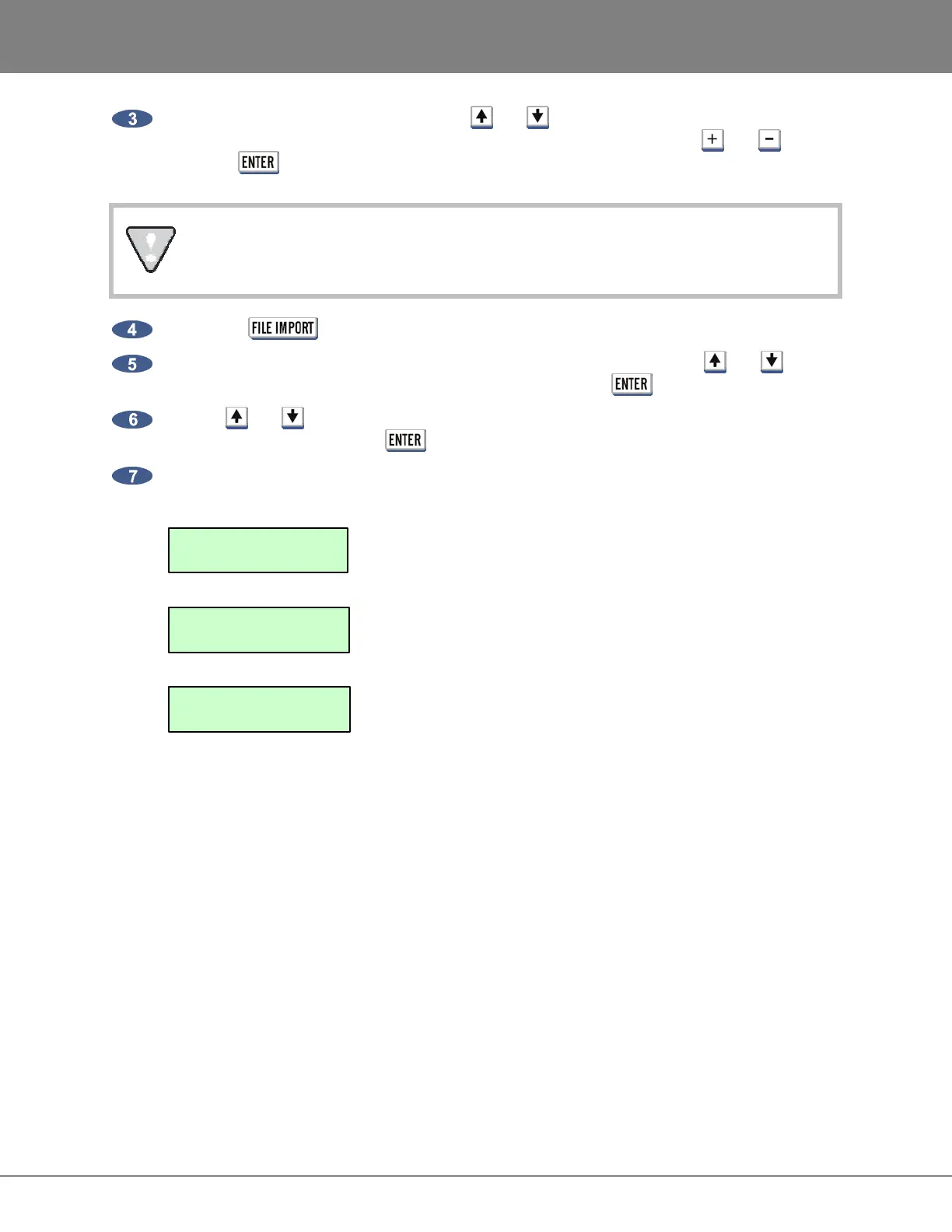
When using either the ALL FILES or SELECTED FILES option, the RADAR will prompt with one
of the following dialogs (the numbers and file names used are strictly for example):
This prompt will follow the ALL FILES selection provided
that every file contains the same sample rate/bit resolution
format.
This prompt will follow the ALL FILES selection when the
folder/directory contains varying sample rate/bit resolution
formats.
This prompt will follow the SELECTED FILES selection
from step 6 as well as the VIEW selection from the
MULTIPLE FORMATS prompt.
PCM 48/24
Indicates the format (PCM stands for Pulse Code Modulation), sample rate
and bit resolution for the files found in the selected directory. When scrolling
through a list of files, the ??? FORMAT will be displayed if one or more of the
parameters aren’t compatible.
REFORMAT
Allows the user to define a new sample rate and bit resolution along with the
conversion quality to be used during the import process.
ACCEPT
Will import the file(s) into a new project using the original file(s) sample
rate/bit resolution to define the project settings.
VIEW
Will allow the user to scroll through the list of files selected for importing and
deselect any file(s) that aren’t appropriate for the current import.
PCM 48/24 TRK:
T01-KICK-00H01M32S2
MULTIPLE FORMATS
REFORMAT VIEW
PCM 48/24 FORMAT
REFORMAT ACCEPT



 To Next Page