2MN/2N1
1-5-10
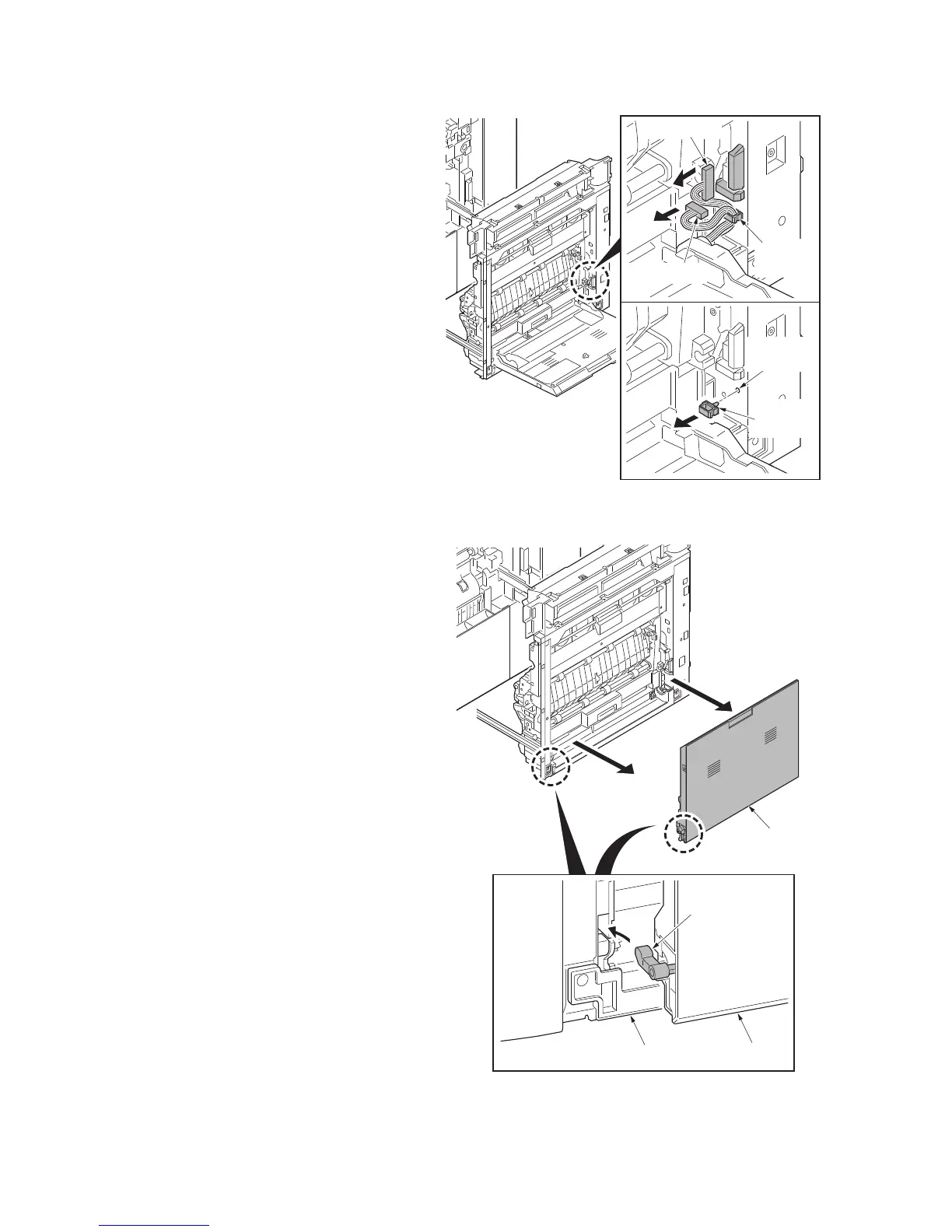
9. Remove two connectors.
10. Release the wire saddle.
11. Remove the wire saddle.
*: To refit the wire saddle, be sure to fit in
the positioning hole that was previously
used.
Figure 1-5-14
12. Remove the MP tray.
*: When refitting the MP tray, insert it in
the MP tray paper feed unit side by
turning the lift arm.
Figure 1-5-15
Installation
hole
Connector
Connector
Wire
saddle
Wire
saddle
MP tray
Lift arm
MP tray
MP tray paper feed unit



 To Next Page
 Loading...






