2MN/2N1
1-5-50
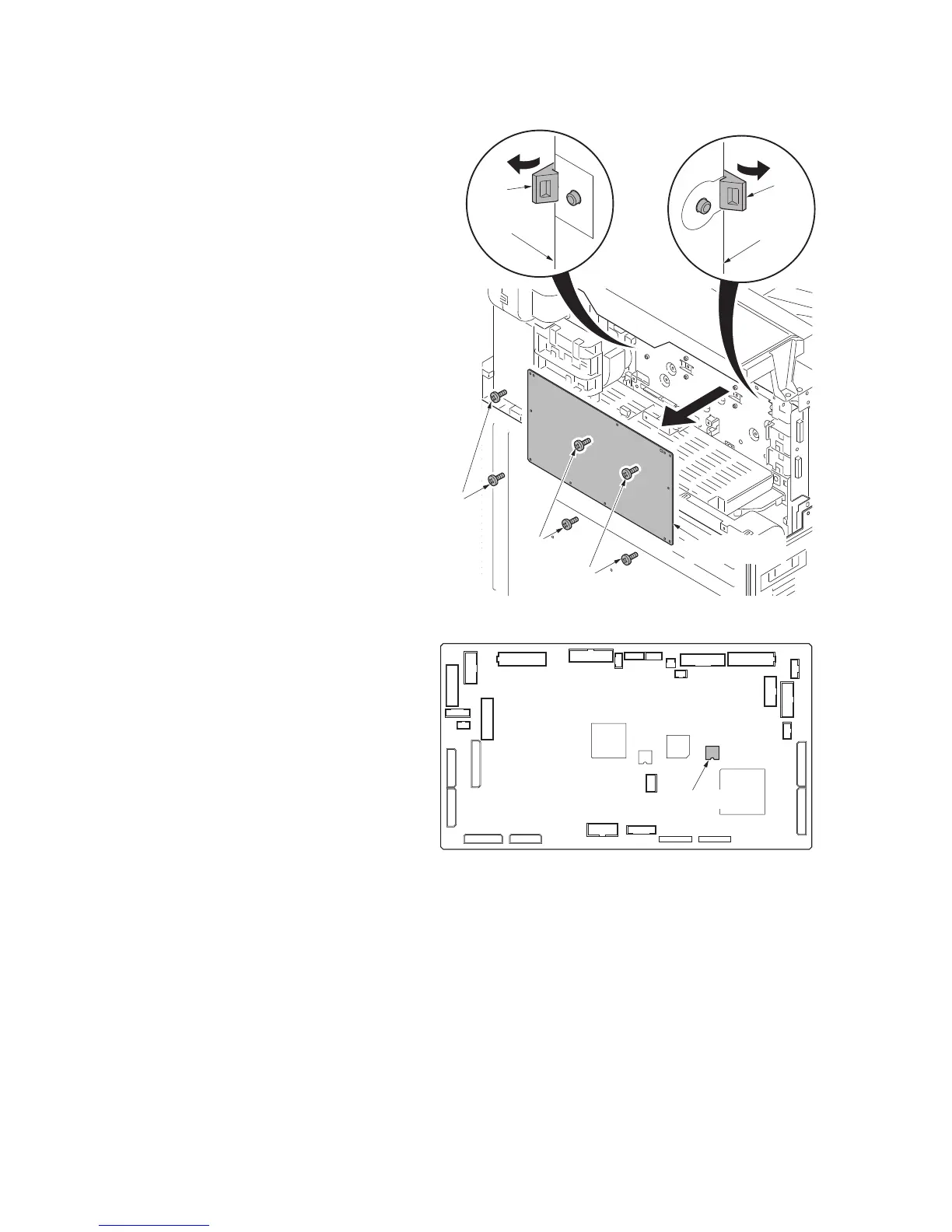
Figure 1-5-73
3. Remove six screws.
4. Unhook two hooks and then remove the
engine PWB.
5. Check or replace the engine PWB and
refit all the removed parts.
*: When replacing the engine PWB,
remove the EEPROM (U100) from the
engine PWB and then reattach it to the
new engine PWB.
Figure 1-5-74
U100
Screws
Hook
Hook
Screws
Screws
EEPROM
(U100)
Engine PWB
Engine PWB
Engine PWB
Engine PWB



 To Next Page
 Loading...






