5-42 Any Level Display Model 831 Manual
The Any Level Display can also be
accessed from the Current and
Measurement Display tabs, which
are used to display Measurement
History data; see Chapter 12
"Measurement History” on page 12-
1.
To obtain the Any Level Display from either the Live or
Overall screen, press Menu to open the menu shown in
FIGURE 5-50.
FIGURE 5-50 Menu
Highlight ANY LEVEL and press
5 to obtain the Any
Level Display. The data displayed will depend upon whether
the Any Level Display was initiated from the Live or the
Overall screen, as described in the following sections.
Live Screen
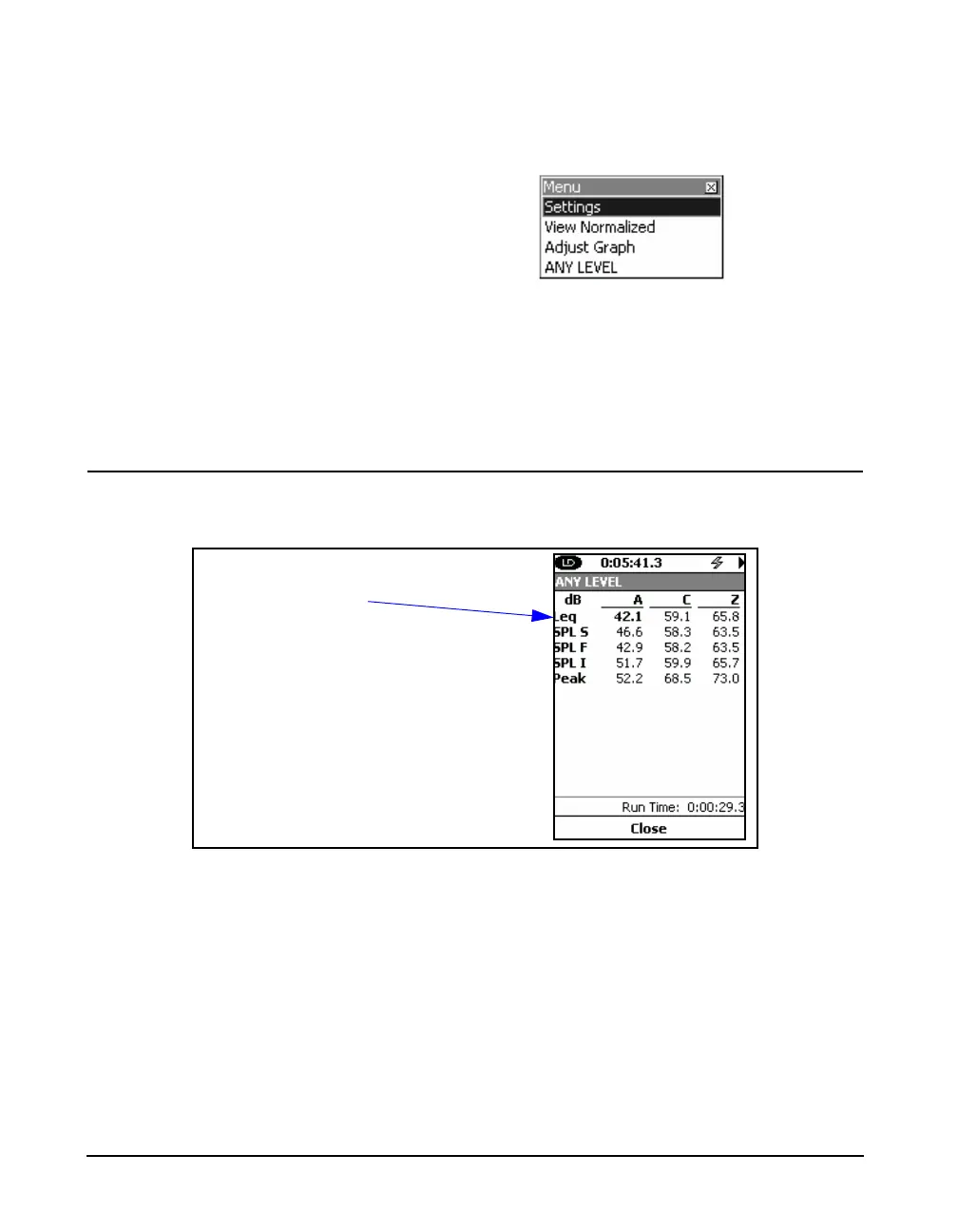
When initiated from the Live Screen, the Any Level Display
will appear as shown in FIGURE 5-51
FIGURE 5-51 Any Level Display, Live Screen
These show the instantaneous sound levels using Slow, Fast
and Impulse detectors and the Peak sound level, all using A,
C and Z weighting. The displayed value of Leq is based on a
one second integration time. Because they are instantaneous
values, their numerical values will change rapidly in
response to a change in sound level at the microphone.
Leq is based on one second
integration time



 To Next Page