Model 831 Manual Any Level Display 5-43
Close Display
Note that the instrument keypad is
not operational when the Any Level
Display is being displayed. As a
result, the run state cannot be
changed until that display has been
closed.
To close the Any Level Display, press the Close softkey.
Overall Screen
When initiated from the Overall Screen, the Any Level
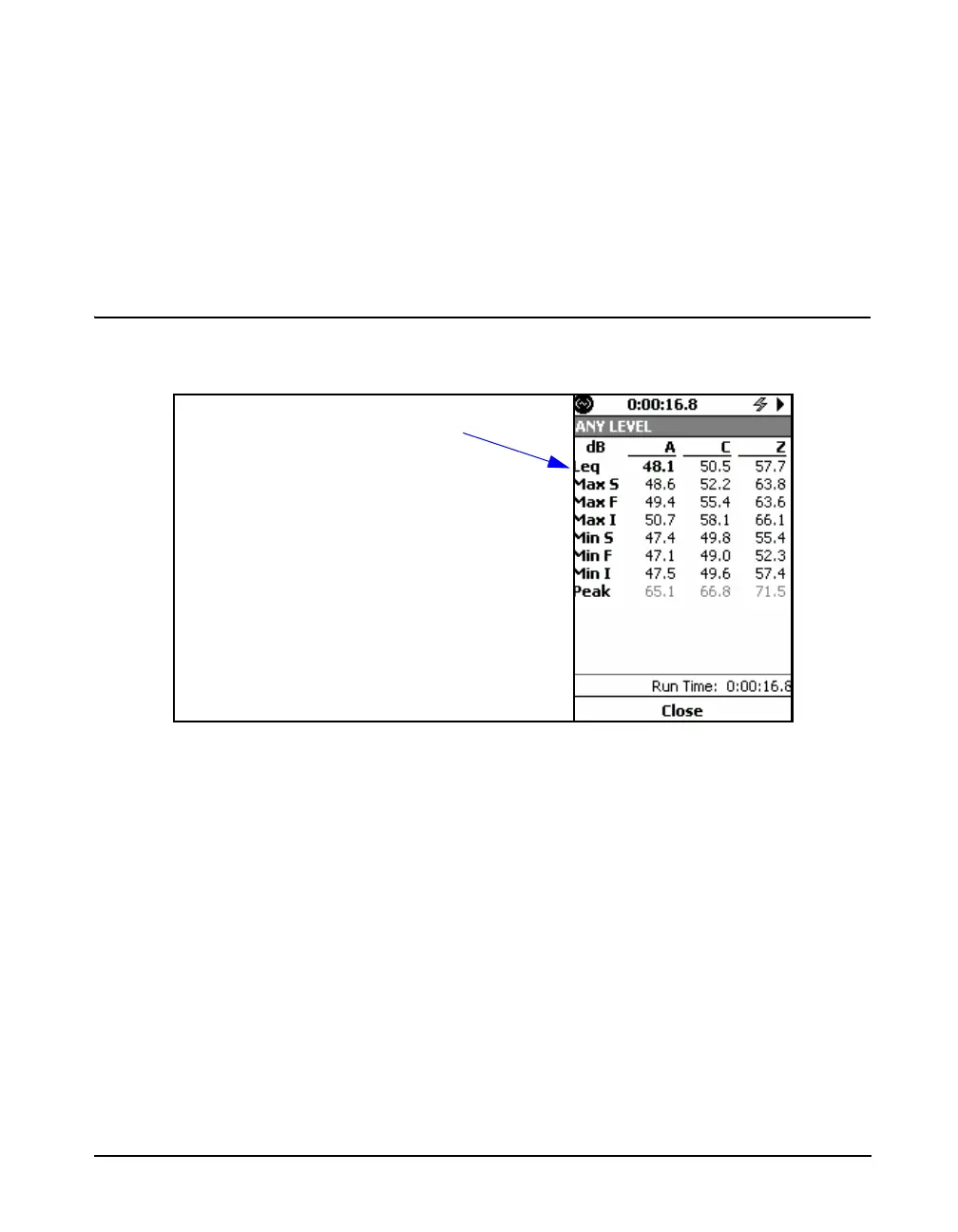
Display will appear as shown in FIGURE 5-52
FIGURE 5-52 Any Level Display, Overall Screen
These data present an overview of the measurement
performed over the run time, giving Leq, Maximum and
Minimum levels corresponding to Fast, Slow, Impulse and
Peak detection using A, C and Z weighting. .
Close Display
To close the Any Level Display, press the Close softkey.
Leq is based on the run time



 To Next Page