11-10 Time History Display Model 831 Manual
Data Display at Cursor Position
Holding down the left or right arrow
keys will move the cursor faster as
the key is held down longer. Holding
the key accelerates movement
through the time history.
The 6 and 4 keys are used to move the cursor right or left,
respectively, in increments equal to the time history period.
Press the 6 key once to move the cursor to the location of
the first time interval of the time history.
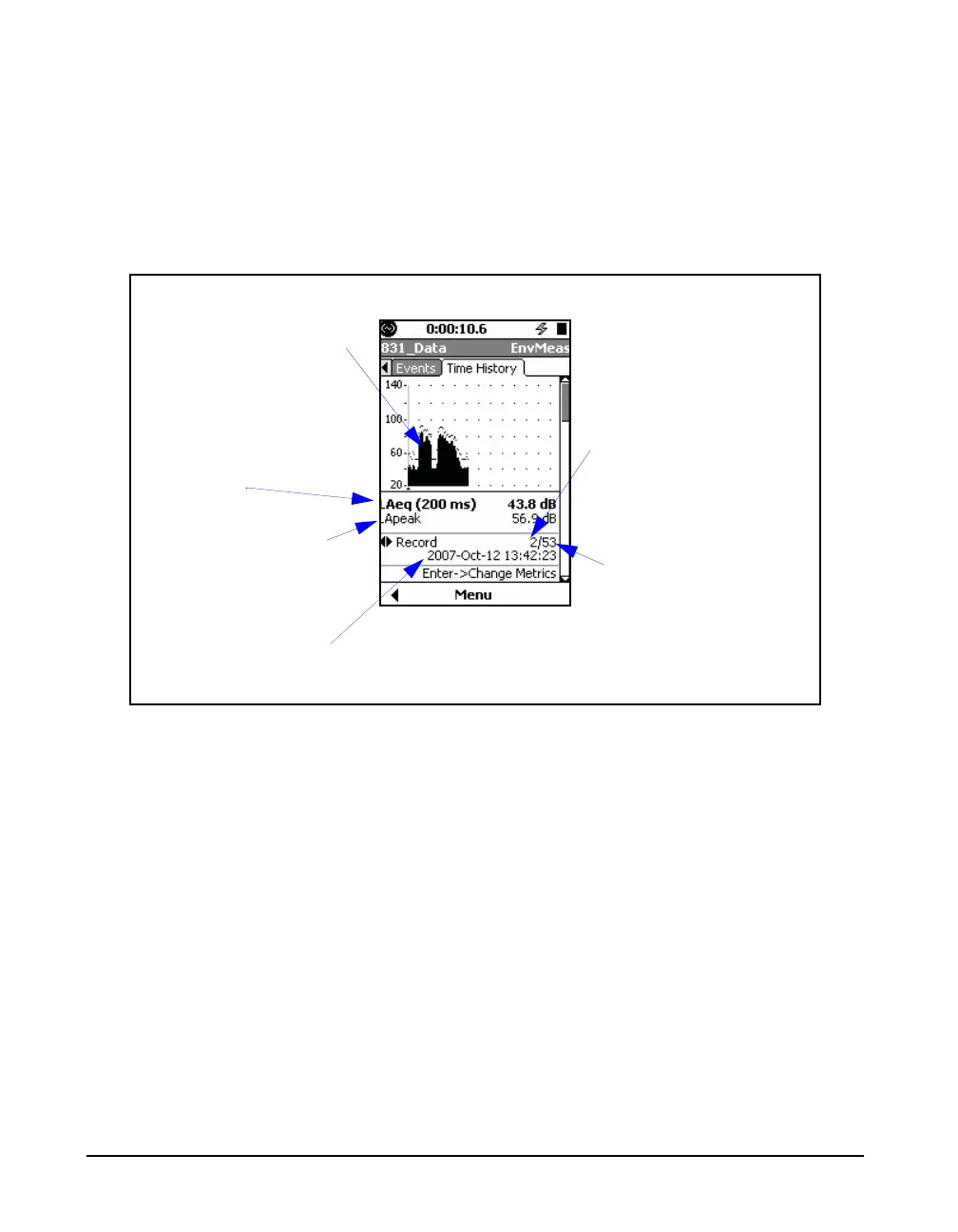
FIGURE 11-7 Measured Data at Cursor Position, First Parameter
Left/Right Arrow Keys
For the display shown in FIGURE 11-7, the 4 and 6 keys
have dual roles as listed below. Press
5 to toggle between
them:
• Change Record
• Change Metrics (Measurement Parameters)
Date and time at
cursor position
Leq(x), calculated using
the selected time
interval, at cursor
position
1st Time History
Parameter at cursor
position (LApeak in
this instance)
Time History Graph:
Leq(x) where x is the time
history interval
Cursor position, in
multiples of time history
period
Total number of data
points measured



 To Next Page