Model 831 Manual Time History Display 11-11
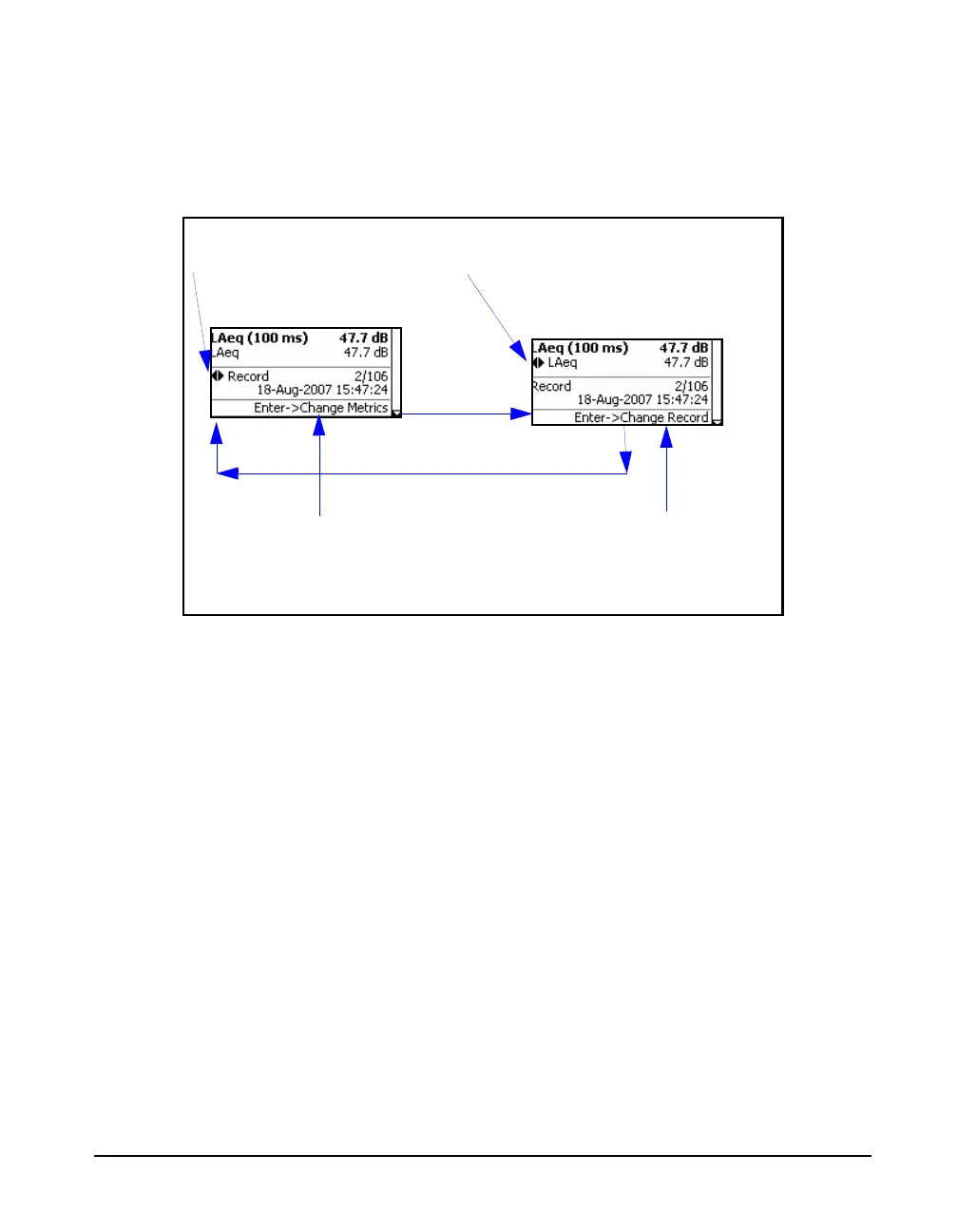
At any time, the role of the left and right arrow keys, as well
as the means to change it, are indicated in the lower portion
of the display, as shown in FIGURE 11-8.
FIGURE 11-8 Role of Left/Right Arrow Keys: Time History Display
Locate Record Number
To jump to a specific record number, rather than step
through the range of record numbers using the cursor, utilize
the Locate Record Number feature, described in "Locate
Record Number" on page 11-16
The time history graphs for Leq(x) and the selected time
history parameter are overlaid on the display.
Change Metrics
As explained in section "Metrics Logged” on page 11-1, the
user can select to log up to sixteen different parameters, or
metrics, as a function of time, setup as described in section
"Select Time History Metrics” on page 11-6. The default
value is the first parameter selected during the setup
procedure.
When repeatedly pressing the 6 key, the logged metric
values will be displayed in the same sequence as they
Left and Right Arrow keys
Change Records
Left and Right Arrow keys
Change Metrics
Switch role of left/right arrow keys
from “Change Records” to
“Change Metrics”
Switch role of left/right arrow keys
from “Change Metrics” to “Change
Records”
5
5



 To Next Page