12-6 Display of Measurement History Data Model 831 Manual
Current Tab
When the first measurement is in progress, the data will
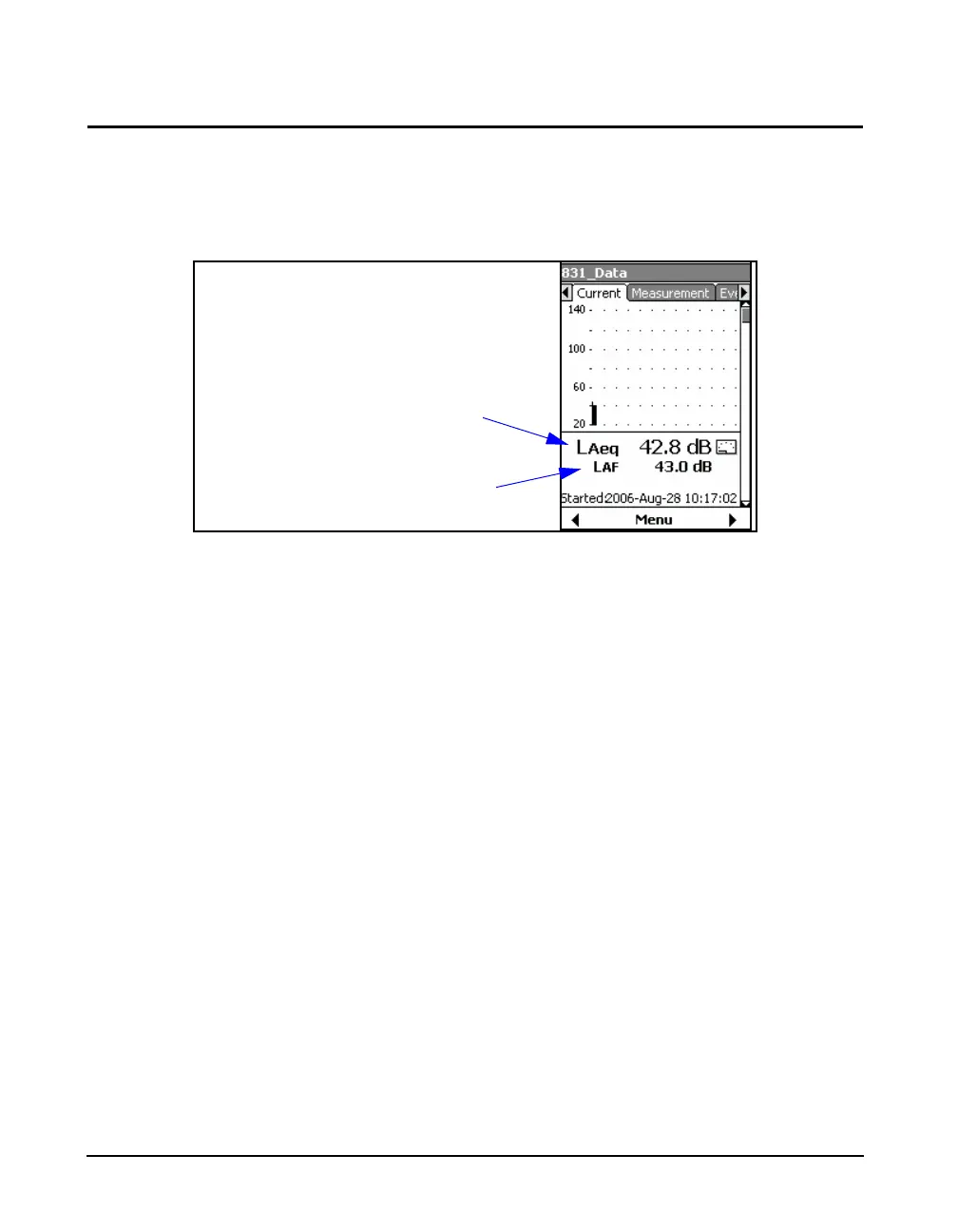
appear on the Current tab, the first section of which is
shown in FIGURE 12-5.
.
FIGURE 12-5 Time History Display: Current Tab
When that measurement is complete, its data will then be
available for display on the Measurement tab. The Current
tab is then reset and begins displaying data for the next
measurement in progress. As a result, at any time the
Current tab displays the measurement in progress.
The Current tab also includes a
page indicating the Remaining Leq.
The Current tab can display as many as fourteen different
data pages, depending on the firmware options enabled and
the setup used. Press the 8 and 2 keys to navigate
through these different pages. With the exception of the first
page, these pages are similar to those displayed on the
Measurement tab, as described in the next section. The
main difference is that there is no reference to a record
number.
On the first page, shown in FIGURE 12-5, the 1st numerical
value displayed is Leq using the frequency weighting and
detector from the setup. The 2nd numerical value displayed,
L
AF
in this example, is a user-selected parameter. This
parameter is selected the same as for the Live SLM Display,
described in "User-Selected SLM Parameter" on page 5-3.
User-selected Sound
Level Parameter
Leq using Frequency Weighting
and Detector from Setup



 To Next Page