Model 831 Manual Display of Measurement History Data 12-7
Measurement Tab
The Measurement tab can display data for any one of the
previously completed measurements. These measurement
records are numbered in sequence from the first to the last.
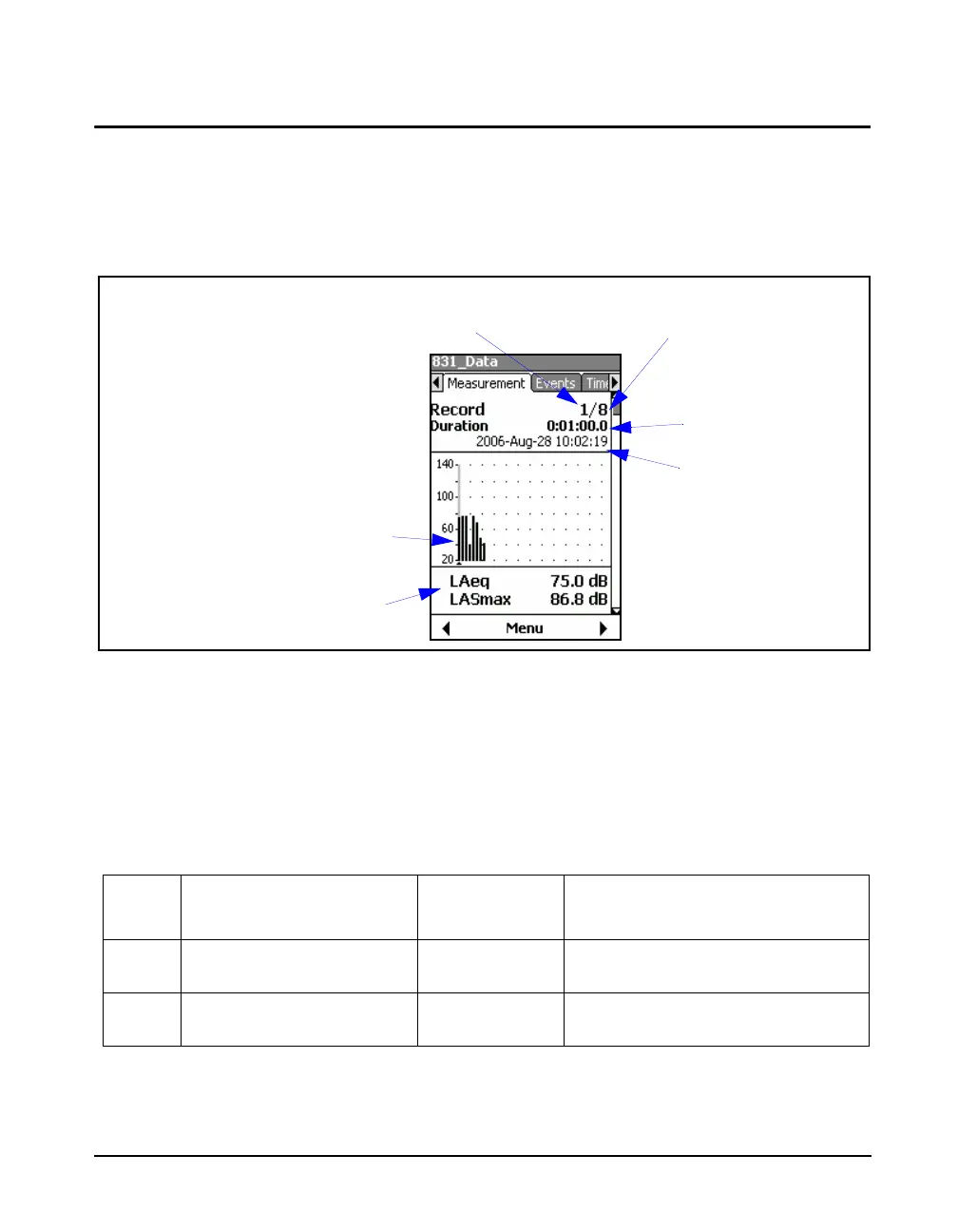
The data displayed in the first section of the Measurement
tab is shown in Figure 12-6.
FIGURE 12-6 Measurement Record Display: Measurement Tab
During the first measurement, the
same data will appear on the Overall
and Current tabs. After that, the
overall measurement will continue
while new current measurements will
be made as the measurement
sequence proceeds.
Figure 12-6 shows the first page appearing on the
Measurement tab. Figure 12-7 shows the pages that may
appear on this tab, depending on the firmware options
enabled and the setup used. Use the 8 and 2 keys to
page sequentially through these different data displays.
Table 3-1 lists these displays by name and indicates the
position of that display in FIGURE 12-7.
Selected Measurement History
Record Number (Cursor Position)
Number of Records
Measured
Graph of Leq Values for each
Record, in sequence by time
Leq and Max Values at
Cursor Position
Measurement
Duration
Date and Time
of Measurement
Section Display Type
Location in
FIGURE 12-7
Comments
1 Measurement Record Display Row 1
Column 1
See Figure 12-6 for detailed view.
2 Large Digit Display Row 1
Column 2
Table 3-1 Examples of Displays on Measurement Tabs



 To Next Page