13-16 Event History Display Model 831 Manual
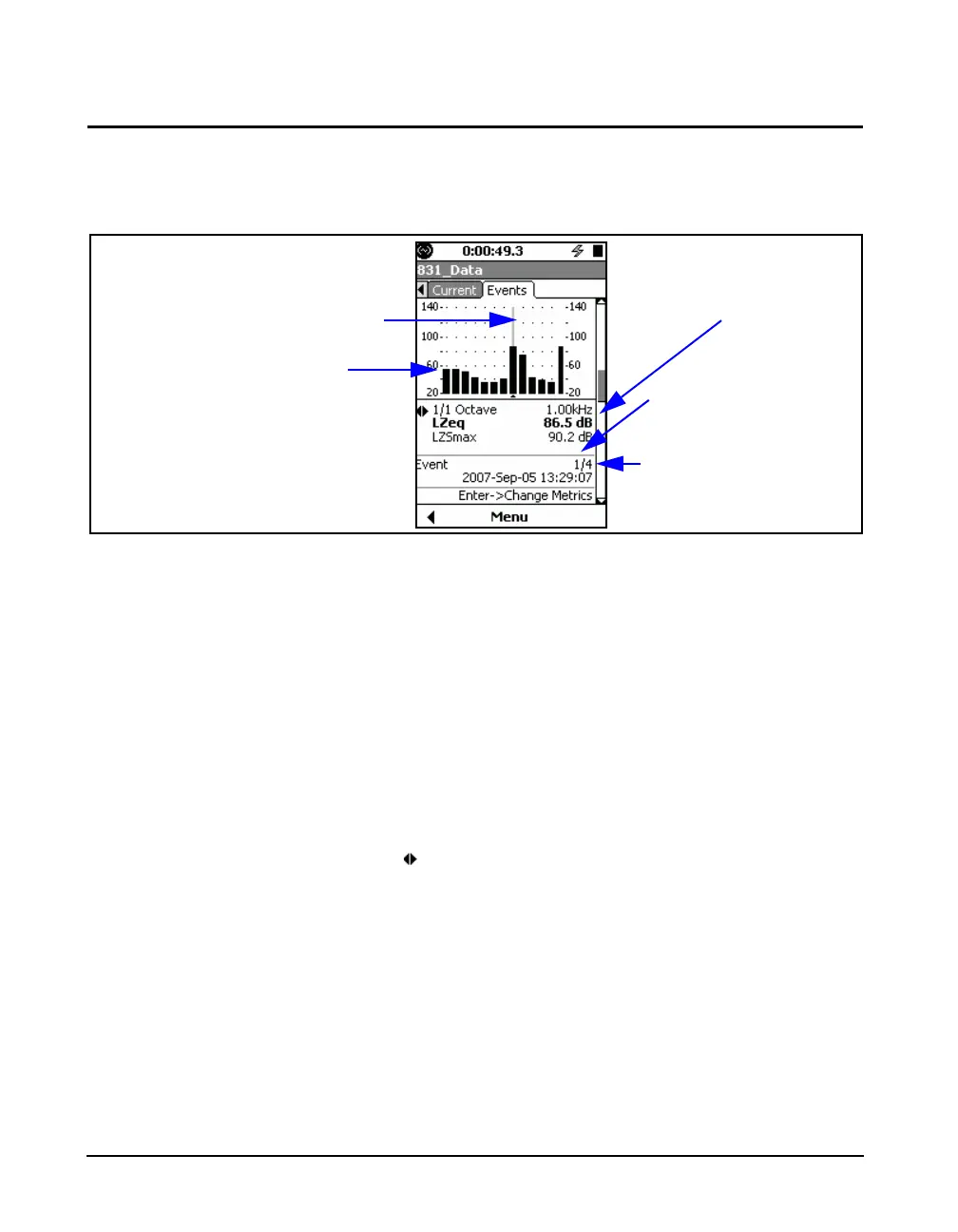
1/1 Octave Spectrum Display
With all possibilities included, the 3rd display would be a
1/1 octave spectrum for the displayed event, as shown in
FIGURE 13-14
FIGURE 13-14 Event History: 1/1 Octave Display, Section 3
Left/Right Arrow Keys
For the display shown in FIGURE 13-14, the 4 and 6 arrow
keys can serve three different purposes as listed below. Use
5 to toggle between them:
• Change Frequency
• Toggle between display of L
ZSmax
and L
AE
• Change Event
At any time, the role of the left and right arrow keys is
indicated by the left/right arrow icon.
Press
5 to change the role, as indicated in the lower
portions of the display, and as shown in FIGURE 13-15.
Frequency and Levels (Leq
and Lmax) at Cursor
Position
1/1 Octave Spectrum Graph
Event Being Displayed
Number of Events
Measured
Cursor Position



 To Next Page