Model 831 Manual Event History Display 13-15
Levels Display
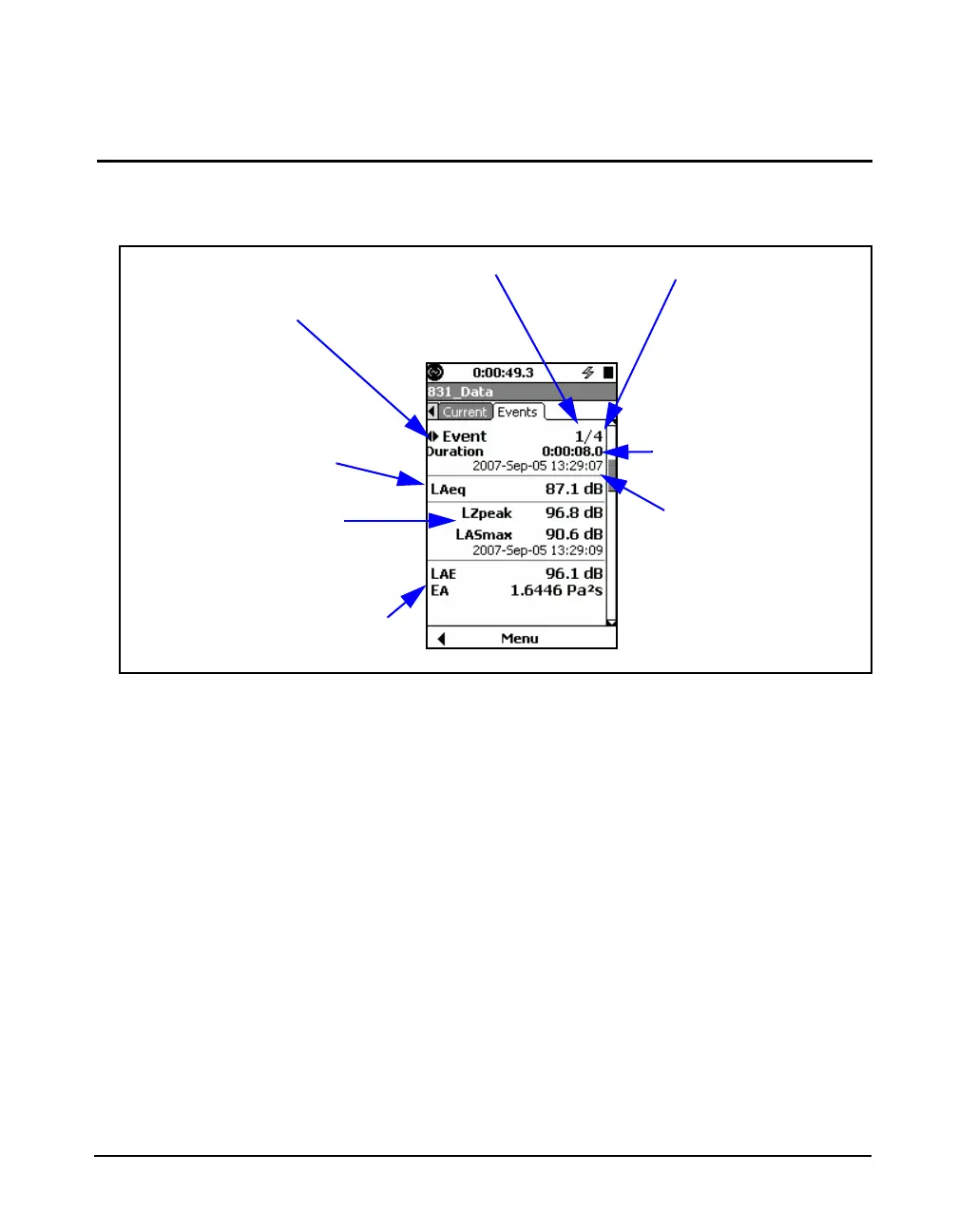
The second section is the Levels Display, which is shown in
Figure 13-13.
FIGURE 13-13 Event History: Levels Display, Section 2
Changing the Displayed Event Record
Event history records are stored sequentially in time,
beginning with record 1. The Levels Display shown above
presents data for the 1st of 4 events. Use the 4 and 6 keys to
navigate backward or forward, respectively, through the
stored records.
Record Being Displayed
Number of Records Stored
Duration of Displayed
Event
Date and Time of
Displayed Event
Use Left and Right Arrow
Keys to Change Event
Record
Leq of Displayed Event
Peak and Maximum
Levels for Displayed
Record
Sound Exposure Level and Sound
Exposure for Displayed Record



 To Next Page