Model 831 Manual Control Panel - Lock 21-3
the 7 (STOP/STORE) key stops the run and stores the
data but does not reset the measurement. See Chapter 21
"Locked With Auto-Store" on page 21-6.
Lock w/Manual Store
In this mode, the Auto-Store
preference is disabled, see Chapter
18 "Preferences" on page 18-10.
The user cannot change the data view in this mode. Only the
status line at the top of the screen is updated. Measurements
may be run, paused and stopped. See Chapter 21 "Locked
With Manual-Store" on page 21-7.
Fully Locked
The user has no access to the instrument, except to start a
run. Auto-Store preferences are enabled in this mode. See
Chapter 21 "Fully Locked" on page 21-5.
A measurement cannot be reset when the Model 831 is
locked in any mode.
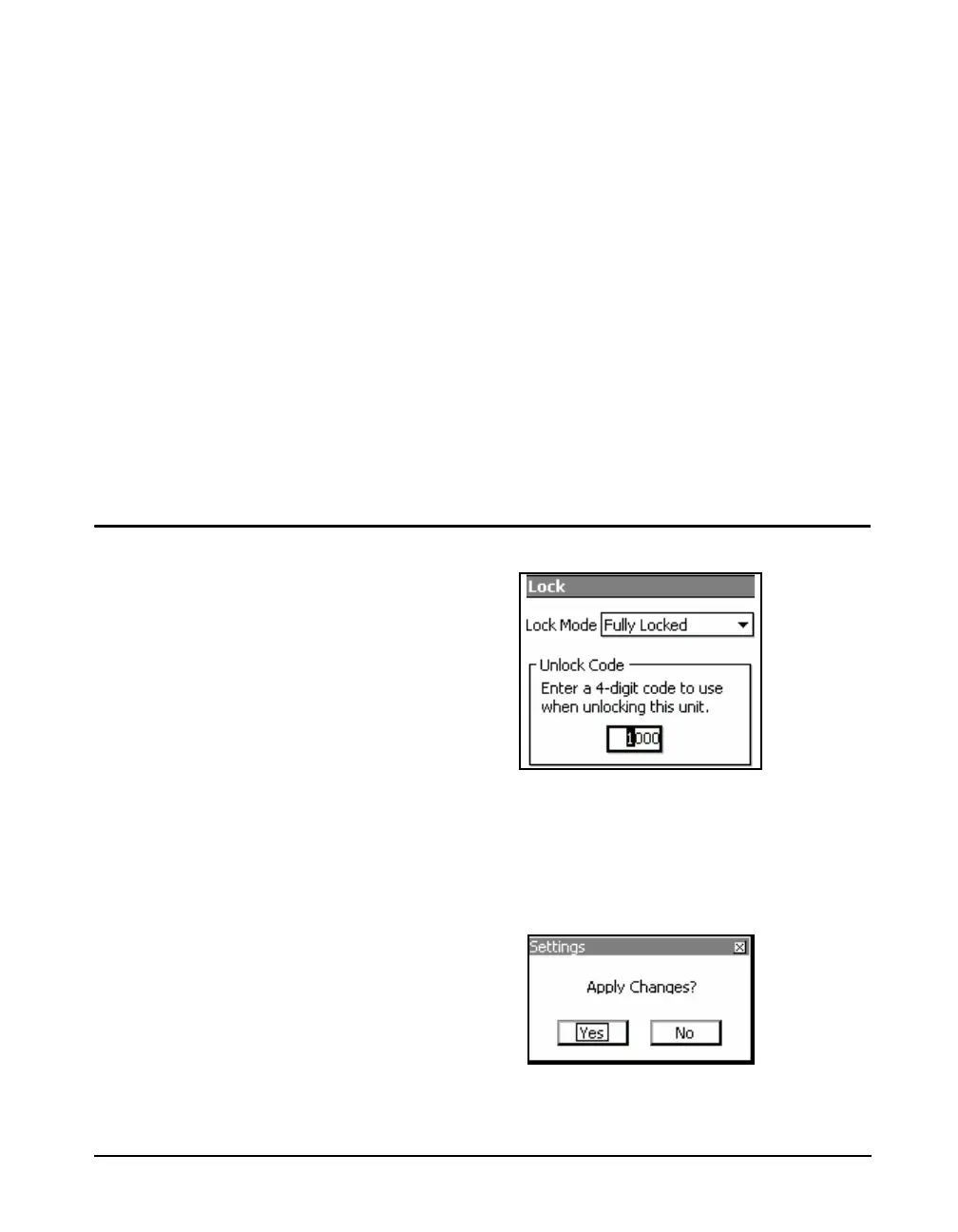
Unlock Code
Move the highlight to the Unlock Code Field.
FIGURE 21-4 Unlock Code
Press the
5 key. The 1st character in the field will be
highlighted. Enter the desired lock code and press the
5
key to accept the new unlock code .
Press the Close soft key to exit the Lock page.
FIGURE 21-5 Apply Changes



 To Next Page