Model 831 Manual Tab and Setting Displays 3-17
Control Panel (TOOLS) Properties
For a detailed description of the
Tools Screen, see “Control Panel -
System Properties” on page 18-1.
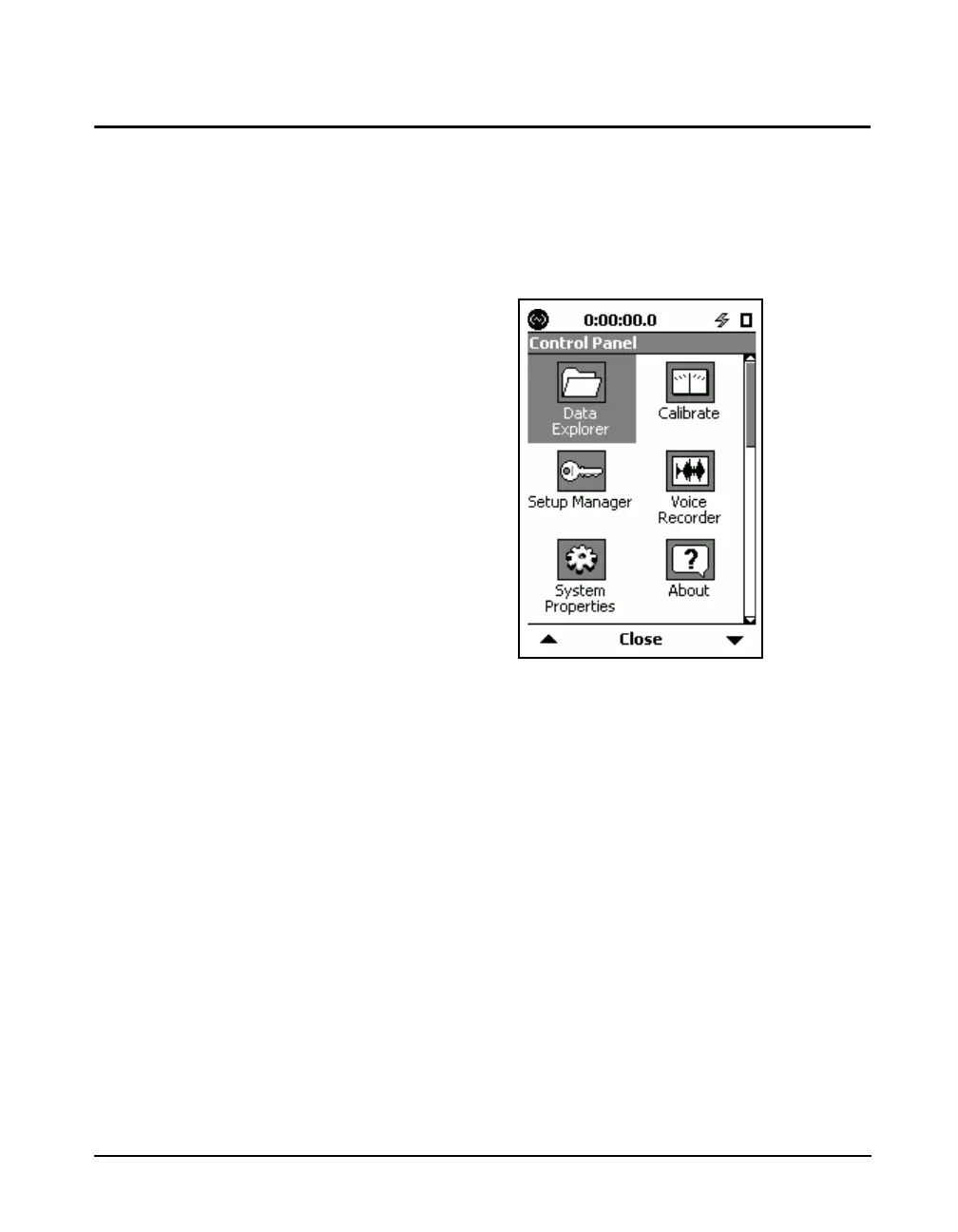
The Control Panel displays icons to represent the different
functions available for the Model 831. Pressing the
3
(TOOLS) key displays the Control Panel screen, as shown in
FIGURE 3-10. Press
5 to select an icon.
Three more icons, Lock, System
Utilities and Communication do not
appear in FIGURE 3-10. Scroll
down below the System Properties
and About icons to see them.
FIGURE 3-10 Tools Screen
Data Explorer
For a detailed description of the
Data Explorer, see Chapter 17 "Data
Explorer" on page 17-1.
Data Explorer is used to examine stored data. It is also used
to manage stored measurements such as rename or delete
files.
Setup Manager
For a detailed description of the
Setup Manager, see “Setup
Manager” on page 4-16.
The Setup Manager permits the user to create and store a
number of user-defined measurement setups for easy recall,
editing and use.
System Properties
For a detailed description of the
System Properties tabs, see Chapter
18 "System Properties" on page 18-
1.
System Property tabs are used for general instrument
bookkeeping. Functions such as setting the instrument date
and time, display contrast adjustment, date format, etc. are
located here. These are single-paged tabs.
The System Property tabs include the following:



 To Next Page