4-10 Setup Tabs Model 831 Manual
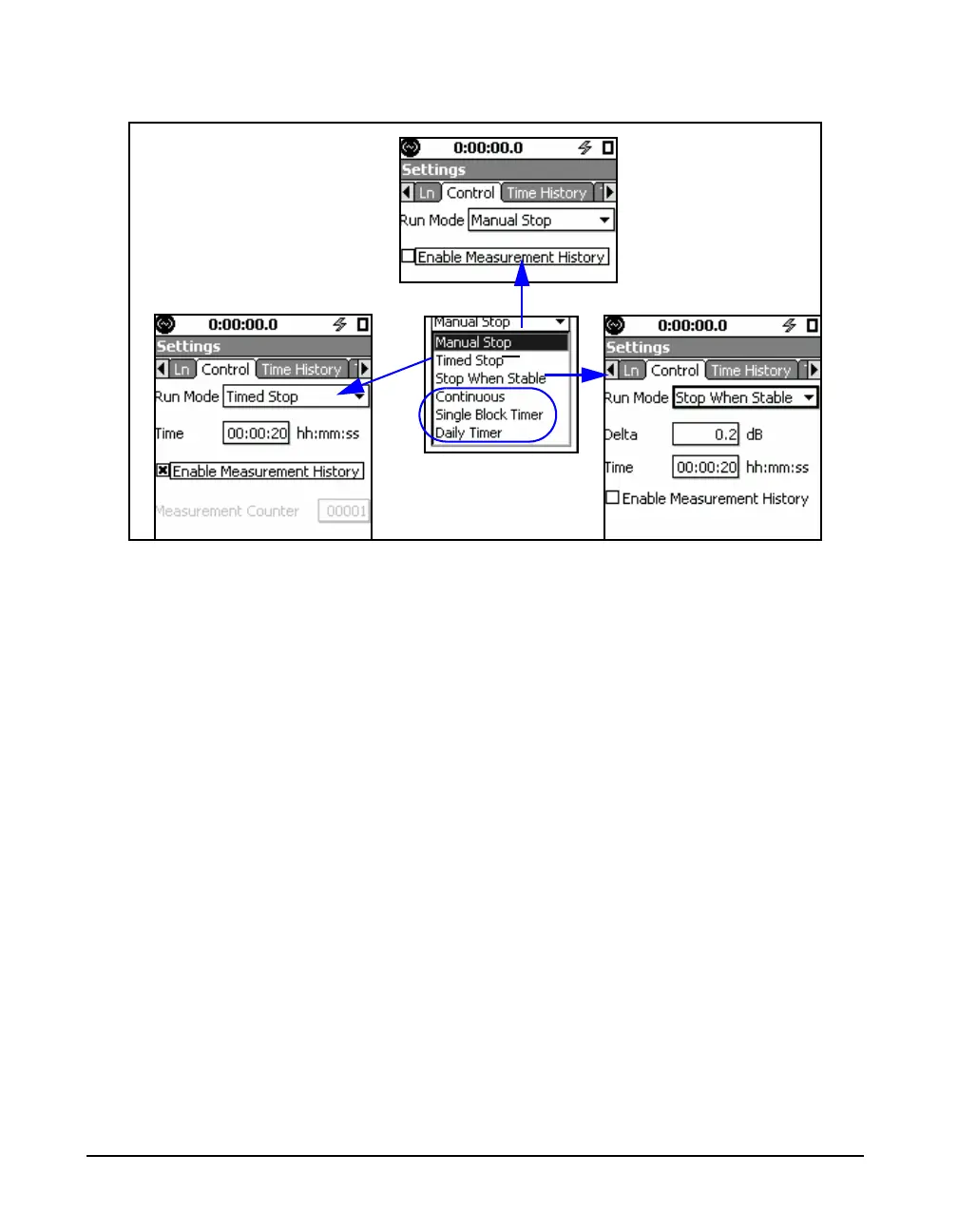
FIGURE 4-9 Run Mode Parameter Selections
Measurement History
For a detailed description of
Measurement History, see Chapter
12 "Measurement History” on
page 12-1.
In FIGURE 4-9, an item entitled Enable Measurement
History appears for each Run Mode. Measurement History is
a measurement option provided when the optional firmware
831-ELA is enabled. Since this chapter is concerned only
with basic measurements, we do not address Measurement
History here. Thus, in the following sections when we refer
to parameters, this does not include Measurement History.
Manual Stop Mode
The Manual Stop Mode has no parameters.
Timed Stop Mode
Timed Stop has two parameters, Time and Enable
Measurement History. It also adds Measurement Counter if
one minute or more.The range of time values which can be
entered is 00:00:01 to 99:59:59 in the format hh:mm:ss.
Stop When Stable Mode
The Stop When Stable Run Mode has two parameters: Delta
and Time.



 To Next Page