MI-42-0001 Rev. 19 103
SCANNING: Typical Scan Sequence: New Scan
Deciding Whether
to Use Scout Scan
with Low Intensity
3D Scans
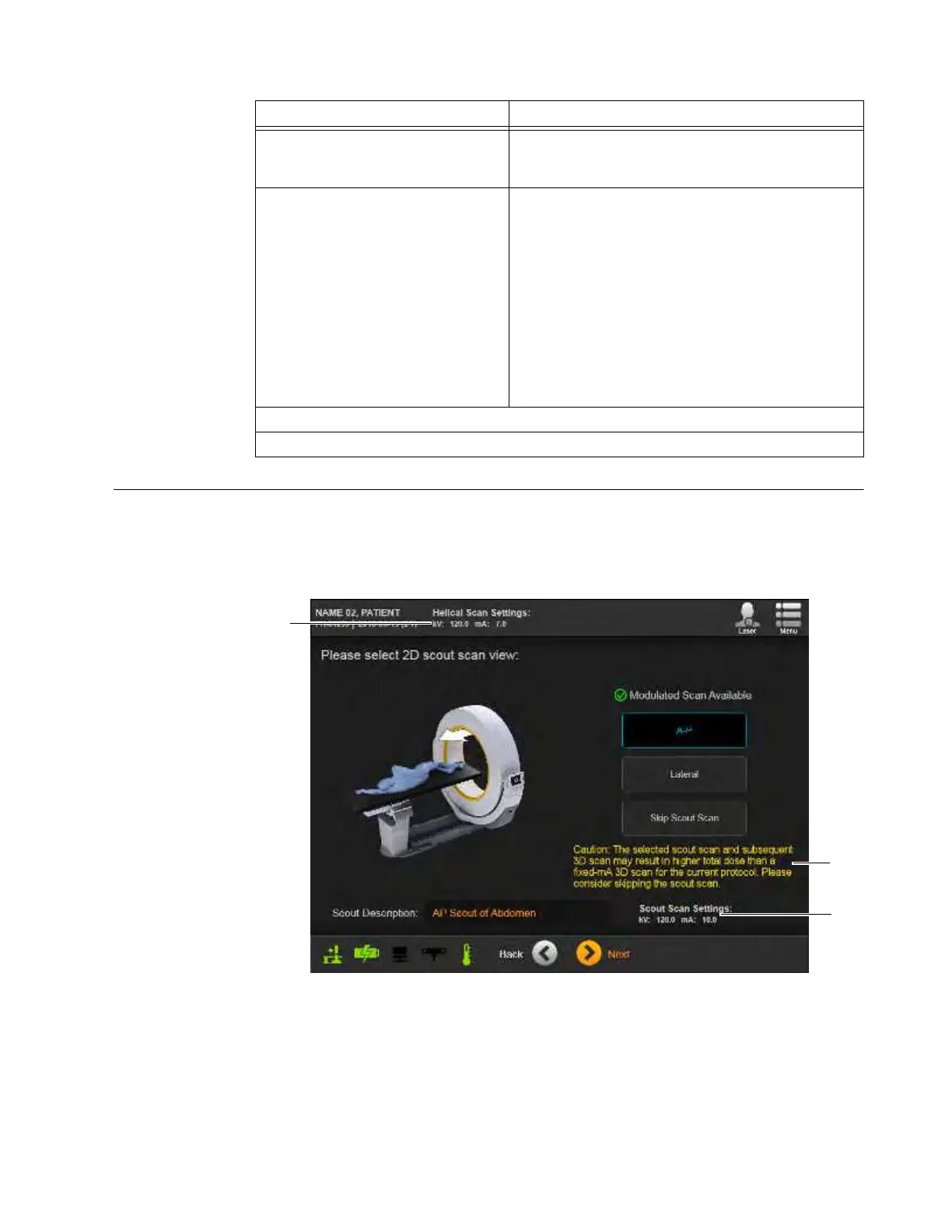
The standard dosage parameters of 3D Axial or Helical scans for some patients are low intensity by
default. For these patients, the X-ray dose added by the constant 2D scout scan may exceed the
possible dose reduction from optimizing the field of view and. for Helical 3D scans only, modulating
the 3D scan mA. When the default scan parameters for specific patients approach this level, AIRO
highlights this on the Select 2D scout scan screen.
Figure 75
Options Action
After selecting
A-P
or
Lateral
, touch
Next
to set initial start and end points
for the scan.
See section 6.8.11 Positioning With Lasers.
To skip 2D Scout Scan, select Skip
Scout Scan, and then touch
Next
.
Perform steps as described in scout scan sections
6.8.11, 6.8.12, and 6.8.13, setting the start and end
points for the scan.
However, unlike the initial parameter summaries for
scout scans, the result will show a summary of
parameters for the main 3D scan that resembles the
Constant Tube Current
list shown in Figure 86.
See section 6.8.18 Verifying 3D Parameters and
Scanning after setting start and end points.
See section 6.8.19 Summary of 3D Image Controls
after running the 3D scan.
To change parameters, touch Back.
To proceed, touch Next.



 To Next Page