176 MI-42-0001 Rev. 19
QUALITY TESTING: Testing Image Quality
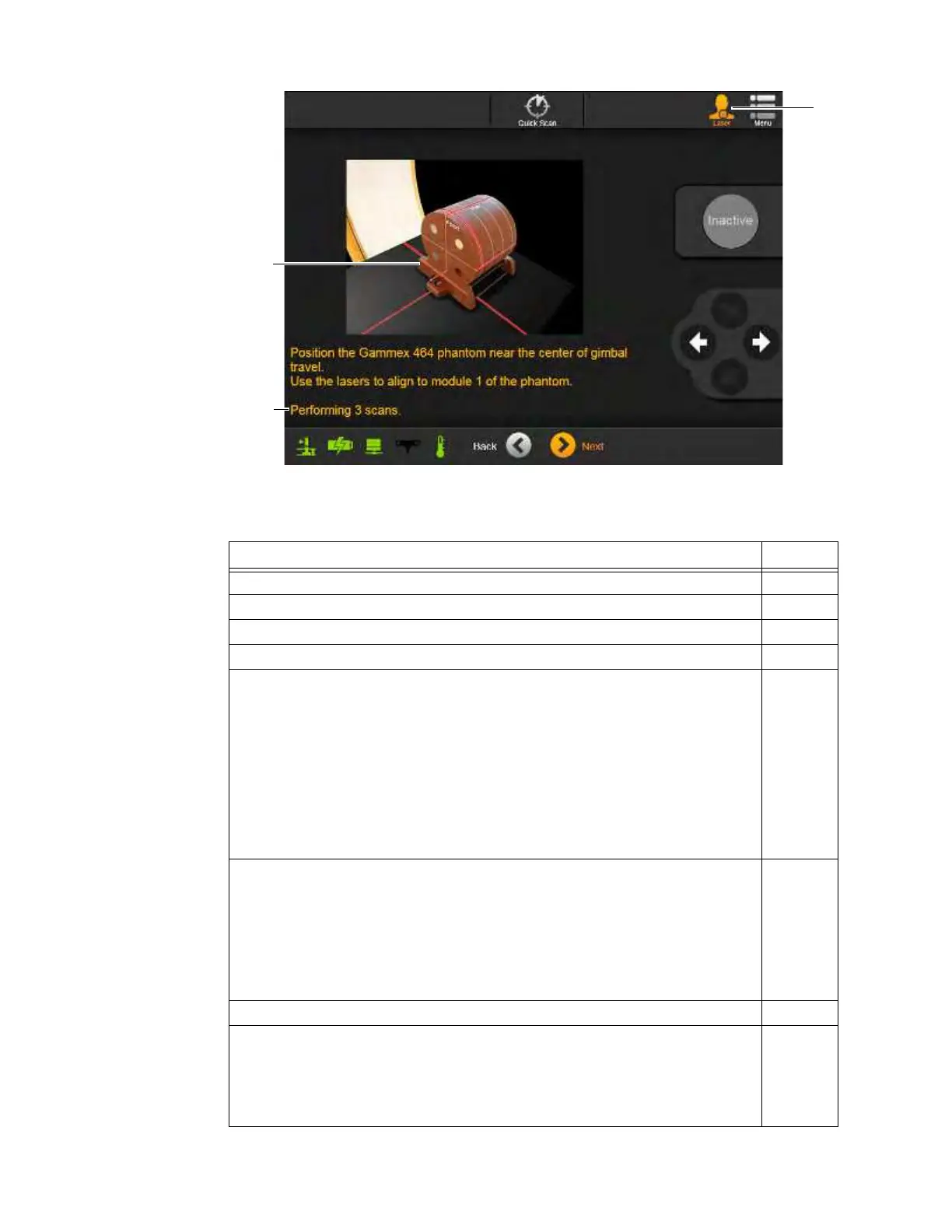
Figure 140
NOTE: Figure 139 does not appear when the Pediatrics feature is disabled.
Steps See
1. Select
Service Functions
from the Welcome screen. 6.6
2. Select Hospital Service from the Service Functions screen. 7.2.1
3. Log in with a technician-level or higher password. 3.3.2
4. Select Quality Check Scans from the Hospital Service screen. 7.2.2
5. Select one of the quality check scans: Daily Helical QC, Full Helical QC,
Daily Axial QC, Full Axial QC.
If the Pediatrics feature is disabled, skip to step 8.
NOTE: Both helical and axial QC scans should be performed every day in both
STB and SAB orientations. As a result, allow time for:
• Daily Helical QC in SAB orientation
• Daily Axial QC in SAB orientation
• Daily Helical QC in STB orientation
• Daily Axial QC in STB orientation
7.2.9
6. From the Select KV Levels screen, ensure that the required levels are checked
for the QC scan cycle a.
NOTES:
• Systems with Pediatrics enabled require Daily and bi-annual Full QC
scans at all available kV levels.
• Systems with Pediatrics disabled require only 120 kV QC scans. As a
result, QC scans start at the Position the Gammex screen (Figure 140).
7. Touch
Next
.
8. Ensure that alignment lasers are lit s and the total number of QC scans for the
QC cycle appears d.
NOTE: If either the Pediatrics feature is disabled or only one QC scan was
checked on the Select KV Levels screen, the message about the total number
of scans does not appear.
6.8.11



 To Next Page