262 MI-42-0001 Rev. 19
TROUBLESHOOTING: Transport Failure
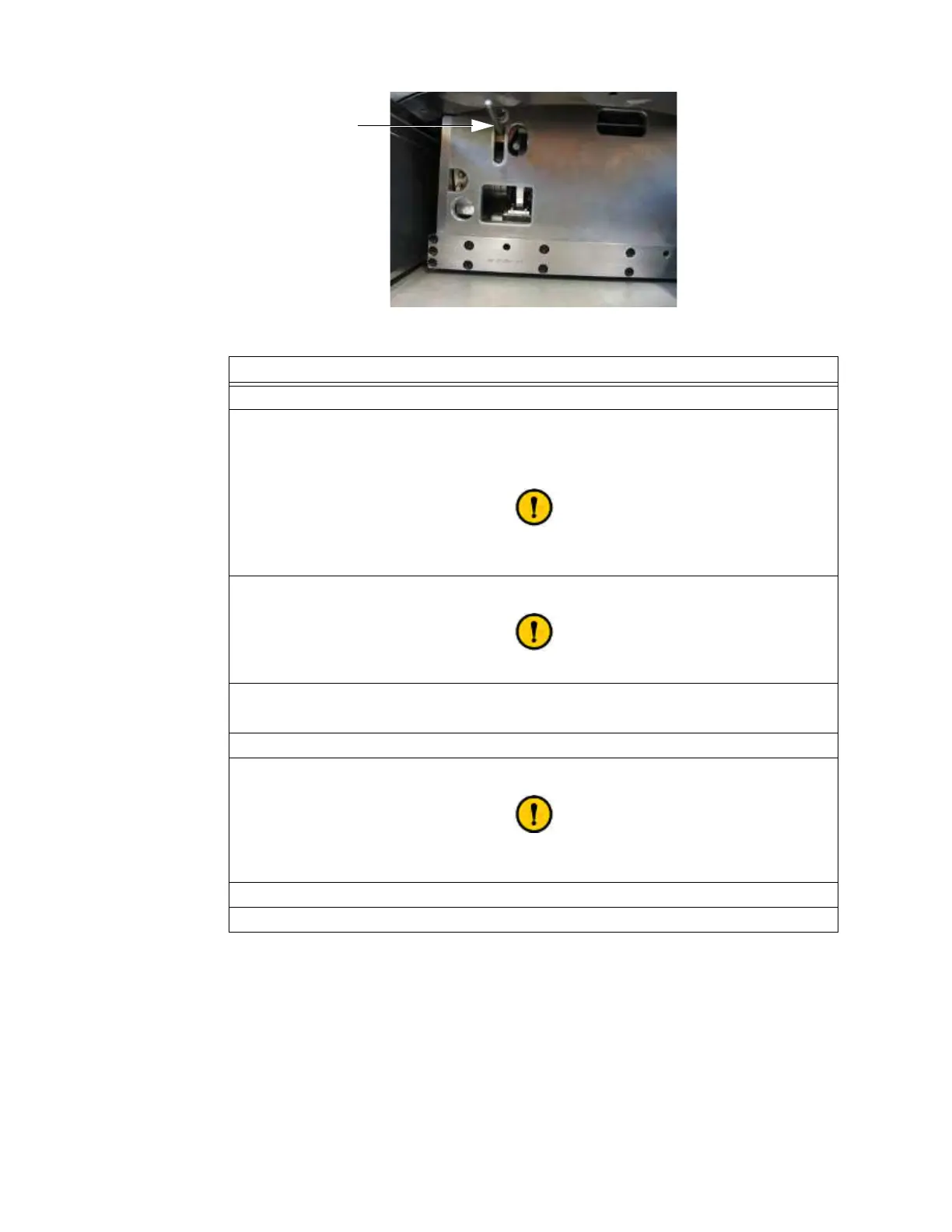
Figure 178
Steps
1. Lift
a latch to release Gimbal. See Figure 177.
2. Rotate the Gimbal out of Transport position into Scan position s.
This reveals the drive mechanism in the base under the Gimbal
d viewed from the end
opposite the system power cable.
See cautions about rotating the Ring in section
3.3.6 Rotating and Latching the Ring in Transport or Scan Position.
3. Reaching in under the Gimbal, grasp the release lever as close to the slot as possible f.
Do not use tools or extensions to move the release lever.
4. Carefully press the release lever down to the bottom of the slot.
This puts the main drive into neutral.
5. Repeat steps 3 and 4 if release lever re-engages.
6. Rotate the Gimbal into Transport position and lock.
See cautions about rotating the Ring in section
3.3.6 Rotating and Latching the Ring in Transport or Scan Position.
7. Push AIRO manually.
8. Mark the system as not for use and contact technical support.



 To Next Page