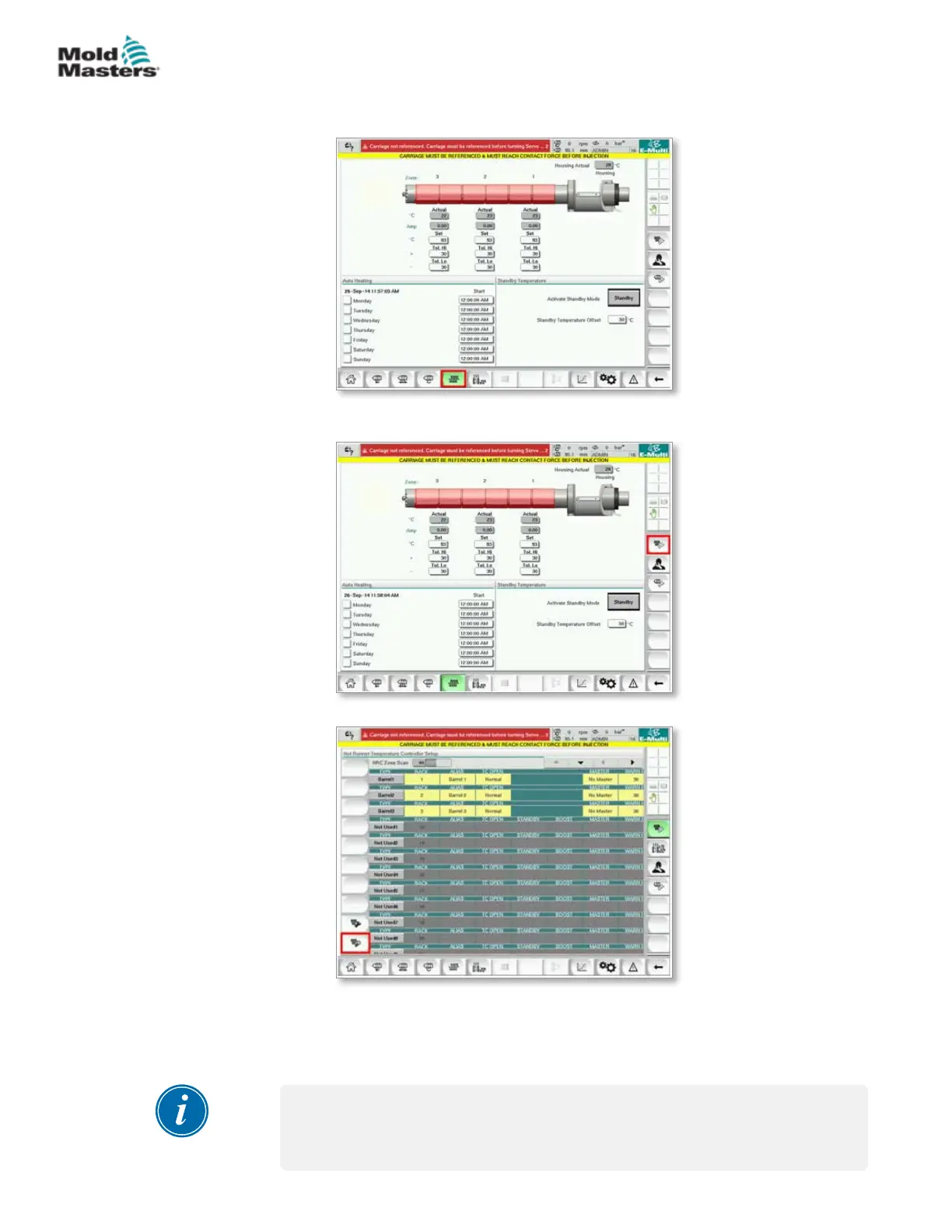
a) Tap the Barrel Temperature Settings button.
b) Tap the Hot Runner Control Setup button.
c) Tap the Auto Detect button.
10. When the Auto Detect sequence is complete, power down the controller
following the instructions in “6.4 Switch O (Shutdown)” on page 6-2.
11. Power on the controller, following the instruction in “6.3 Switch On” on
page 6-2 to complete the software upgrade.
NOTE
E-Multi controllers support only FAT or FAT32 formatted USB drives. USB
drives formatted as NTFS, HFS(+), or EXT will not work.
Install New Software - continued
8-11
© 2020 Mold-Masters (2007) Limited. All Rights Reserved.
MAINTENANCE
E-Multi Controller User Manual



 To Next Page