Detect Heat Zones and Congure Zone Types - continued
b) Tap the last zone of the same type.
c) Tap group.
d) Tap set.
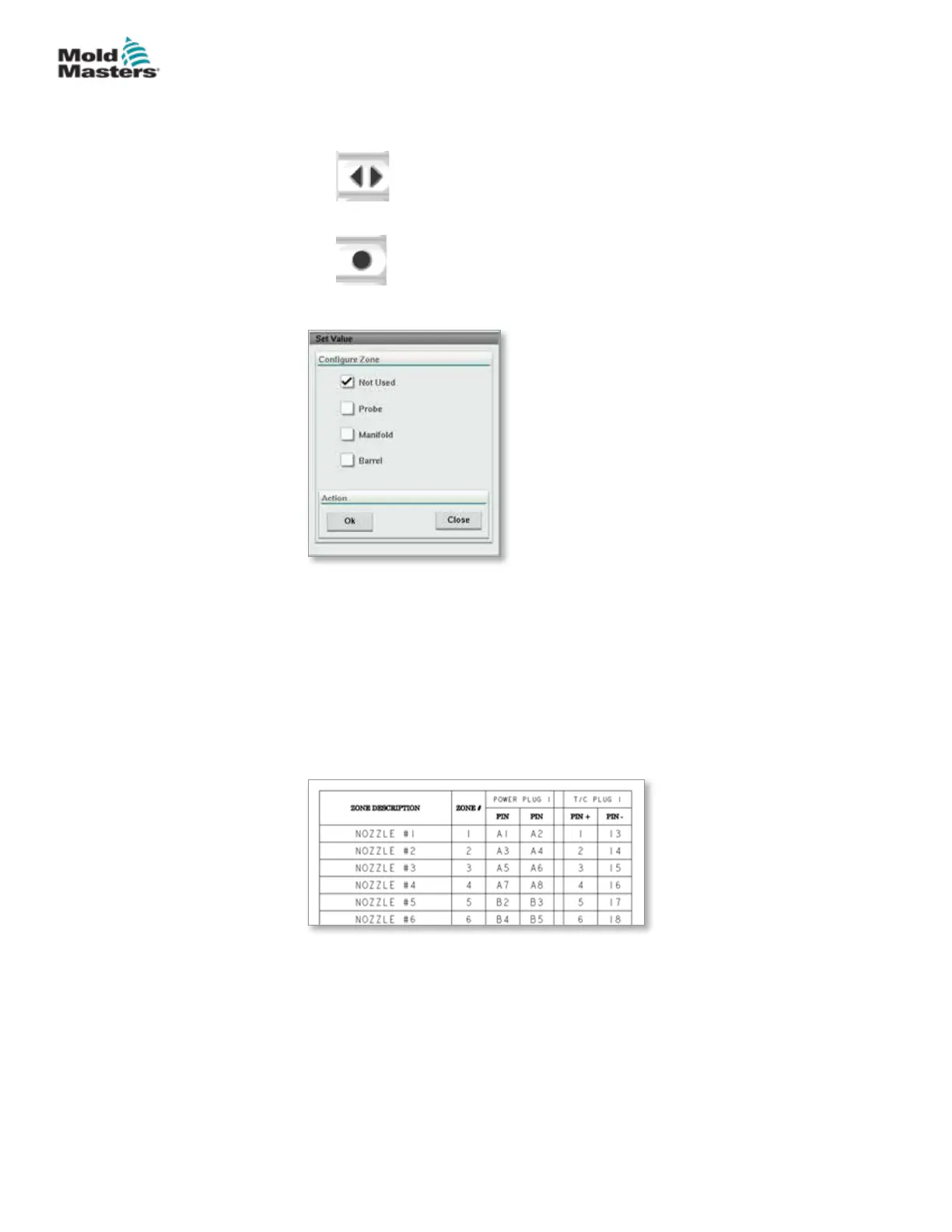
The congure heat zone window will open:
4. Select the zone type:
• [Not Used] - to switch o unwanted zones.
• [Probe] - Nozzle heat control required.
• [Manifold] - Manifold heat control required.
5. Tap the type to place a checkmark in the desired box.
6. Tap [OK].
7. Refer to the hot runner wiring diagram for a table showing heater type and
position of each zone. A sample table is shown for reference:
7-34
© 2020 Mold-Masters (2007) Limited. All Rights Reserved.
E-MULTI CONTROLLER HMI INTERFACE
E-Multi Controller User Manual



 To Next Page