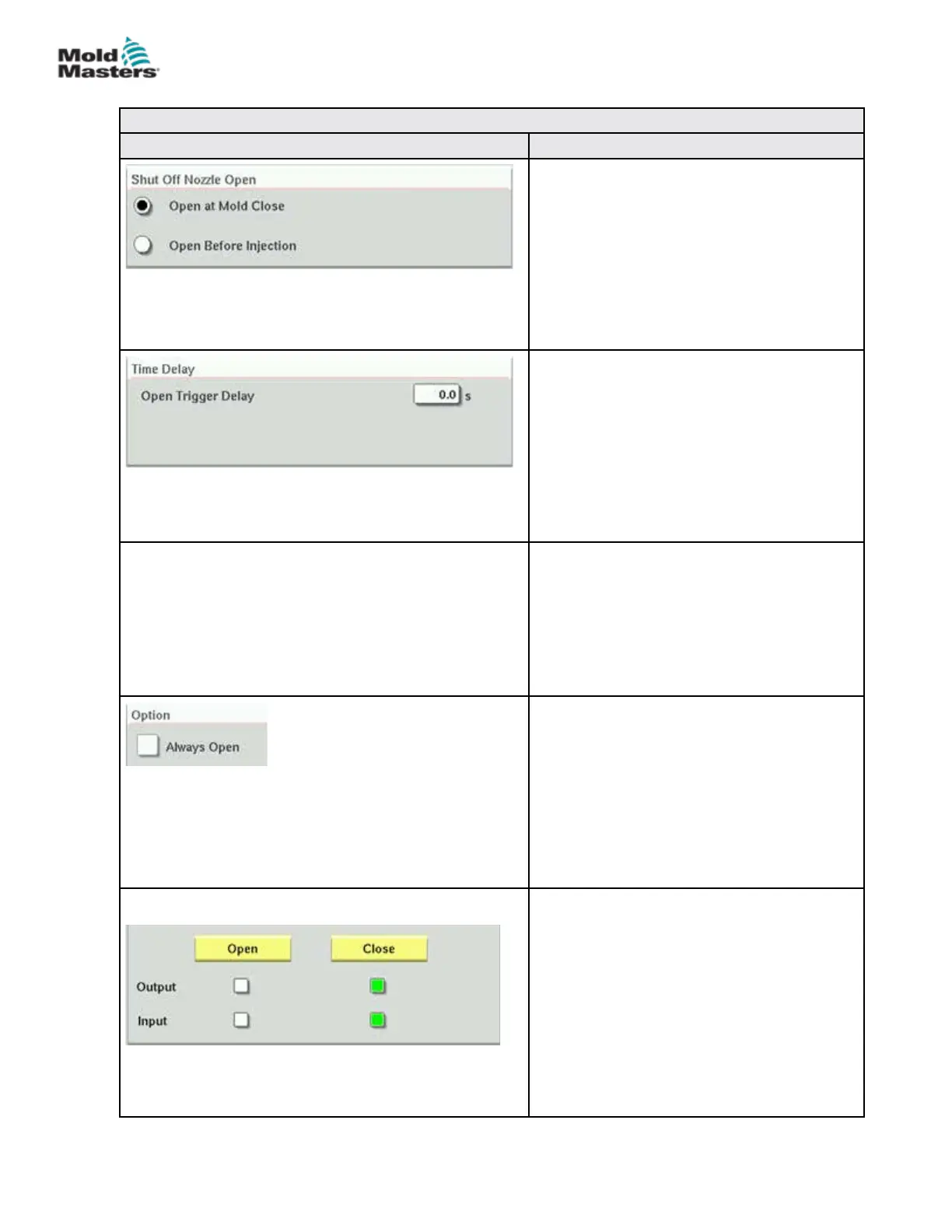
Table 7-27 Screen Elements of Shuto-Nozzle Settings
Screen Element Descripon
Shut O Nozzle Open
Selects the open trigger for the shuto nozzle.
Mold Close—The shuto nozzle opens when
the Mold Close (A6) signal from the IMM turns
on.
Before Injection—The shuto opens when
the injection trigger specied on the E67
settings page turns on.
Time Delay
Adds a delay of the specied time after the
open trigger turns on.
The delay is only active if the open trigger is
Mold Closed and the injection trigger is not
Mold Closed.
Delay time is ignored if the shuto nozzle is
set to Always Open.
Close Trigger
The shuto nozzle closes automatically
after pre-decompression (also known as
decompression before plasticize) completes.
If a recovery delay is set on the recovery
settings page, the shuto nozzle will close
after the recovery delay has elapsed.
Option—Always Open
The shuto nozzle may be set to always be
open for testing or in case where the process
does not require the shuto nozzle to be
closed.
The nozzle will stay open except when the
safety gate is opened, an emergency stop
condition is present, or the system is turned
o.
Manual Operation
Tapping the Open or Close buttons will open
or close the shuto nozzle if the movement
conditions are met.
With Sensors
The Output indicators show the status of the
PLC outputs to the hydraulic or pneumatic
valve.
The Input indicators show the status of the
sensors.
7-46
© 2020 Mold-Masters (2007) Limited. All Rights Reserved.
E-MULTI CONTROLLER HMI INTERFACE
E-Multi Controller User Manual



 To Next Page