4-12 Motorola RF Switch System Reference Guide
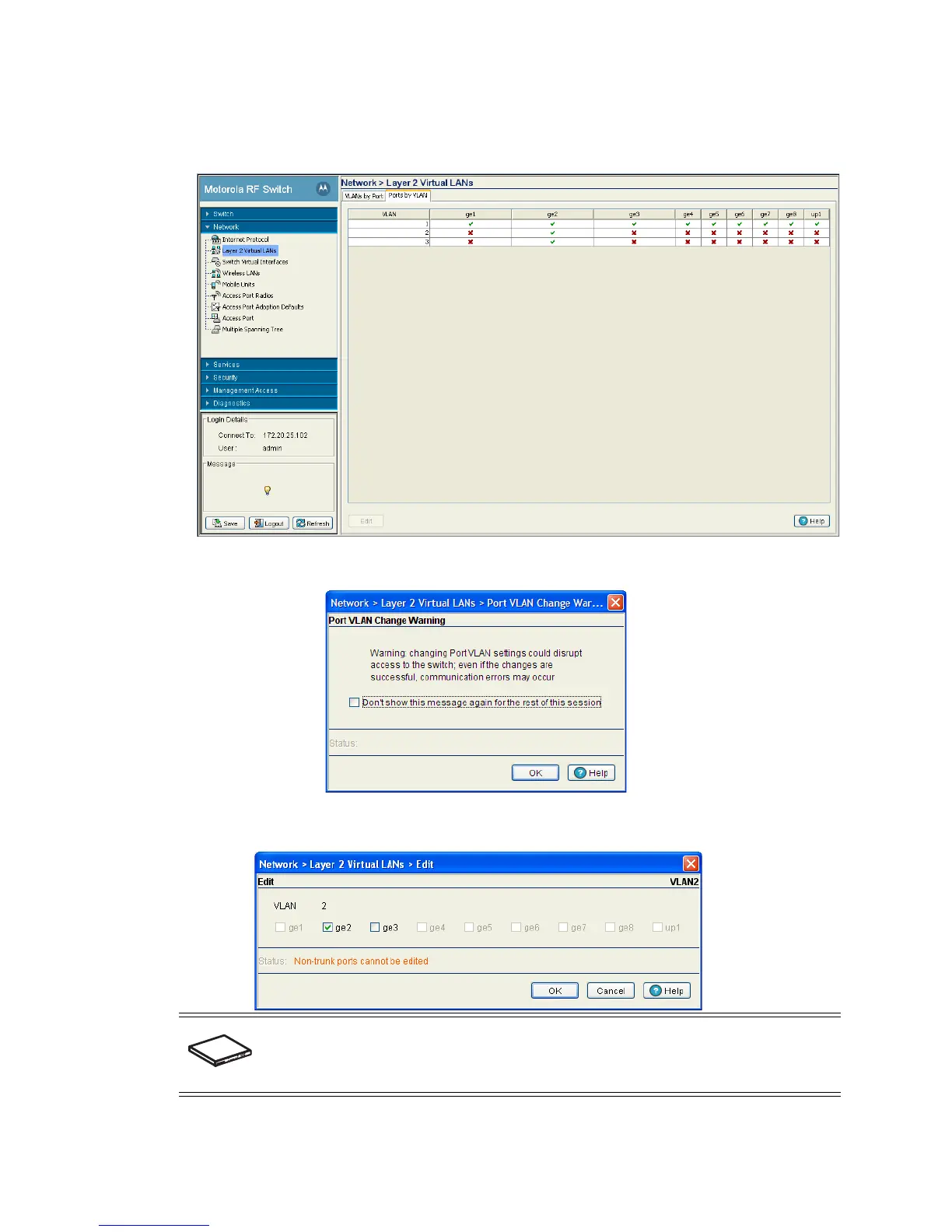
2. Select the Ports by VLAN tab.
VLAN details are displayed within the VLANs by Port tab.
3. Highlight an existing VLAN and click the Edit button. The system displays a Port VLAN Change
Warning message stating that changing VLAN designations could disrupt access to the switch.
4. Click OK to continue. A new window is displayed wherein the VLAN assignments can be modified for the
selected VLAN.
5. Change VLAN port designations as required.
SWITCH NOTE: The ports available vary by switch.
On the RFS6000, the available ports are ge1, ge2, ge3, ge4, ge5, ge6, ge7, ge8, and up1.
On the RFS7000, the available ports are ge1, ge2, ge3, and ge4.
On the RFS4000, the available ports are ge1, ge2, ge3, ge4, ge5, and up1.



 To Next Page
 Loading...






