Network Setup 4-157
• Viewing and Configuring Bridge Instance Details
• Configuring a Port
• Viewing and Configuring Port Instance Details
4.10.1 Configuring a Bridge
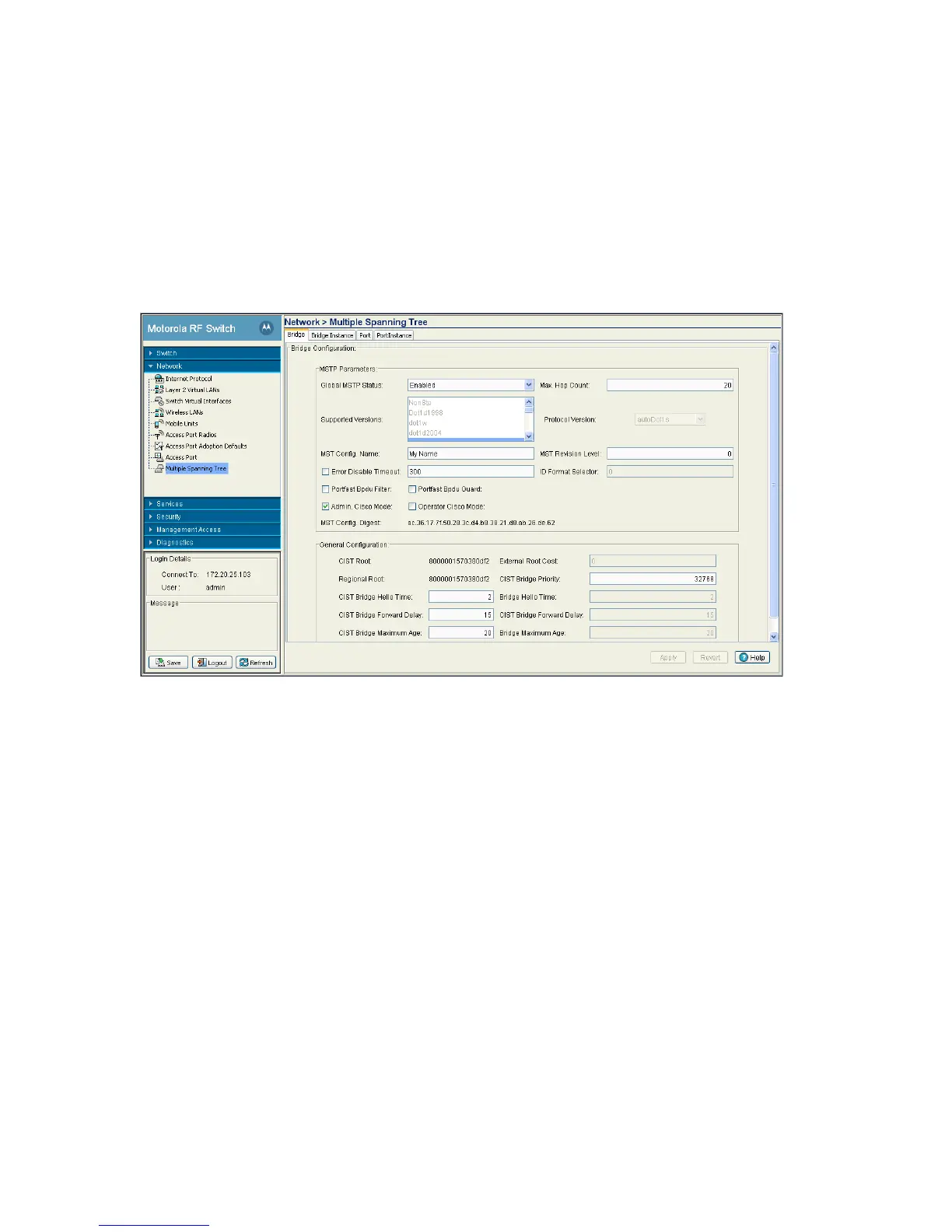
Use the Bridge tab to configure the Bridge. This window displays bridge configuration details for the switch
To configure the MSTP bridge:.
To configure the MSTP bridge:
1. Select Network > Multiple Spanning Tree from the main menu tree.
2. Select the Bridge tab (should be the displayed tab by default).
3. Refer to the MSTP Parameter field to view or set the following:
Global MSTP Status Use the drop-down menu to define MSTP status. The default is Enabled.
Max Hop Count Displays the maximum allowed hops for a BPDU (Bridge Protocol Data Unit) in an
MSTP region. This value is used by all the MSTP instances.
Supported Versions Displays the different versions of STP supported.
Protocol Version Displays the current protocol version in use. Available MSTP protocol versions are:
• forceNonStp
• forceLegacyDot1d
•forceDot1w
• autoDot1s
• unknown



 To Next Page
 Loading...






