8-18 Motorola RF Switch System Reference Guide
8.5 Debugging the Applet
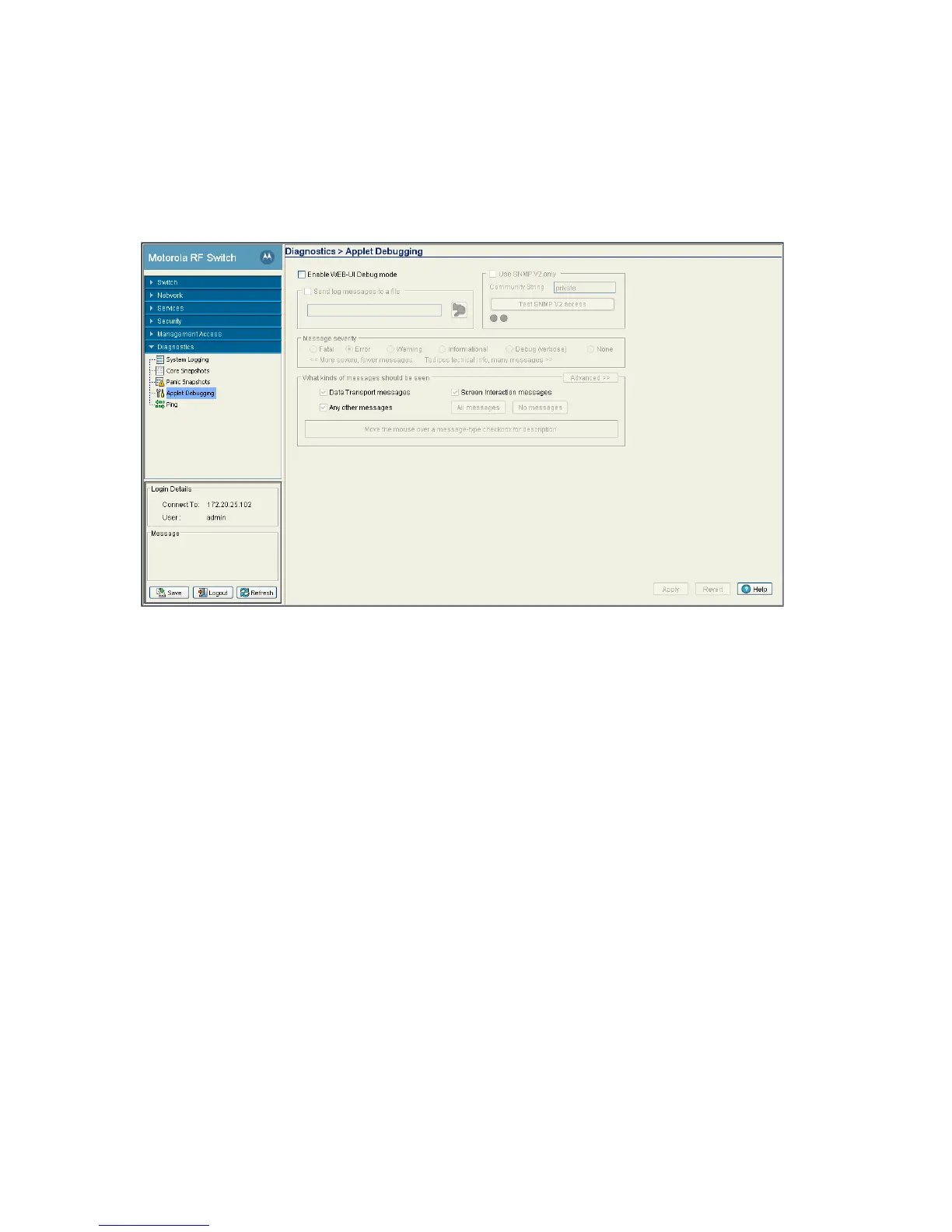
Refer to the Applet Debugging screen to debug the applet. This screen allows you to view and debug
system events by a criticality level you define.
1. Select Diagnostics > Applet Debugging from the main menu.
2. To use this window, select the Enable Web-UI Debug Mode checkbox.
The Applet Debugging field is partitioned into the following editable fields:
• Send log message to a file
• Use SNMP v2 only
• Message Severity
• What kinds of message should be seen
3. Select the Send log message to a file checkbox if you wish to store the log message.
Enabling this checkbox allows you to select the file location where you wish to store the log message.
4. Select the Use SNMP V2 only checkbox to use SNMP v2 to debug the applet.
Check whether you have access to SNMP v2 by clicking on the Test SNMP V2 access button. If SNMP
v2 access is available, the test icon will change from grey to green, indicating the SNMPv2 interface is
viable on the switch.
5. Select the severity of the message you wish to store in the log file.
The Message Severity section allows you to report a bug and log it as per the following severity levels:
• Fatal - loss of data or switch functionality
• Error - switch data compilation problem, could result in data loss
• Warning - potential data loss of configuration corruption
• Informational - data that may be useful in assessing a potential error
• Debug - information relevant to troubleshooting



 To Next Page
 Loading...






