5-14 Motorola RF Switch System Reference
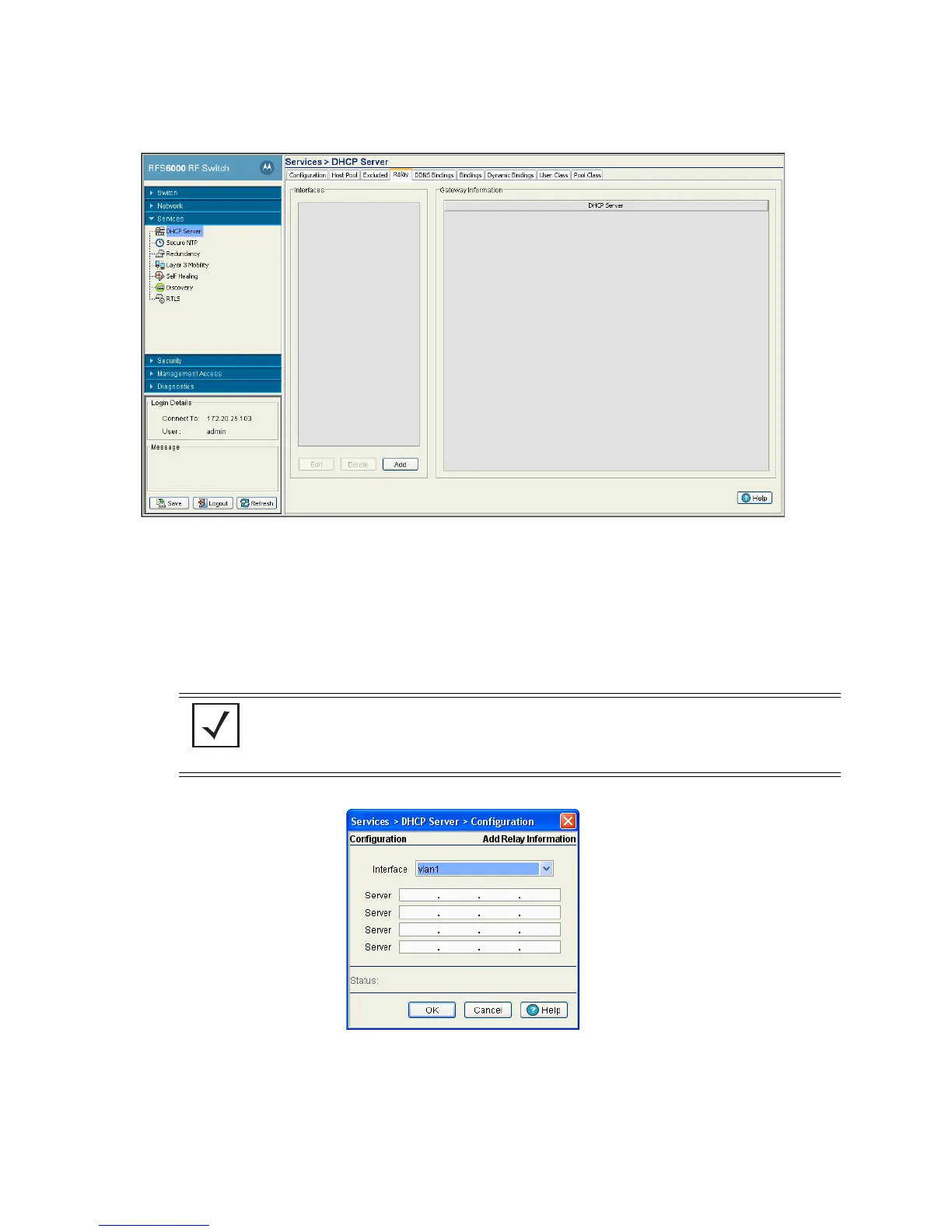
2. Click the Relay tab.
3. Refer to the Interfaces field for the names of the interfaces available to route information between the
DHCP Server and DHCP clients. If this information is insufficient, consider creating a new IP pool or edit
an existing pool.
4. Click the Edit button to modify the properties displayed on an existing DHCP pool. Refer to step 7 for the
information that can be modified for the DHCP relay.
5. To delete an existing DHCP pool from the list of those available to the switch, highlight the pool from
within the Network Pool field and click the Delete button.
6. Click the Add button to create a new DHCP pool.
a. Use the Interface drop-down menu to assign the interface used for the DHCP relay. As VLANs are
added to the switch, the number of interfaces available grows.
b. Add Servers as needed to supply DHCP relay resources.
NOTE: The interface VLAN and gateway interface should have their IP addresses set. The
interface VLAN and gateway interface should not have DHCP client or DHCP Server
enabled. DHCP packets cannot be relayed to an onboard DHCP Server. The interface VLAN
and gateway interface cannot be the same.



 To Next Page
 Loading...






