Switch Information 3-5
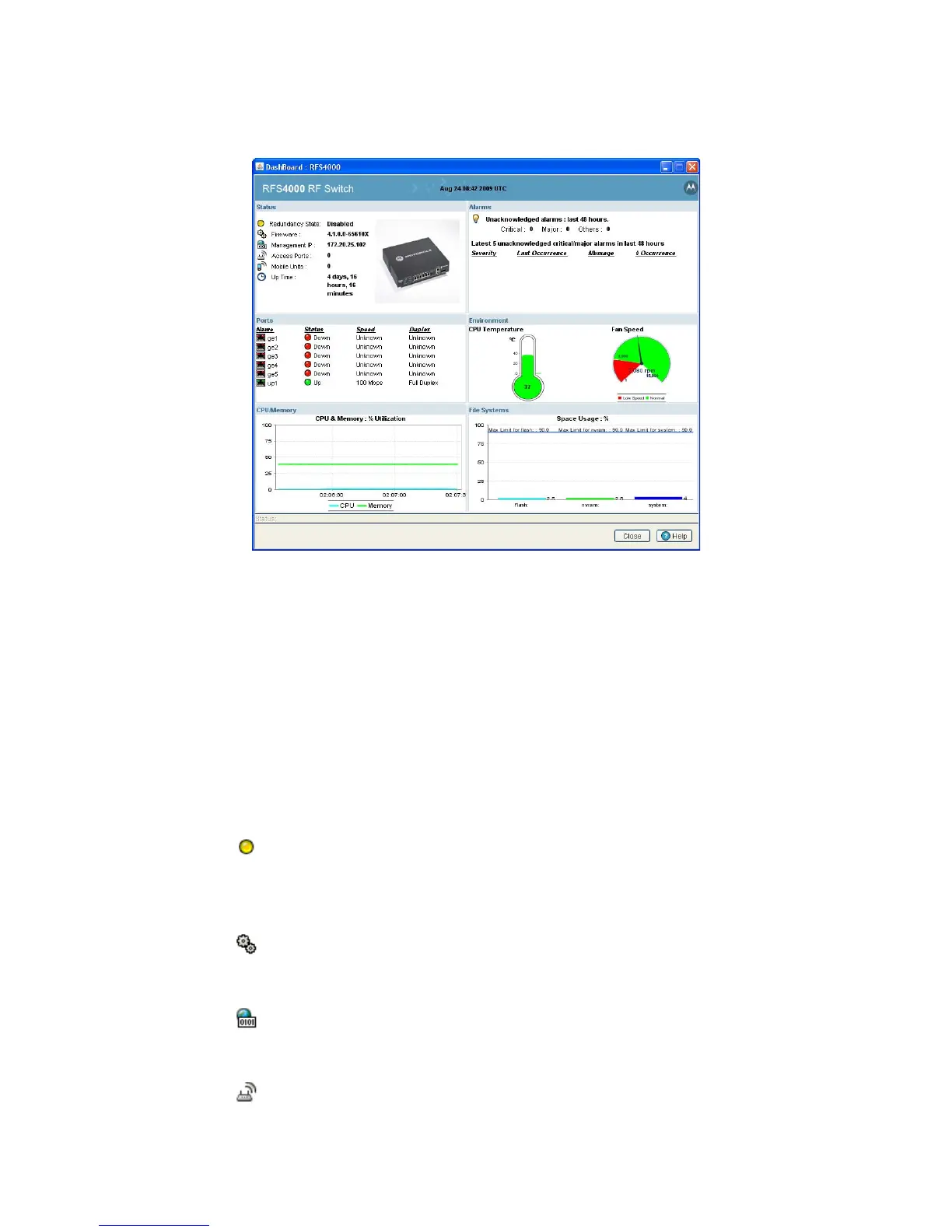
3.1.3.1 RFS4000 Switch Dashboard
The Dashboard screen displays the current health of the switch and is divided into fields representing the
following important diagnostics:
•Alarms
• Ports
• Environment
• CPU/Memory
• File Systems
Apart from the sections mentioned above, it also displays the following status:
Redundancy State
Displays the Redundancy State of the switch. The status can be either Enabled or
Disabled.
• Enabled - Defined a green state.
• Disabled - Defined by a yellow state.
Firmware
Displays the Firmware version of the current software running on the wireless
switch.
Management IP
Displays the Management IP address of the switch.
Access Ports
Displays the total number of Access Ports adopted by the switch.



 To Next Page
 Loading...






