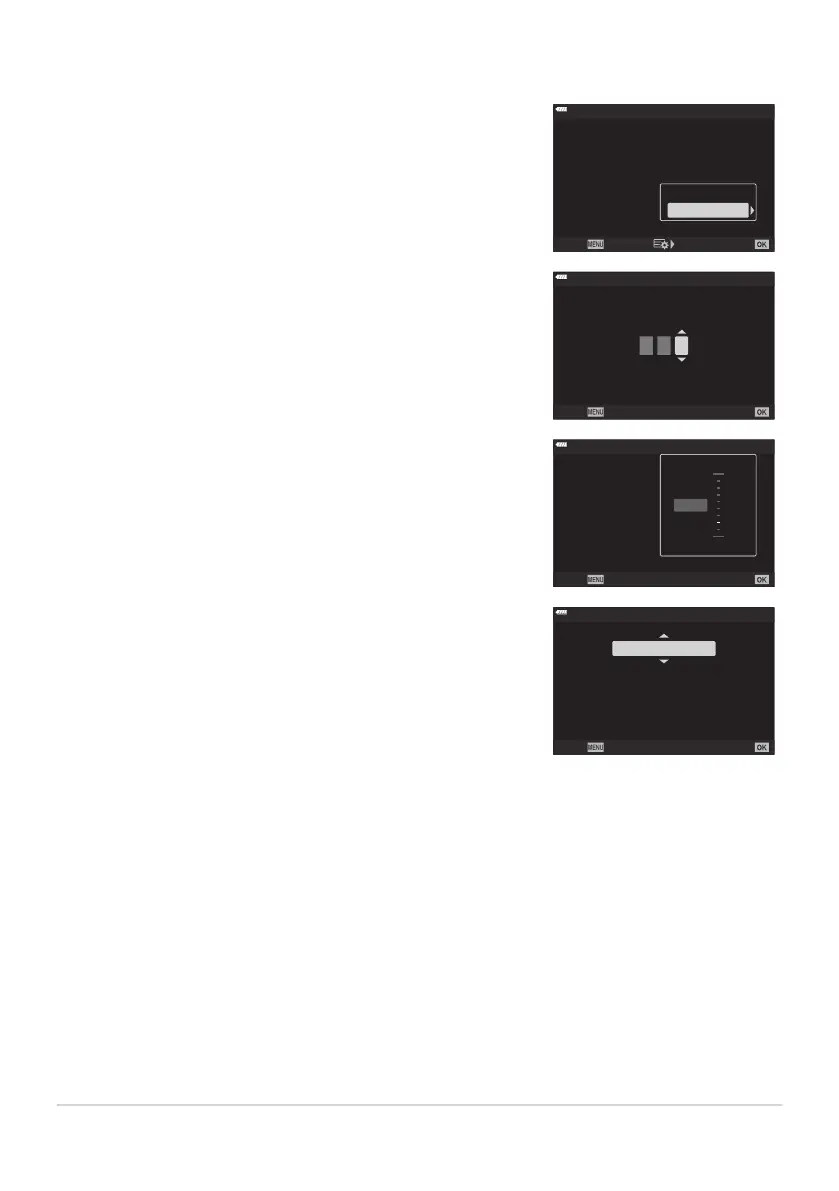
Take a series of shots at different focus positions. Focus moves
successively far
ther from the initial focus position.
ART BKT
ISO BKT
Focus BKT
WB BKT
AE BKT
F
L BKT
3f 1.0EV
--
--
--
--
A-- G--
Back Set
Bracketing
Off
On
Choose the number of shots using [Set number of shots] and the
change in focus distance using [Set focus differ
ential].
Set number of shots
Back Set
0 0 3
Choose smaller values for [Set focus differential] t
o narrow the
change in focus distance, larger values to widen it.
On
8
5
Focus BKT
Back Set
Set number of shots
Focus Stacking
Set focus differential
#Charge T
ime
0sec
10
1
3
Wide
Narrow
If you are using a flash other than the dedicated flash unit, you
can specif
y the time it tak
es to charge using the [ACharge Time]
option.
#Charge
Time
30sec
Select time between shutter
release for flash re
charge.
This setting is not necessary
when using the dedicated flash.
Back
Set
Focus BKT (Focus bracketing)
Press the shutt
er button all the way down and release it immediately. Shooting will continue until the
selected number of shots is taken or until the shutter button is pressed all the way down again.
Focus bracketing is not available with lenses that have mounts conforming to the Four-Thirds
standard.
Focus bracketing ends if zoom is adjusted during shooting.
Shooting ends when focus reaches infinity.
Pictures taken using focus bracketing are shot in silent mode.
Focus bracketing cannot be combined with other forms of bracketing.
The flash sync speed is 1/50s. It drops to 1/20s at [K ISO] settings over ISO 8000.
219
Varying settings over a series of photographs
(Bracketing)
C
C
C
C
C
C



 To Next Page