4 Origin calibration Chapter C: Calibration
64 Planmeca PlanMill 40 Technical manual
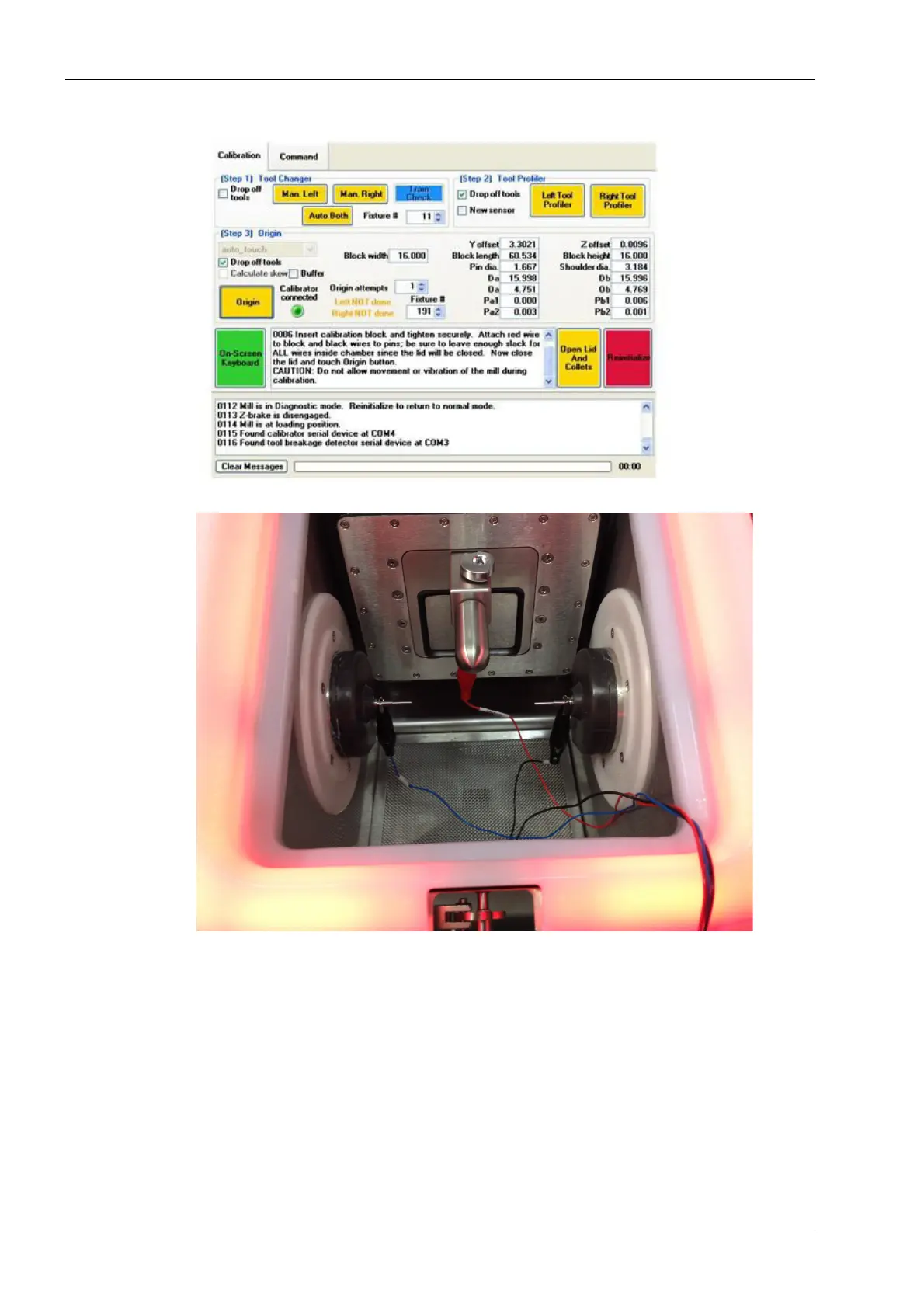
Figure 59: Secure Origin Calibration Fixture and connect cables
Figure 60: Origin Calibration Cable harness connections
14. Close the lid and press the Origin button to start the auto-touch calibration process.
15. The mill will automatically position each of the axes to locate the calibration mandrel.
This process will take approximately 15 to 20 minutes. Take care not to bump the mill
or interrupt the process in anyway as this may adversely affect the accuracy of the
calibration.
16. Once the auto-touch calibration process has completed, the lid opens and the
following message will appear in the first text box. "Remove all calibrator wires and
block. Disconnect the calibrator USB cable. Close the Lid and touch Origin button."
Follow these instructions.














 To Next Page